Course Library
Learning Paths
Free Courses
Learn Blender 3D in the way that’s right for you.
Inner Circle
Where members share progress and help each other learn.
›
The Commons
A free Blender community open to artists of all skill levels.
Forum Archive › 4:35
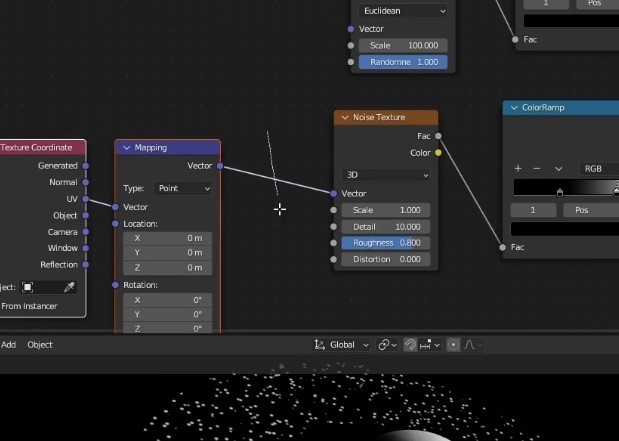
How did you add the mapping to the vector?
What command did you do to connect.
If you have the Node Wrangler Addon enabled,
you can use CTRL+T to add a Texture Coordinates and Mapping Node when you have a Texture Node selected.
If you press CTRL+T with a Shader Node selected, it will also add an Image Texture Node.
Oh,
I see now; you mean the Reroute Node.
SHIFT+RMB and then drag over the Noodle. I believe that also works without the Node Wrangler.
Thanks, I will try that tonight. I do have node wrangler activated. Thanks again.

.

 .
.