Course Library
Learning Paths
Free Courses
Learn Blender 3D in the way that’s right for you.
Inner Circle
Where members share progress and help each other learn.
›
The Commons
A free Blender community open to artists of all skill levels.
Forum Archive › 2:30 How come my ring has a seam and yours doesn’t?
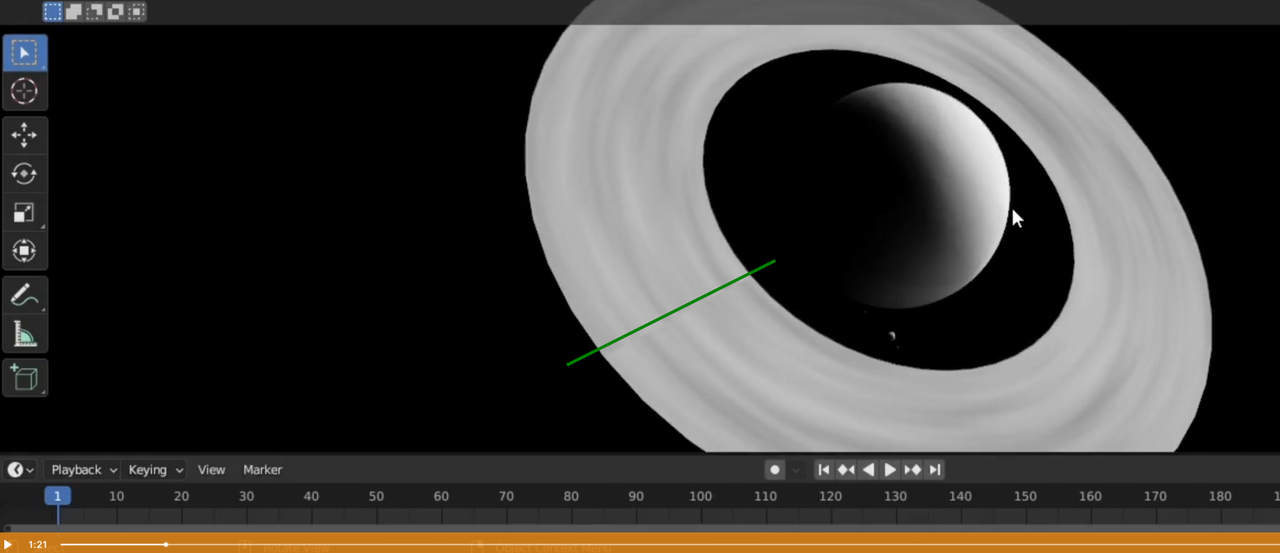
There is a straight line boundary where the noise pattern does not match, perpendicular to the edges of the ring.
Node setup and curve setup are the same as far as I can tell.
Hello Erik. Can you post a screenshot of the issue. Maybe also of your UV’s if you have any, maybe of the nodes. Things to take into account, applying the scale, applying the rotation maybe.
There is a seam initially:
but if you Scale the X in the Mapping Node to 0, that should be gone…
Like Omar said, please post a Screenshot of the Node setup and 3D View if that doesn’t work.