Hi Feroz @quaziferoz ,
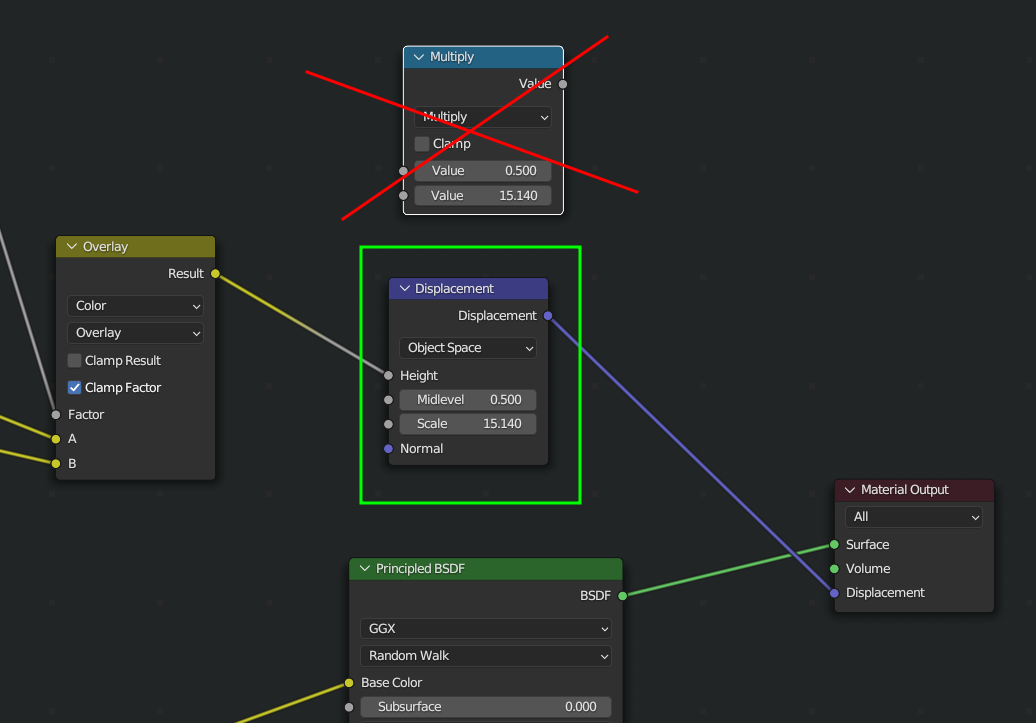
I was afraid you might have done this; there has been a change in Blender and you need to use a Vector > Displacement Node instead of the Math Node:
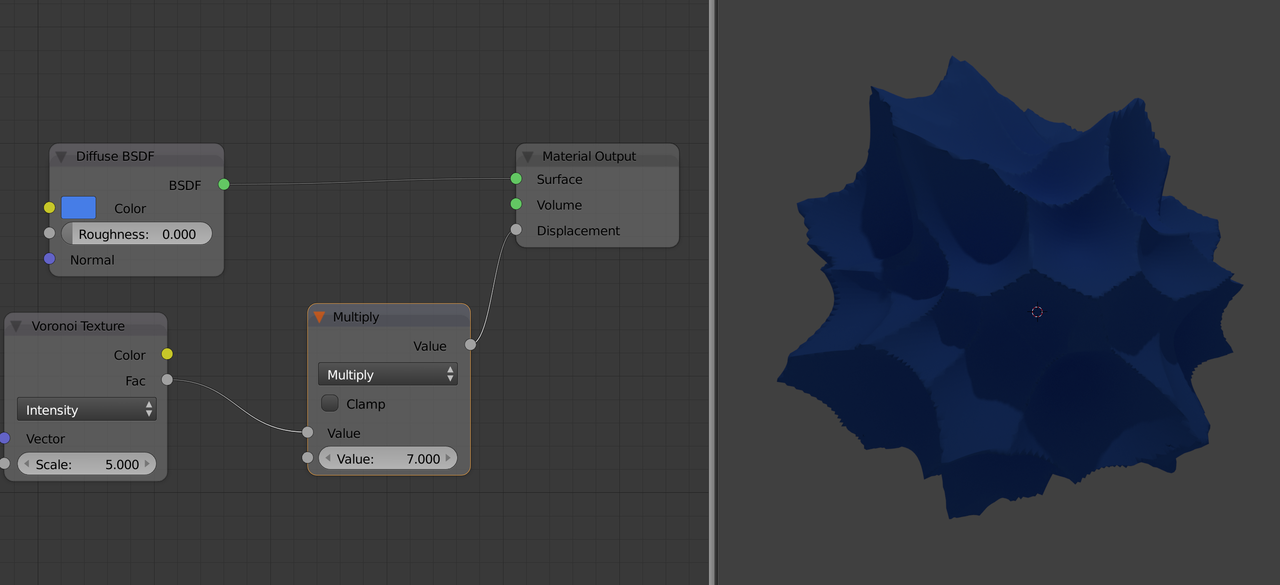
The Displacement socket in the Material Output Node used to be grey, taking in a single Value:
Now it expects a Vector and if you plug in a single Value like 7.3, that will be converted to the Vector (7.3, 7.3, 7.3).
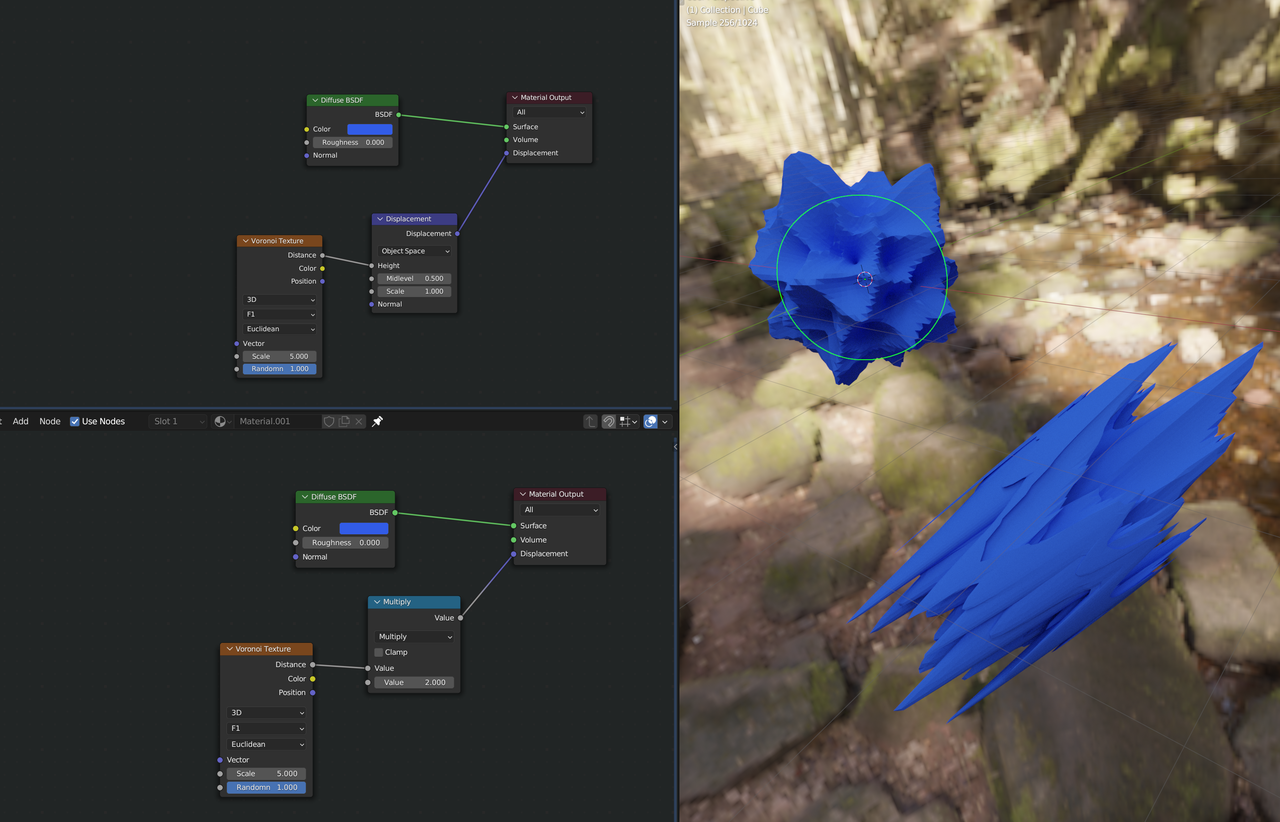
However, as this tutorial uses the Multiply Node and it works to our advantage, maybe you should stick with that here (you can try switching it out). Remember however, that if you make your own Shaders, that unexpected results may happen if you don’t use a Displacement Node.

.


