Should I apply subsurface modifier before UV unwrapping?

Forum Archive Should I apply subsurface modifier before UV unwrapping?

Viewing 3 posts - 1 through 3 (of 3 total)
  • Author
    Posts
  • #15323
    squidring
    Participant

      I’ve got an object I’m exporting to Substance Painter and I have UV unwrapped it with a subsurface modifier on the model.  All looks good in Blender and in Substance Painter until I apply a texture in Substance Painter and then I get strange artifacts where the subsurface is causing the most alterations to geometry.

      I’ve tried using a triangulate modifier in combination with the subsurf modifier, but that didn’t help.

      The only thing that helped was applying the subsurf modifier before UV unwrapping.  Is this the correct workflow to have to do this?

      #74954
      Martin Bergwerf
      Participant

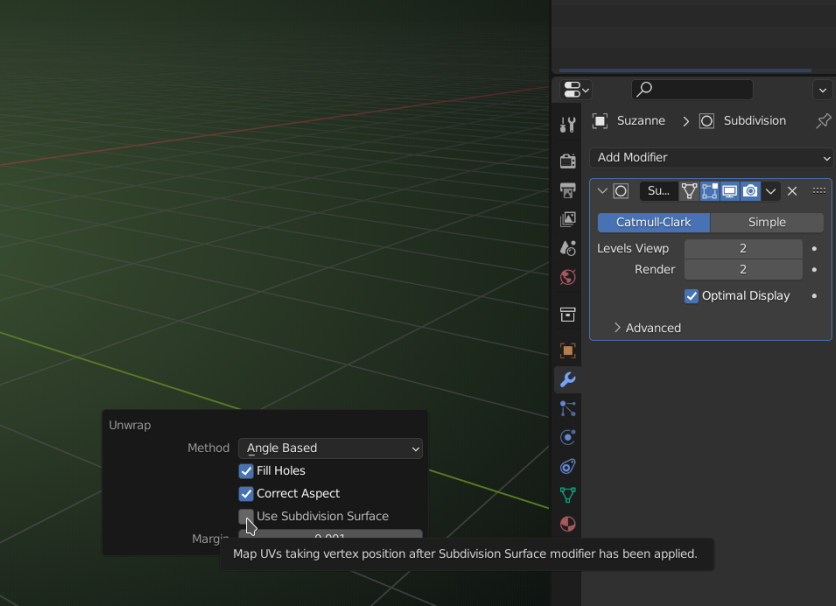
        I have never used this, but there is a setting, when you unwrap:

        Subsurf_UV.png

        I think that should do what you want.

        #74955
        Omar Domenech
        Participant

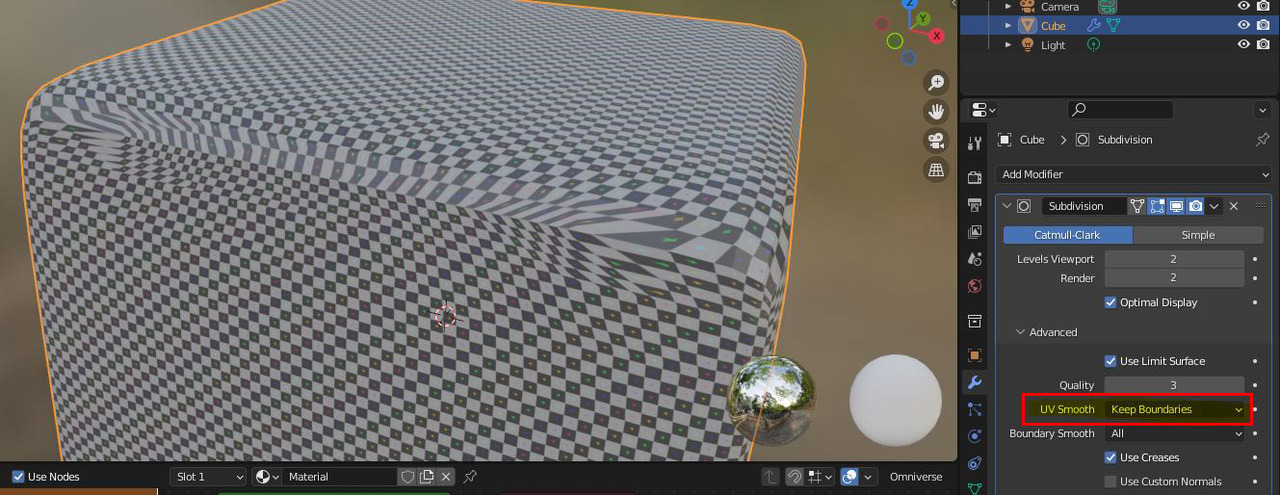
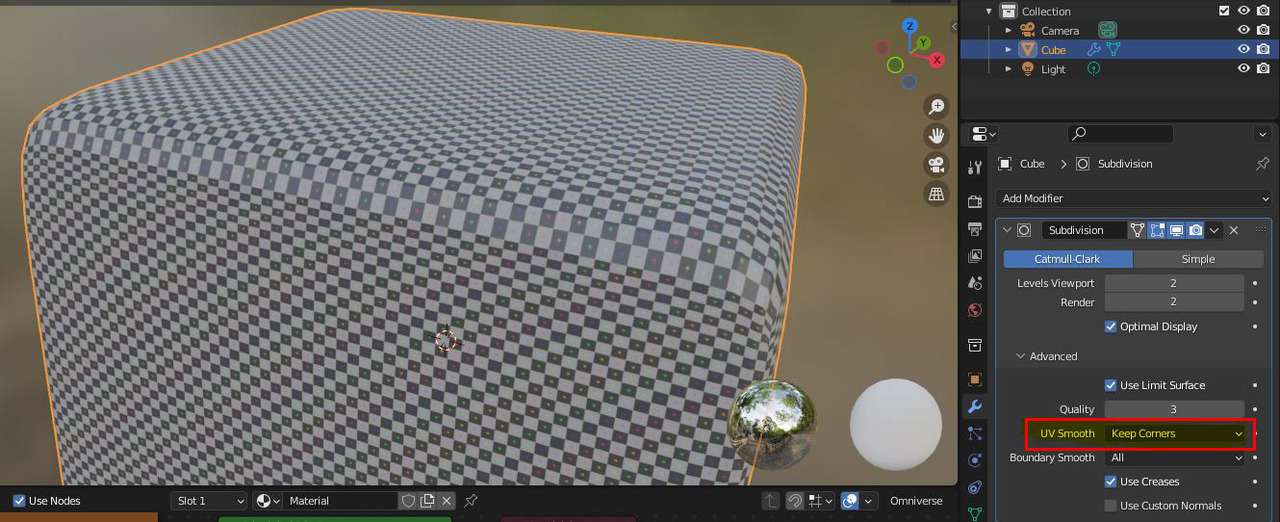
          I would apply the modifiers if I were to export a model, but I rarely work outside of Blender these days, so I’m not exactly sure. I do remember JL doing the UV Smooth setting on a couple of tutorials, in the SubD modifier, under advance. Maybe that helps you. 

          JL explain UV stretching and other facts on this lesson:

          https://cgcookie.mavenseed.com/lessons/fixing-uv-skewing-and-stretching

          Capture3.jpg

          Capture4.jpg

        Viewing 3 posts - 1 through 3 (of 3 total)
        • The topic ‘Should I apply subsurface modifier before UV unwrapping?’ is closed to new replies.