
I am experiencing some issues with cycles

Forum Archive I am experiencing some issues with cycles

Viewing 5 posts - 1 through 5 (of 5 total)
  • Author
    Posts
  • #13522
    João Pedro Gaelzer
    Participant

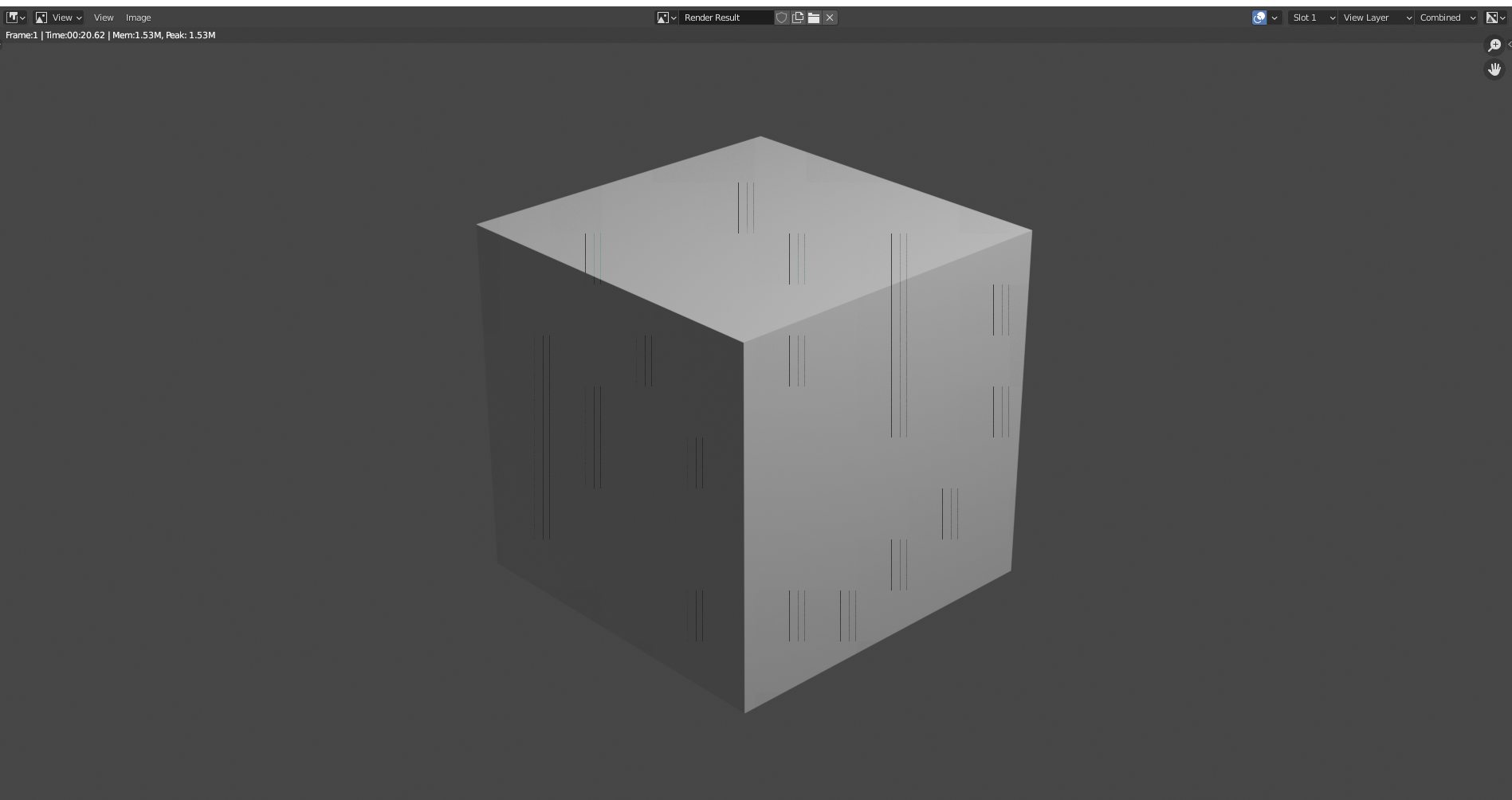
      Is it normal render like this with cycles? I set the GPU only (AMD RX 570). Because, if I use the CPU the render is very slow, even when I use OPENCL. GPU is faster, but the result is this picture. With Eevee or Cycles by CPU, everything runs fine.

      Is there something I can do here, to fix this, or I just set cpu+opencl?

      #63023
      Jonathan Lampel
      Participant

        That sounds like a bug! I would recommend reporting it here: https://developer.blender.org/

        #63024
        João Pedro Gaelzer
        Participant

          I found the same issue on developer.blender.org. I update the drivers to Adrenalin 21.2.2 and I got a clean render. But, I am unable to work in the viewport shader: rendering. Even when I try to use ctrl+B, to select only a fraction of the viewport, Blender crash. I know now, this is a problem with AMD Drivers. Next time, I will buy a Nvidia GPU.

          #63025
          João Pedro Gaelzer
          Participant

            I will keep working with the CPU + OpenCL to work on viewport shader: rendering, and when I am done, I will render with GPU Compute.

            #63026
            Jonathan Lampel
            Participant

              Ok, sorry to hear that! Unfortunately Nvidia is just more reliable when it comes to graphics software, even in Maya. Hopefully that won’t have to be the case in the future though. 

            Viewing 5 posts - 1 through 5 (of 5 total)
            • The topic ‘I am experiencing some issues with cycles’ is closed to new replies.