I am having problems using this with eevee. It would make the eye materials all blank white. How do I fix this?

Forum Archive I am having problems using this with eevee. It would make the eye materials all blank white. How do I fix this?

Viewing 8 posts - 1 through 8 (of 8 total)
  • Author
    Posts
  • #13210
    mamaineedyou2
    Participant

      I am having problems using this with eevee. It would make the eye materials all blank white. How do I fix this?

      #62019
      Ingmar Franz
      Participant

        You sometimes have to wait some seconds for EEVVEE to calculate the shading. Then the all white surface should turn to the material colors:

        #62020
        mamaineedyou2
        Participant

          Oh sorry I mean when I render my animation or image the eye color becomes blank white 

          #62021
          spikeyxxx
          Participant

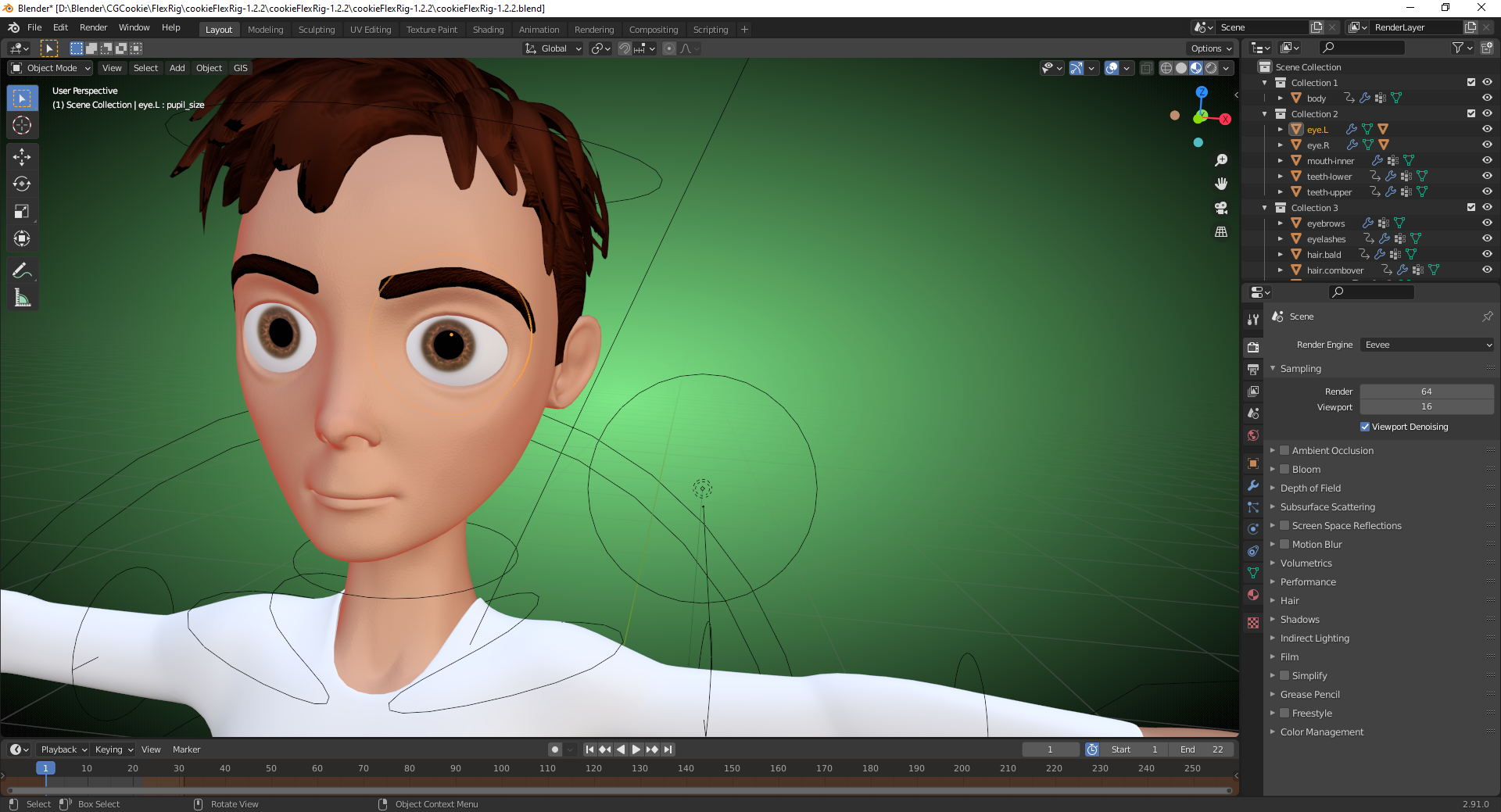
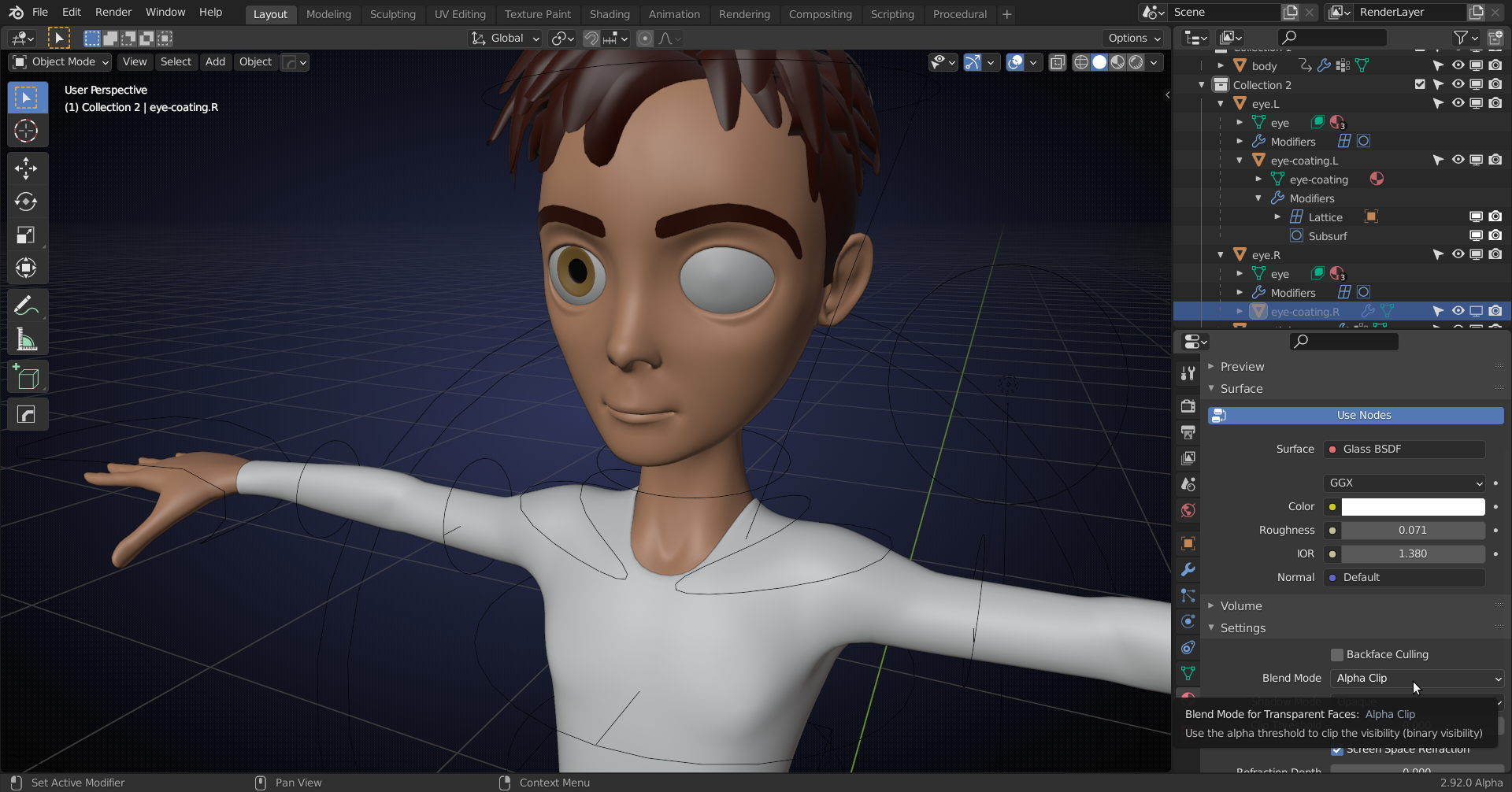
            There is a coating over the eyes (Glass Material) that is disabled in the Viewport, but not in the Render, hence the difference. You’ll need to open an Eye in the Outliner and select the (greyed out) Coating and in the Material Tab enable Screen Space Refraction and set the Blend mode to Alpha Clip or so:

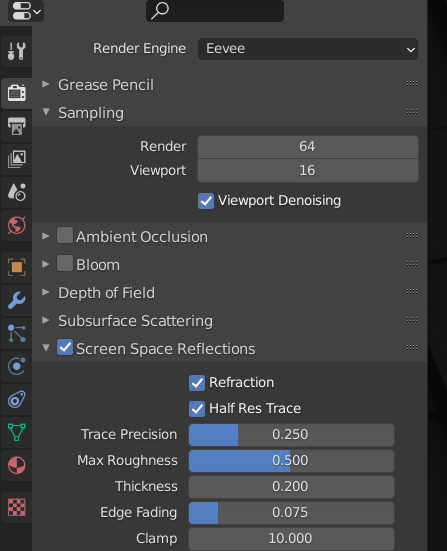
            Also enable Reflection and Refraction in the Render Tab:

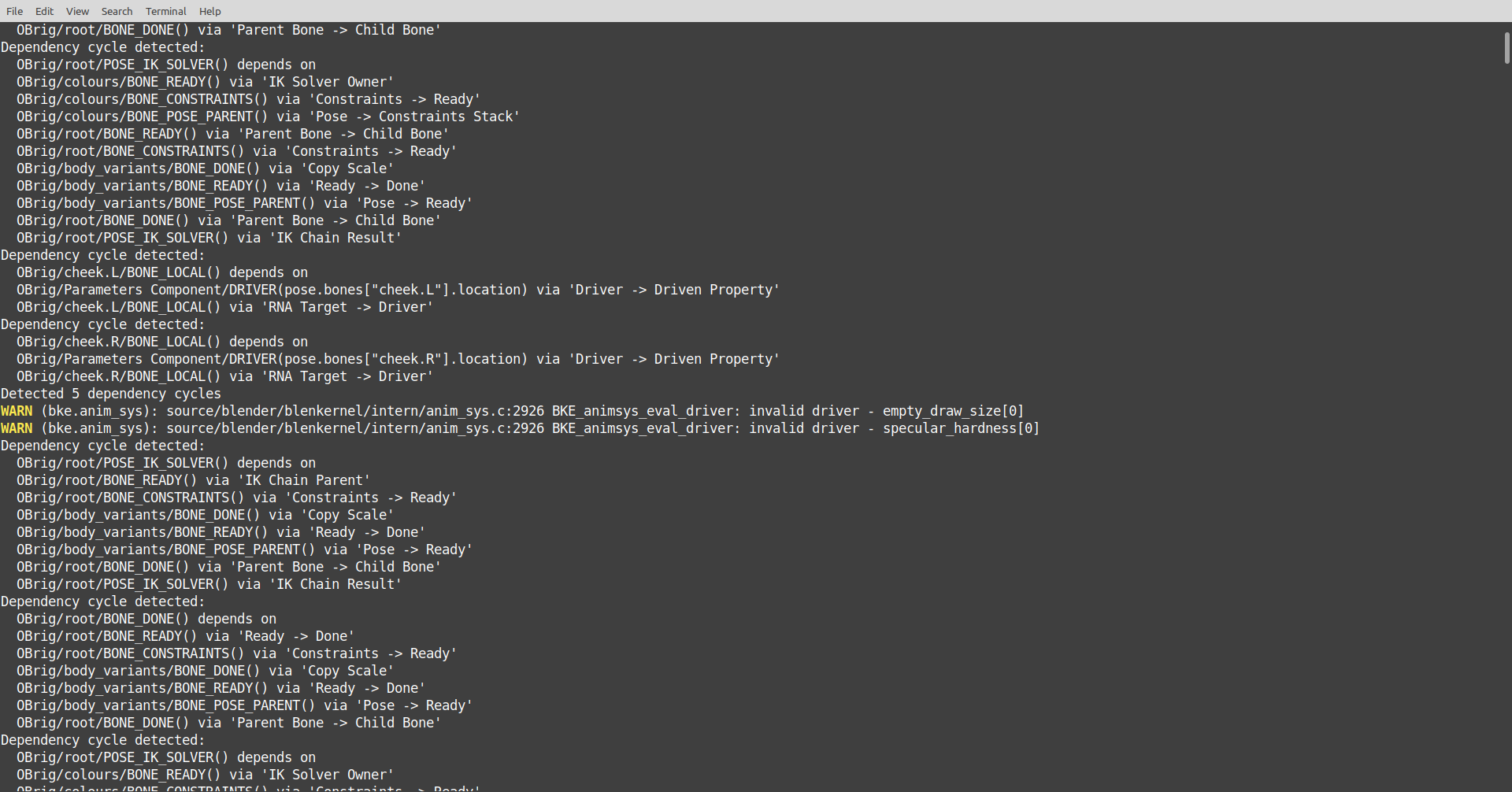
            BUT, this wasn’t made for 2.8+ and the dependency graph has changed completely and this file gives loads of errors and/or warnings so the rig might not work correctly:

            #62022
            mamaineedyou2
            Participant

              Thanks

              #62023
              Ingmar Franz
              Participant

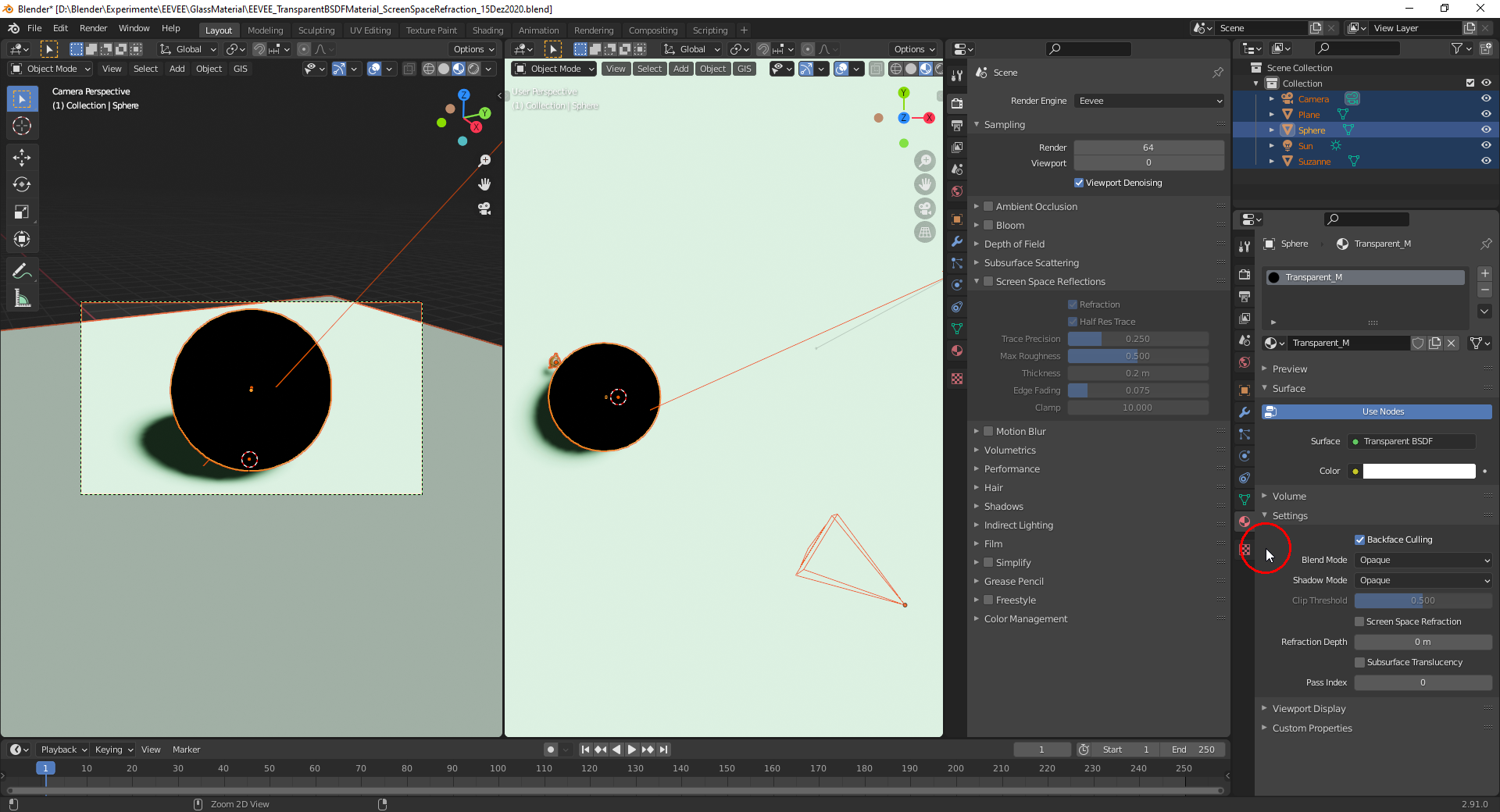
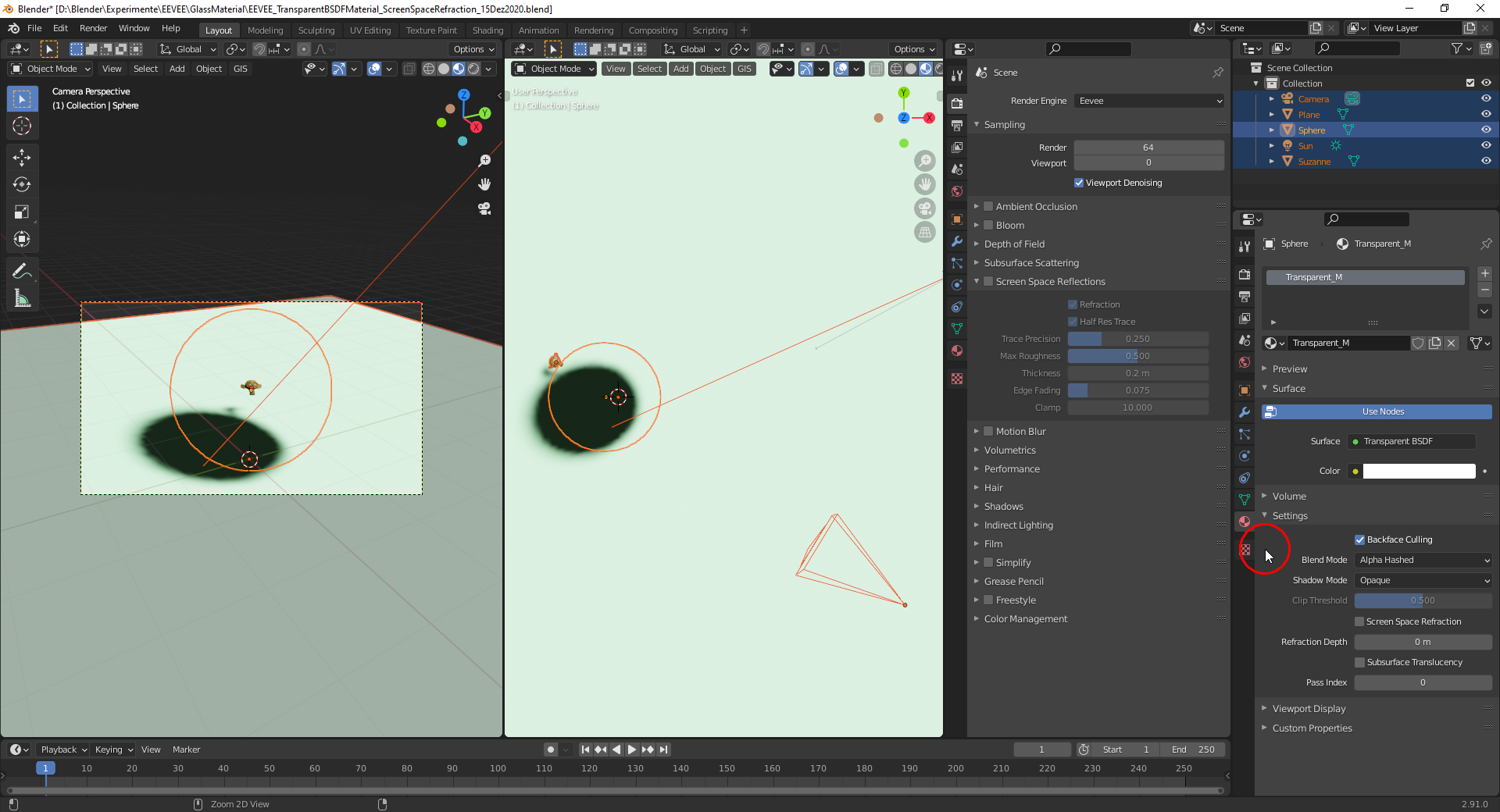
                Thanks, @spikeyxxx, for the in-depth explanation.  The “Blend Mode” setting to one of the “Alpha” modes is only necessary for a “Transparent BSDF” which doesn’t need “Screen Space Refractions/Reflections” being activated:
                Glass BSDF with “Screen Space Refractions/Reflections” and “Opaque” as “Blend Mode” :
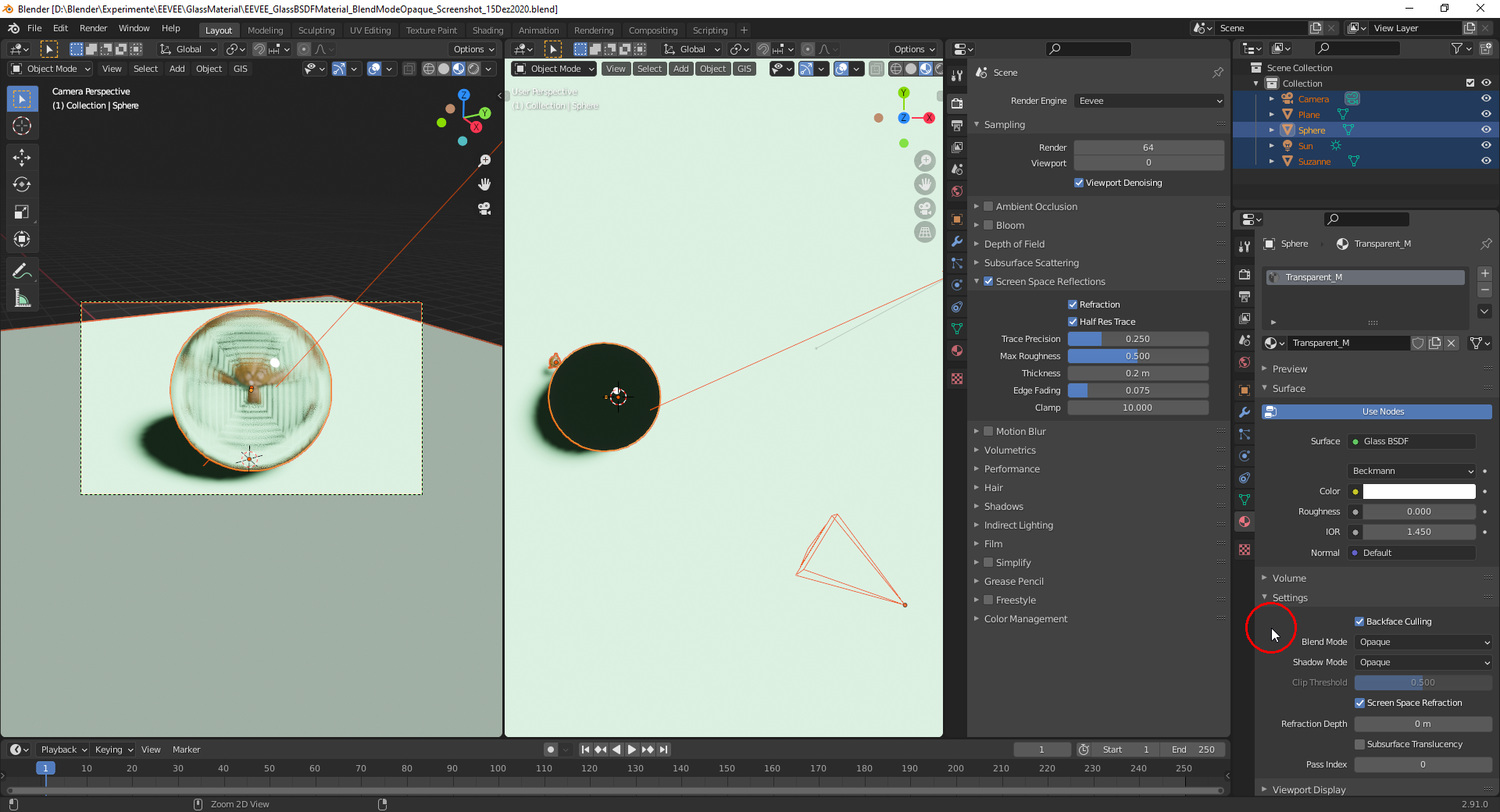
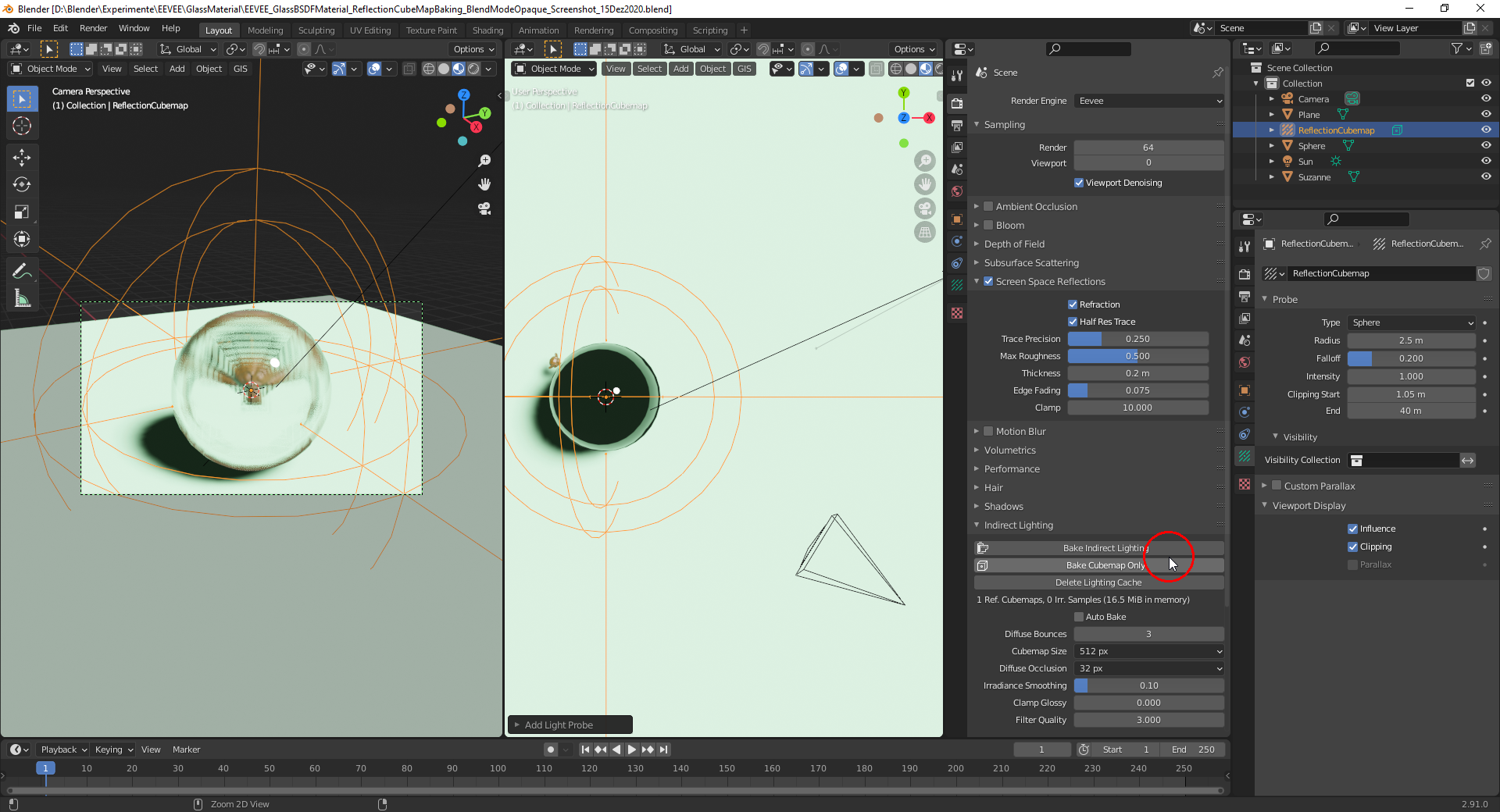
                The sphere in the right frame is only black because of the shadow being seen through it. This isn’t of course physically accurate but EEVEE specific and can be changed using a “Light Probe” object of type “Reflection Cubemap” in the scene for which you have to bake a “Cubemap”:
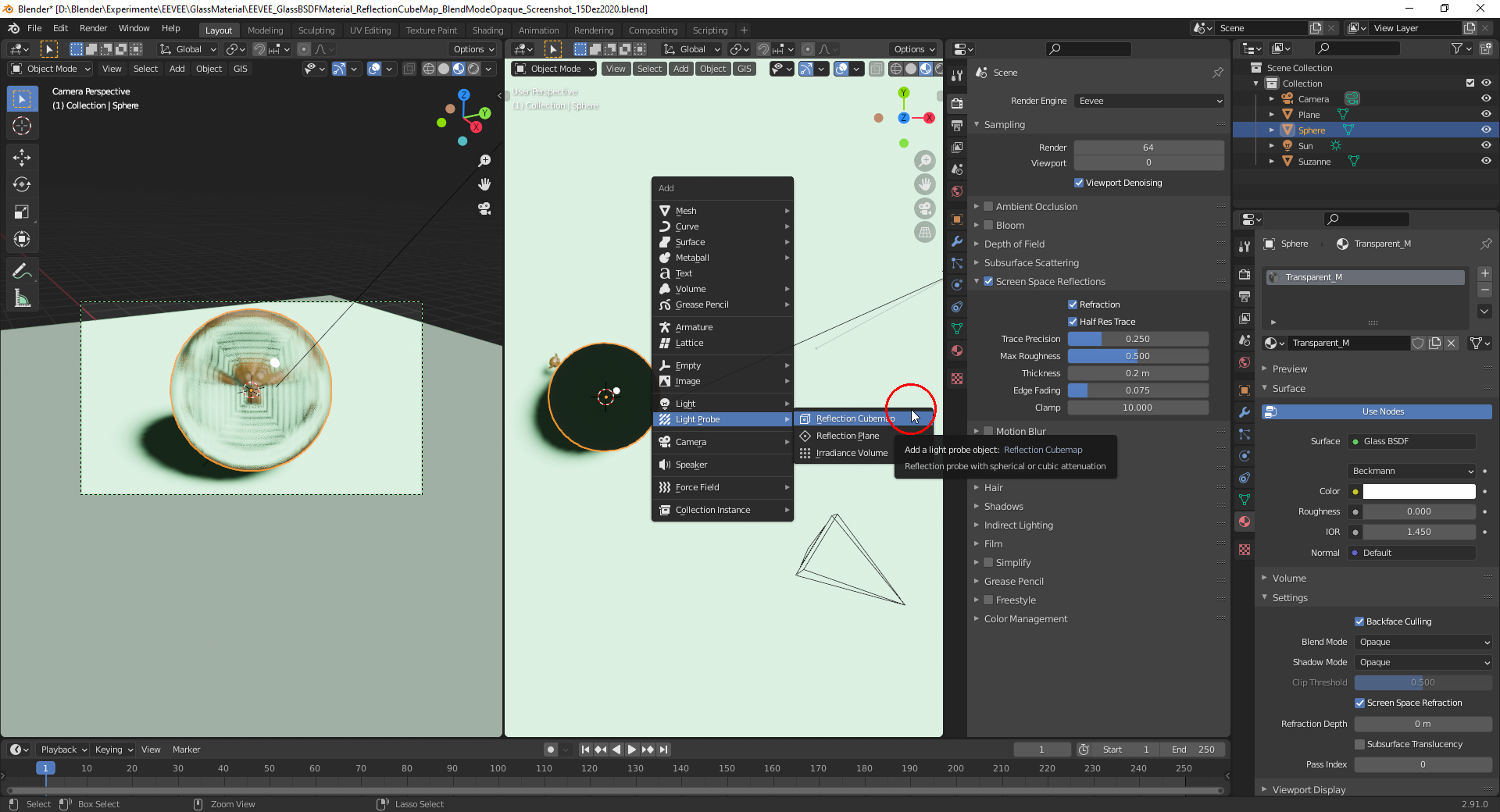
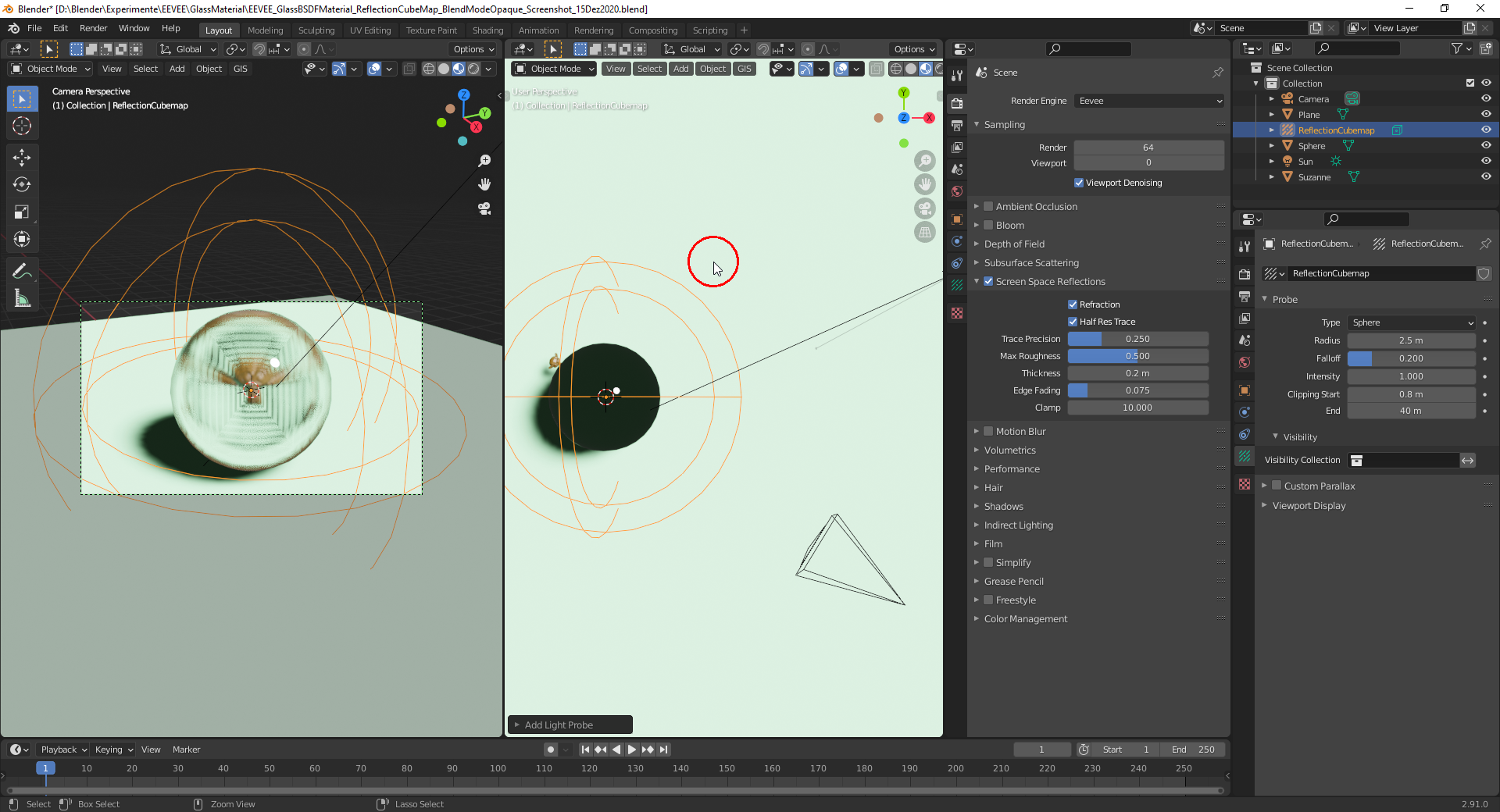
                Tweaking the “Clipping Start” value so that it’s outside of the “Glass Sphere”:
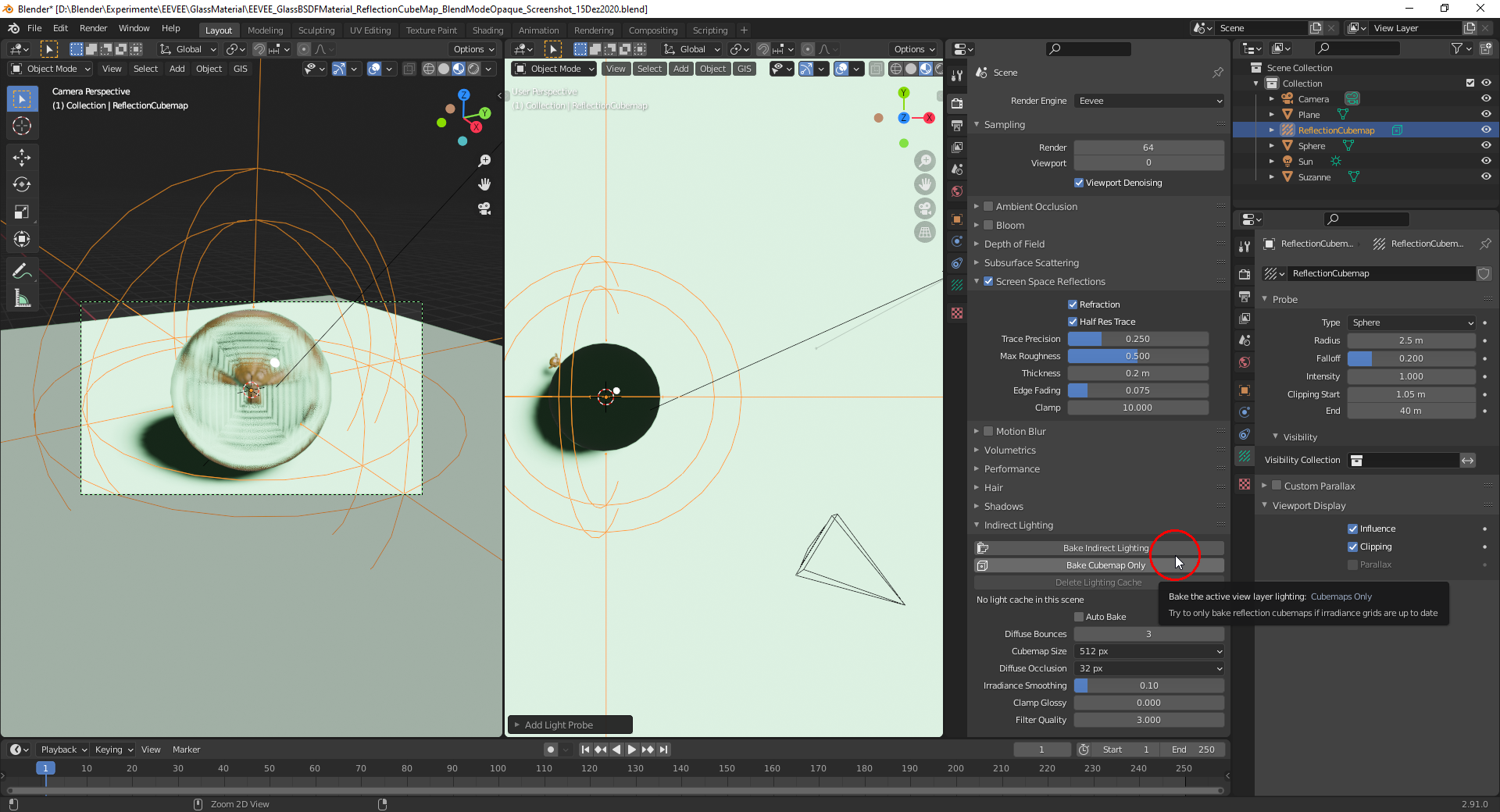
                With the “Reflection Cubemap” baked:
                For “Reflection Cubemaps” see this video here (still works with Blender 2.91 although recorded with Blender 2.80 Beta).

                 Important note from the Blender 2.91 manual here:

                Screen Space Reflections are much more precise than reflection cubemaps. If enabled, they have priority and cubemaps are used as a fall back if a ray misses.

                PS: @spikeyxxx  is there a setting to colorize the “WARN” error message or did you do it manually in the screenshot?

                #62024
                spikeyxxx
                Participant

                  @duerer thanks a lot! You know way more than I do when it comes to Eevee 🙂

                  Those colors (warnings yellow and errors red) are automatic in my Terminal. I can change my Terminal’s color scheme, but it’s not a setting that you can change in Blender afaik.

                  #62025
                  Ingmar Franz
                  Participant

                    Thanks, @spikeyxxx  I’m slowly discovering EEVEE. It’s still in many parts a mystery to me with all the tweaking 😉. I think, I need a lot more pratice for getting really cool EEVEE renderings.

                  Viewing 8 posts - 1 through 8 (of 8 total)
                  • The topic ‘I am having problems using this with eevee. It would make the eye materials all blank white. How do I fix this?’ is closed to new replies.