Course Library
Learning Paths
Free Courses
Learn Blender 3D in the way that’s right for you.
Inner Circle
Where members share progress and help each other learn.
›
The Commons
A free Blender community open to artists of all skill levels.
Forum Archive › I can ‘t unwrap the mesh!
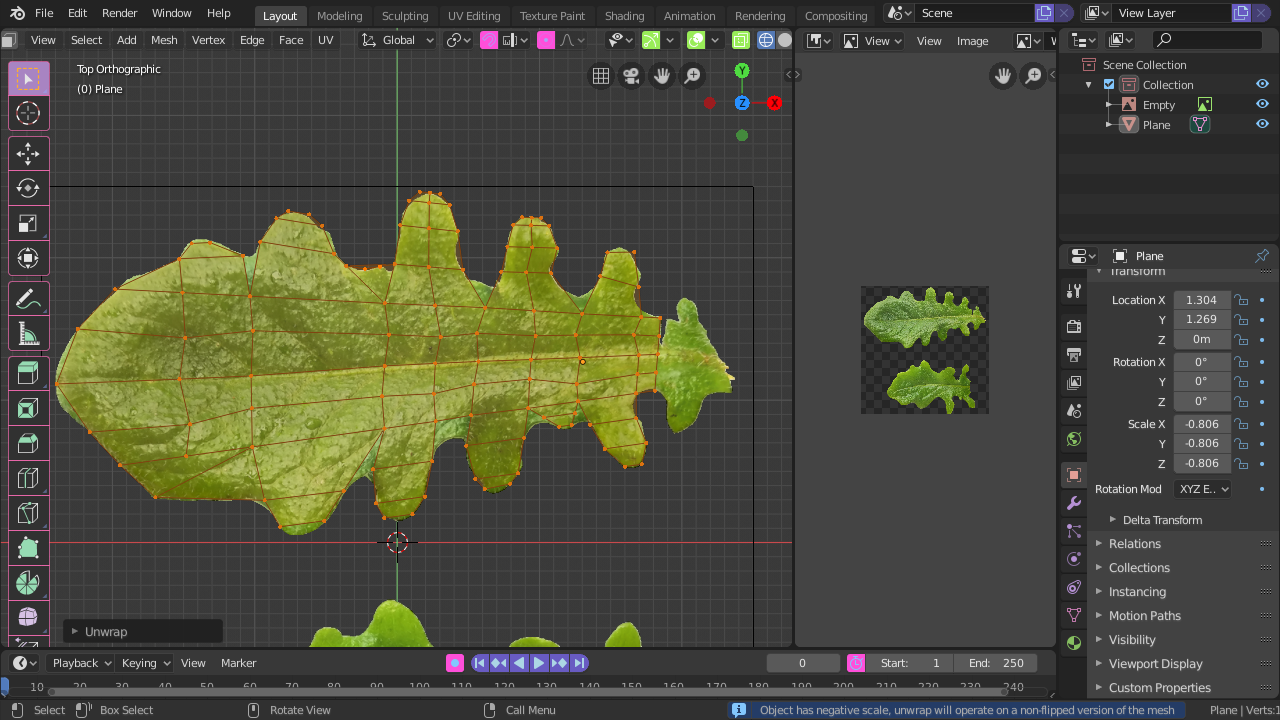
I click unwrap but i says it has a negative scale
It still unwraps, but it will give a mirrored UV-unwrap.
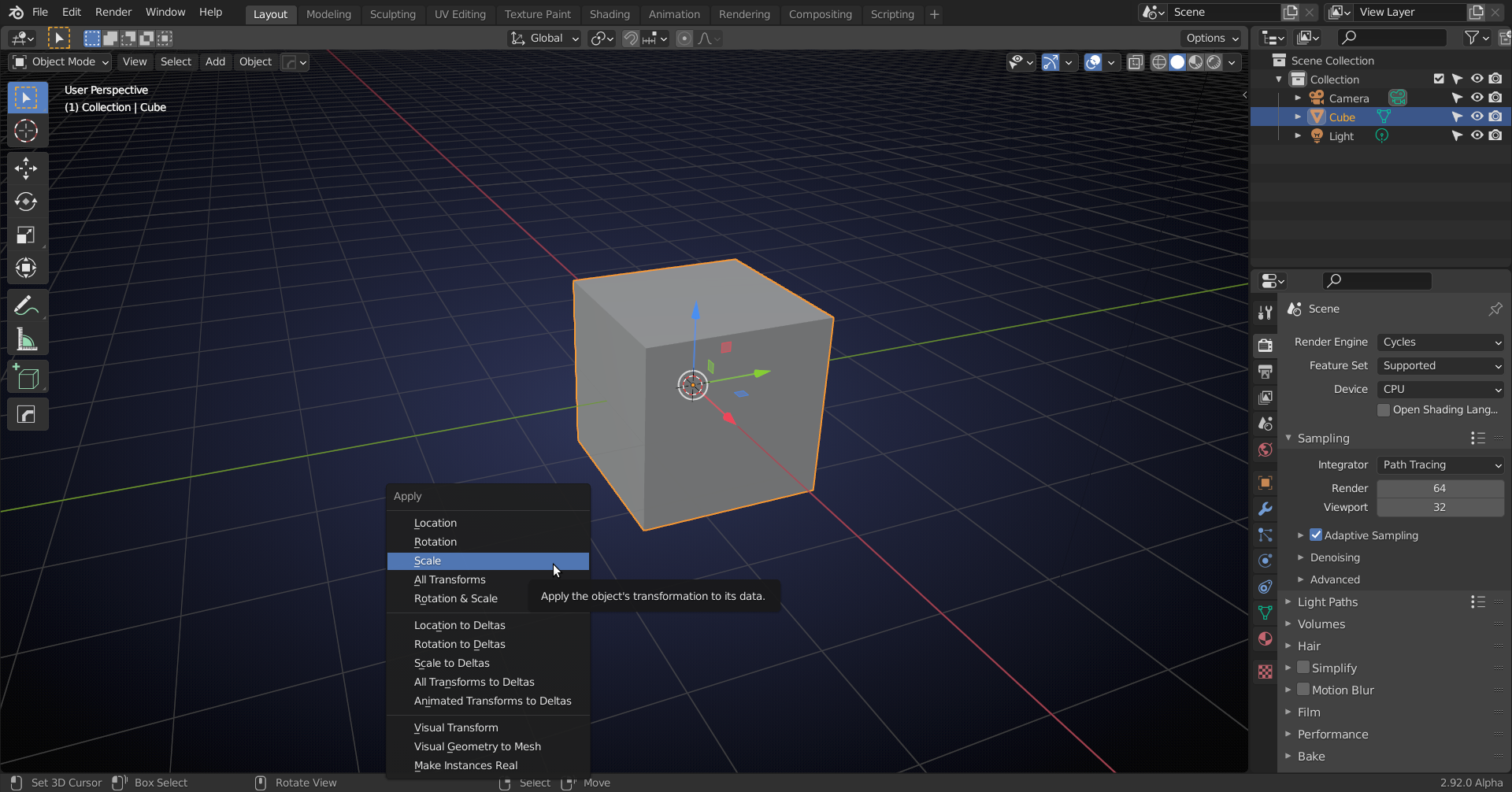
In Object Mode press CTRL+A > Apply Scale. Then you can unwrap without any warning message.
it doesn’t work
What did you do exactly and what is not working?
the control +A is not working
Mesh should be in Object Mode and then press the CTRL key and the A key at the same time.
still it say the same
What does it say?
the object has a negative scale
Press CTRL+A in Object Mode with the mesh selected and then select Apply Scale:
I did that and it still is saying that it is has negative scale
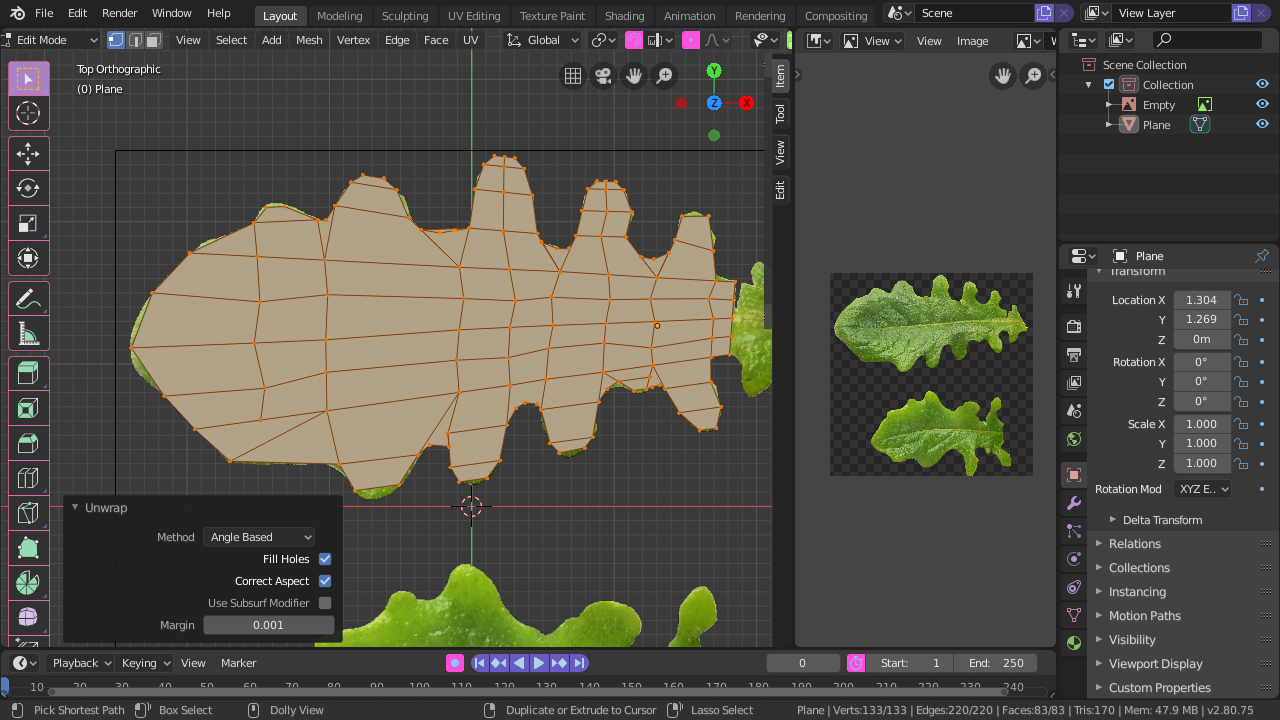
When you have applied the scale, it doesn’t have a negative scale anymore!
Before:
After CTRL+A > Apply Scale:
yes the message is not there but it doesn’t unwrap it shows that it has been unwrapped but on the uv editor there is no sign of it being unwrapped. what is this error?
In your screenshot you have the Image Editor open that won’t show the UV’s. Try the UV Editor. (You can simply switch to the UV Editing Workspace.)

.