Motion Blur creating crazy render times. (Cycles)

Forum Archive Motion Blur creating crazy render times. (Cycles)

Viewing 5 posts - 1 through 5 (of 5 total)
  • Author
    Posts
  • #12005
    Matthew Fricker
    Participant

      I have noticed something with motion blur that I’m not sure is a bug ,something I am doing wrong , or just the way motion blur works.

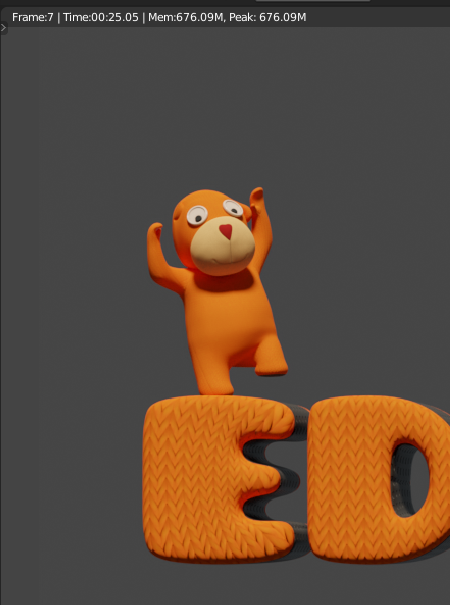
      Basically I have a very simple scene for an animation , and each frame renders out at 1500 samples in just 25 seconds :
       However , If I turn motion blur on , it renders out just as fast until the progress bar reaches 97% , and then appears to freeze. However , it has not actually frozen , it is just slowed down. It then takes a further 2 minutes 43 secs to render out the one remaining tile that has the motion blur in it :
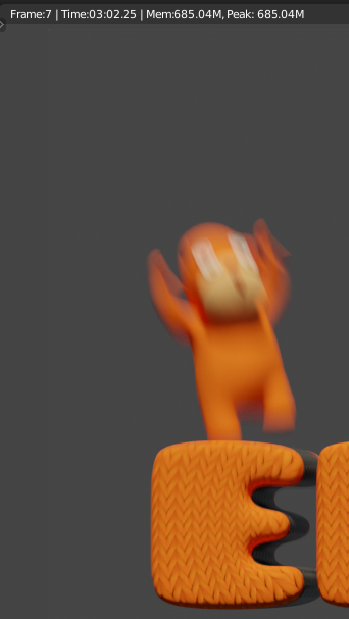
      Now usually this wouldn’t be an issue , but over a 375 frame animation it is adding 17 hours of render time just for the sake of motion blur. 

      So… could this be a bug or me doing something wrong? I recently rendered out a much more complex animation with a lot more motion blur on the screen and did not notice this happening.  

      Also , is there a way to composite motion blur so I can avoid these silly render times? 

      #57105
      Matthew Fricker
      Participant

        I played with the settings and discovered that turning down the shutter value helps decrease render time a lot , but at the cost of much less motion blur.

        #57106
        spikeyxxx
        Participant

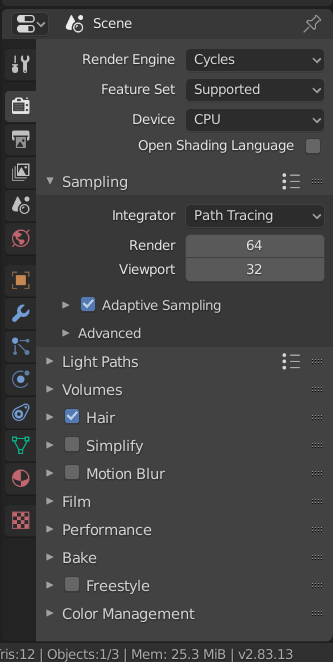
          Hi Matthew, when your Frames look like the one above, you should use at least version 2.83 and enable Adaptive Sampling:

          This will render the background with only 1 (or at most just a few) Samples and use 1500 Samples only where needed.

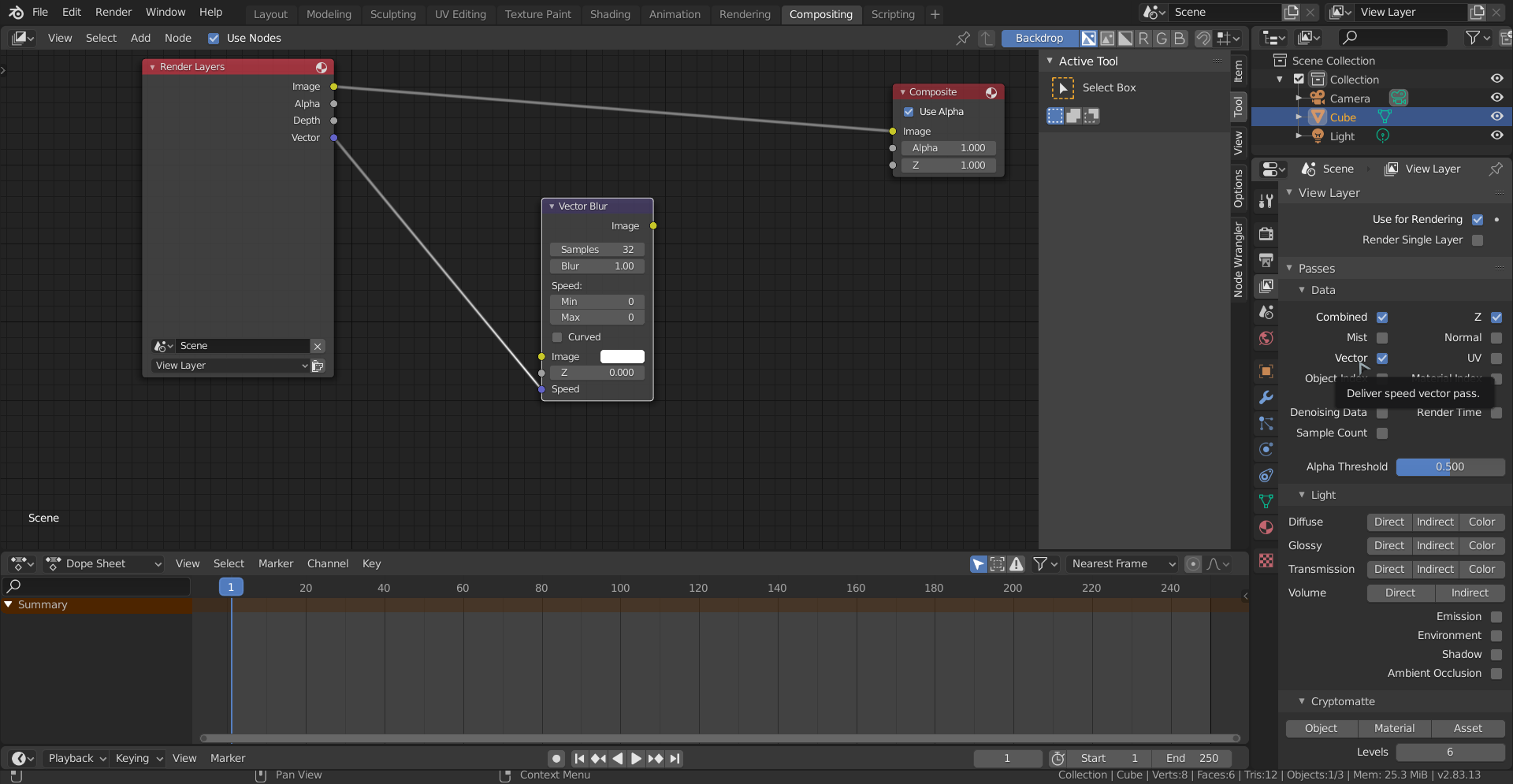
          Also, if you enable the Vector Pass, you can use Vector Blur in Compositing.

          A bit less quality than real Motion Blur, but a lot faster (haven’t tried this myself…).

          #57107
          Matthew Fricker
          Participant

            Brilliant Spikey thanks 🙂 , is 2.83 stable yet as it is a big project I am working on?

            #57108
            spikeyxxx
            Participant

              @frikkr It’s stabler than 2.82 in my experience, but keep  back-ups just to be sure (incremental saves are your friend).

            Viewing 5 posts - 1 through 5 (of 5 total)
            • The topic ‘Motion Blur creating crazy render times. (Cycles)’ is closed to new replies.