Animate geometry of a branching curve?

Forum Archive Animate geometry of a branching curve?

Viewing 5 posts - 1 through 5 (of 5 total)
  • Author
    Posts
  • #10822
    Øyvind Høyland
    Participant

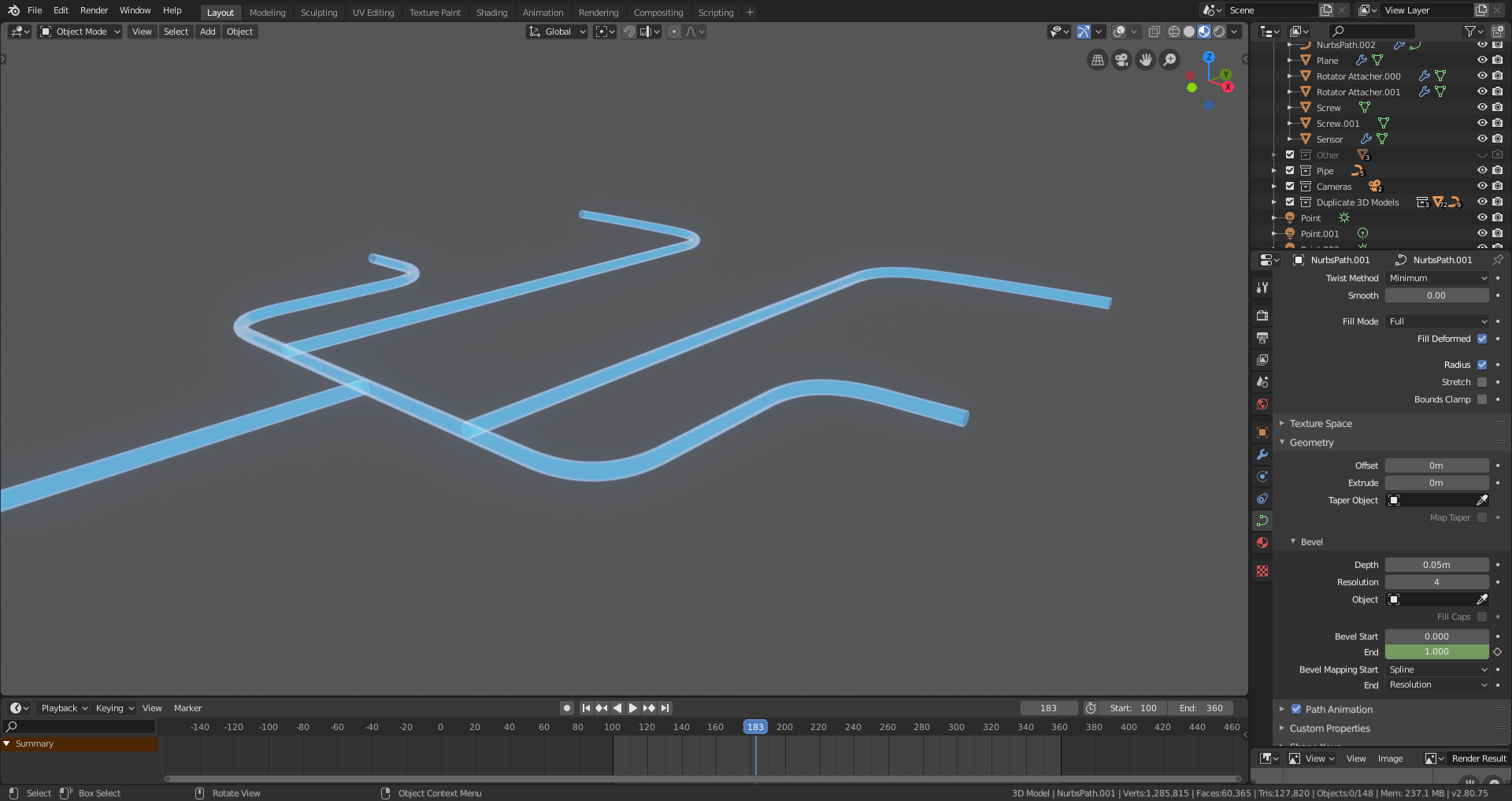
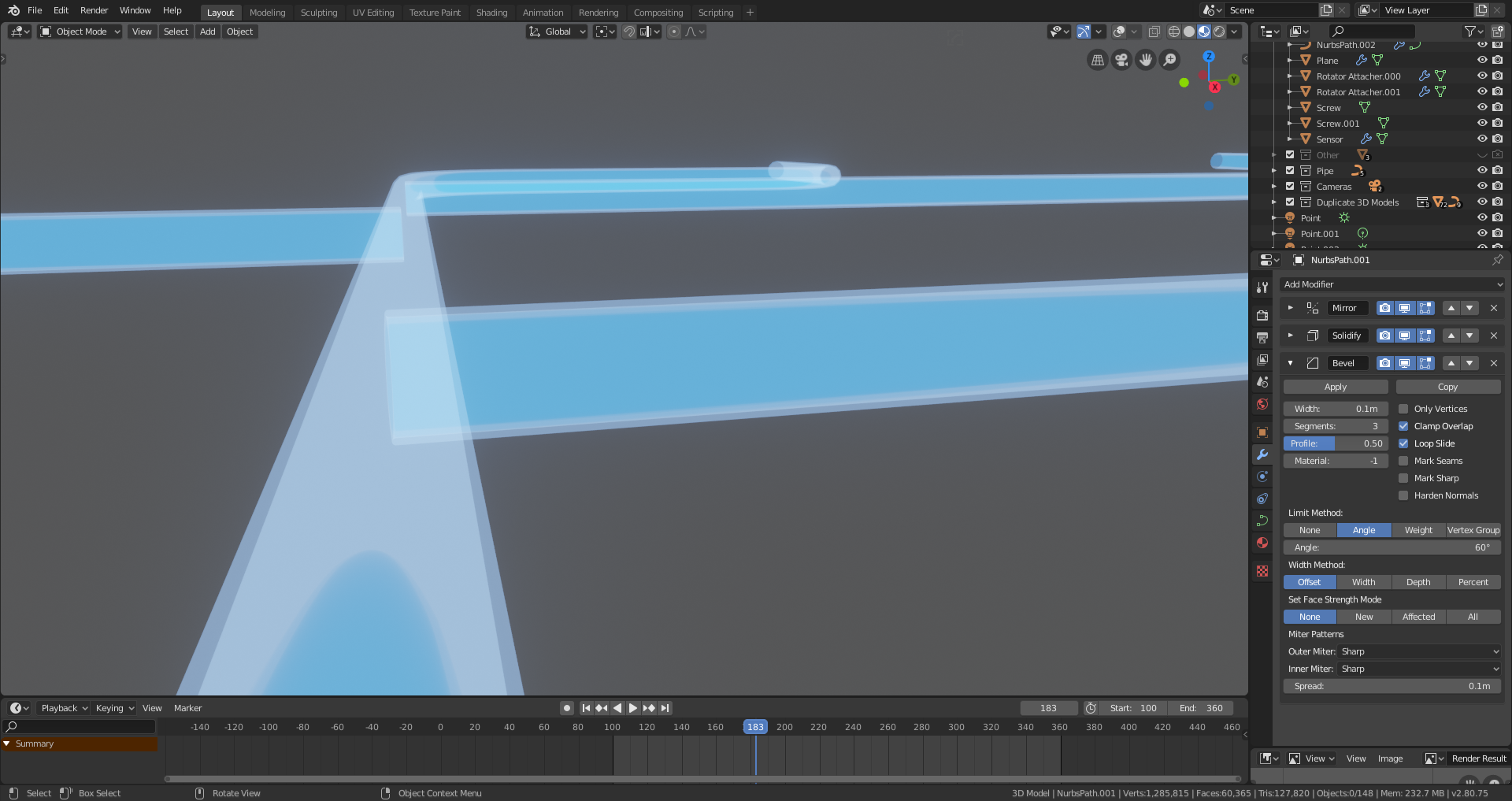
      I am working on an animation where I need some holographic pipes to branch out four ways. I am trying to do this with curves, but it’s not possible to branch a curve as far as I can tell, so I have to create duplicates splines at the desired branching areas and animate them separately. This works fine, but I’m a perfectionist and I want the geometry on the branches to actually be connected to the rest – a boolean union could maybe have fixed this, but boolean is not available for curve objects. Right now the pipes are just clipping through each other, which I worry will be visible in the final animation.

      #51299
      spikeyxxx
      Participant

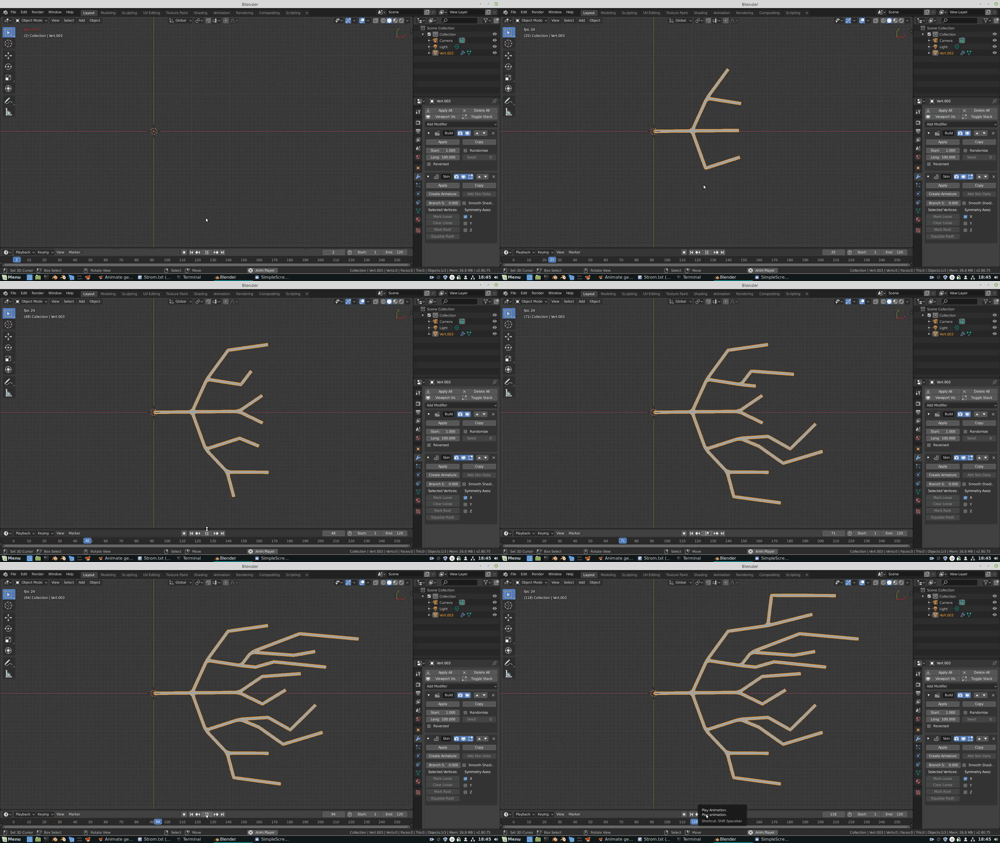
        @oywin, just a suggestion: Use a Single Vert and Extract it to where you want. Then use a Build Modifier and a Skin Modifier.

        Play with a Subsurf Modifier. This is just a basic idea, you’ll definitely have to refine it;) Just another way of thinking:

        #51300
        Øyvind Høyland
        Participant

          Neat! But it’s a bit too snappy for me. I did manage to make to make it less so by swapping the modifier order, but the build modifier seems so random in which order and direction it builds. It’s important for the animation that the geometry start on one end and progressively goes from there, if that makes any sense.
          Thanks though! 🙂

          #51301
          Jonathan Lampel
          Participant

            I think @spikeyxxx is on the right track! 

            To make it less snappy, add more vertices via subdiv or in edit mode. 

             but the build modifier seems so random in which order and direction it builds

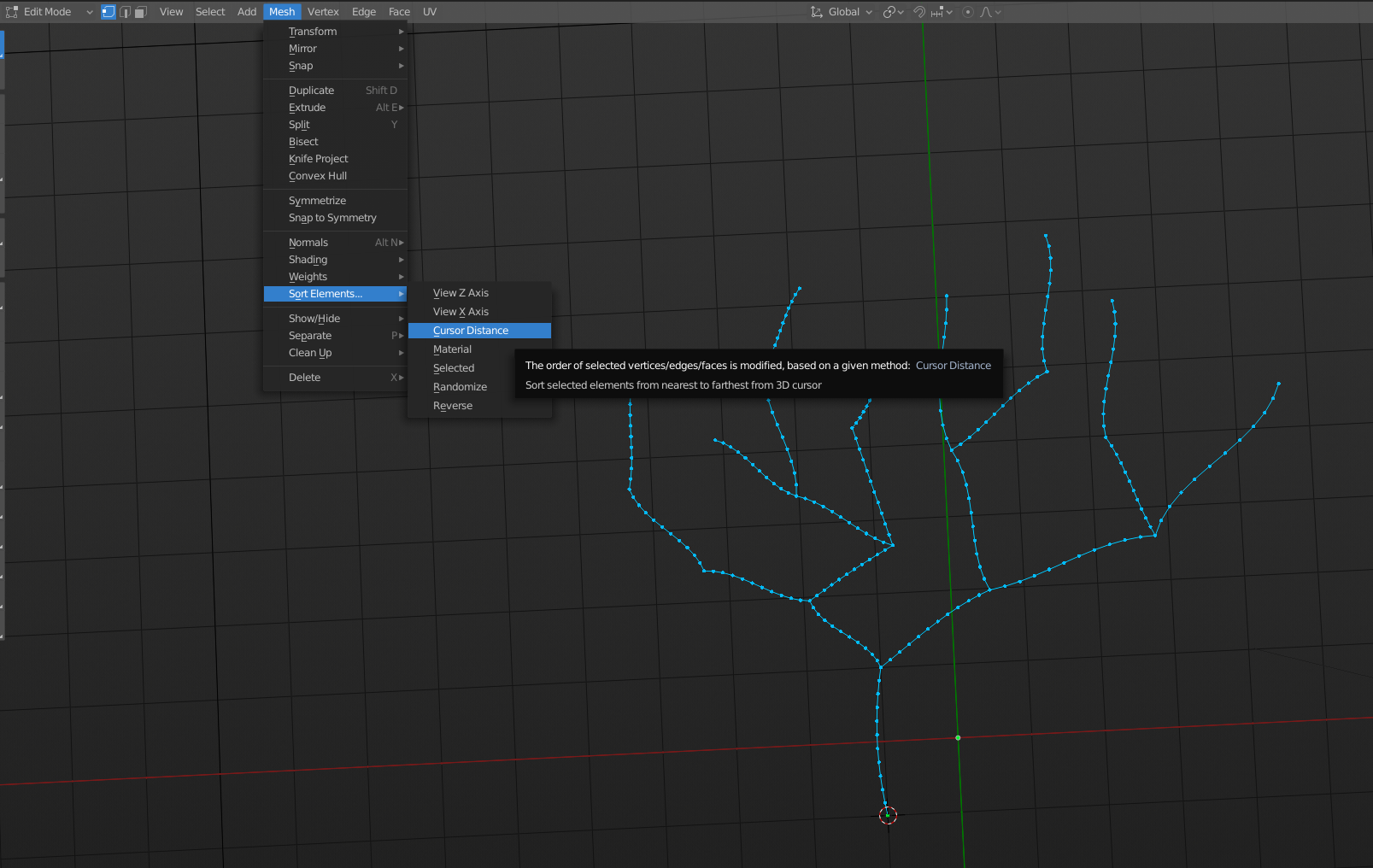
            Every vertex, edge and face has a number associated with it. The first vertex you create is #1, the second is #2, etc. The build modifier is using that order to determine where to start and end. You can actually manipulate this order here: 

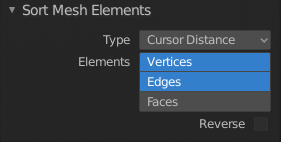
            Place the cursor at the start, set it to both Edges and Vertices , and you’ll be good to go. 

            #51302
            Øyvind Høyland
            Participant

              Ah, now I see. Thank you both very much! 😀 I’ll try this out.

            Viewing 5 posts - 1 through 5 (of 5 total)
            • The topic ‘Animate geometry of a branching curve?’ is closed to new replies.