
BC1-1908 Homework – Clint Johnson
Forum Archive › BC1-1908 Homework – Clint Johnson
- This topic has 43 replies, 17 voices, and was last updated 7 years ago by
Clint Johnson.
-
AuthorPosts
-
August 2, 2019 at 2:28 pm #10513
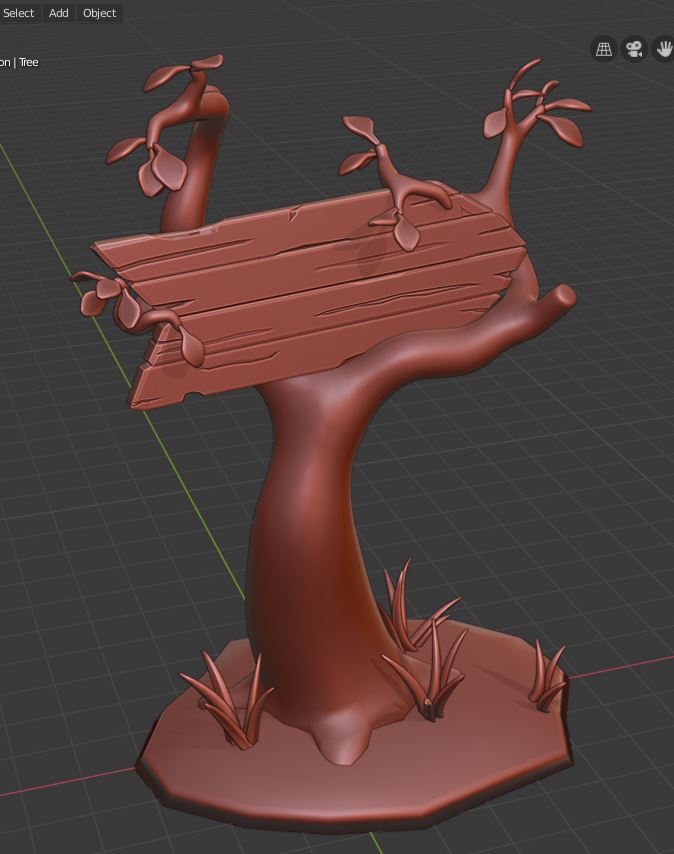
For this assignment I would like to create a sign with an enchanted forest/fairy tale vibe.
I started learning Blender recently for it’s sculpting tools, so creating something low-poly should be pretty good for me 😉
The sign so far has been fairly easy especially with the nice treasure chest tutorial to help out.
The grass blades I created with a bezier curve where the taper and bevel is controlled by other paths linked to it in the Object Data tab -> Geometry menu.
The tree is harder. Right now it is a Skin modifier object with a minimal subsurf. I’d like to see if I can create it without the Skin and Subsurf.
Every time I start this project I want to just go in and sculpt everything, lol. So we’ll see how it goes 🙂
 August 2, 2019 at 2:55 pm #49550
Wow. Amazing!
August 2, 2019 at 8:27 pm #49551Really nice job! Also you are the first one to choose the sign, as far as I know 😛
August 2, 2019 at 10:33 pm #49552Nice work! I don’t think @theluthier has anything against sculpting as long as you retopo it to fit the stylization. I could be wrong, but that’s the impression I’m under.
August 3, 2019 at 1:30 am #49553Great concept. My eyes keep wandering of to the right though, wondering where the sign is pointing to….
Beautiful wood detailing!
August 3, 2019 at 11:02 am #49554@spikeyxxx eyes to the right, yup, that’s the plan, hopefully the curve to the small tree helps that. Probably not best for composition, but I want the sign pointing somewhere!
@silentheart00 Thanks for the info. ! I also remembered I can use sculpt mode without dynotopo on, lol. That helps too
@jack07 Thanks! There is at least one other person doing a sign: @dieterweireldt and it looks great!
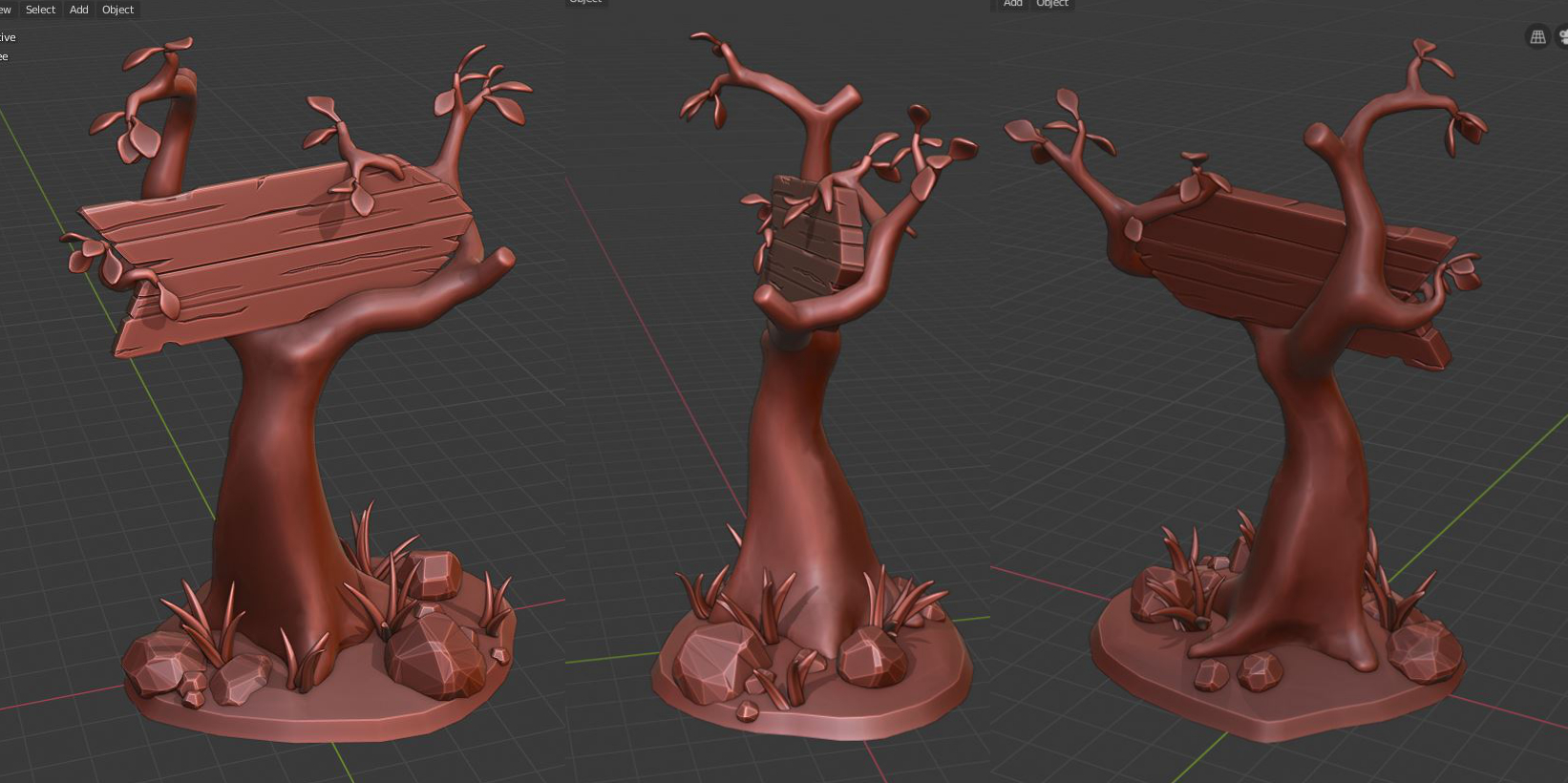
Worked out some more details on the tree and base area
-I tried some different methods to create trees: 1. start with a cylinder and model it out 2. create a path that has object data modified by a bezier circle 3. messed around with the addon “Sapling” 4. Just tweak the method I’m using which is skin out some vertices and decimate the mesh later on.
– For me, I still prefer skinning out the tree, decimate and push vertices around in edit mode or sculpt mode. All methods seem to come out with similar poly counts. I’m sure there are better ways to tackle the tree though.
– Using Planar Decimate on roughly shaped rocks is very fun 🙂
 August 3, 2019 at 11:25 am #49555
@clintjohnson Awesome!
And I totally agree with you, composition wise probably a ‘no go’, but the ‘arrow-ness’ of the sign just works.
Love the rocks!
August 3, 2019 at 11:52 am #49556@clintjohnson I love your creative spin on the sign! Awesome 🙂
Using Planar Decimate on roughly shaped rocks is very fun 🙂
This sounds like an awesome technique! is ‘planar’ just a setting in the decimate modifier? And how ‘rough’ should the rocks be formed, which primitive did you use? The rocks look great so I would love to know 🙂
August 3, 2019 at 2:34 pm #49557Cool a sign! Looks good.
August 4, 2019 at 8:58 am #49558@smurfmier1985 Yes, Planar is a setting under the Decimate modifier. Instead of choosing Collapse (default) in the Decimate options, I clicked Planar, checked “All Boundaries” and increased the angle limit to 15-20% (this one depends on sculpted shape of the rock).
To create a rock for Decimate: Add a sphere -> sculpt mode. Dyntopo (doesn’t have be high resolution) and select the Scrape brush with a completely flat falloff. Use the scrape brush to create flat sides on the sphere. Once the general rock shape is done, do the Decimate as explained above.
Here’s the tutorial I found that explains the method: Low Poly Rocks
August 4, 2019 at 9:12 am #49559@clintjohnson awesome, thanks!
August 4, 2019 at 8:23 pm #49560The first sign I’ve seen! Very nice work so far, Clint. And yes, like @silentheart00 said, I’m fine with you sculpting + retopology. Whatever your workflow, I like what I see.
August 5, 2019 at 10:03 am #49561Is this ready for grading @clintjohnson? The only thing missing here is an “officially” declared homework submission post like this one. When I grade I look specifically for the bold title at the top of the reply “Homework Submission Week 1“.
Alternatively you can update your thread’s description with this label above your final week 1 image, like this thread.
Either way I assume a student is still working until officially declaring the submission in one of these ways. So I’ll check back later today to see if this is 100% final 🙂
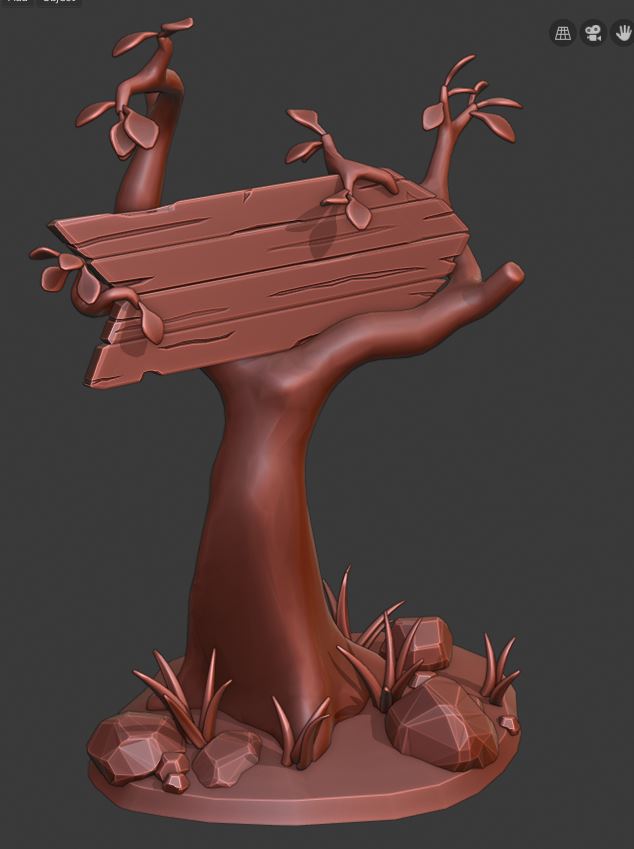
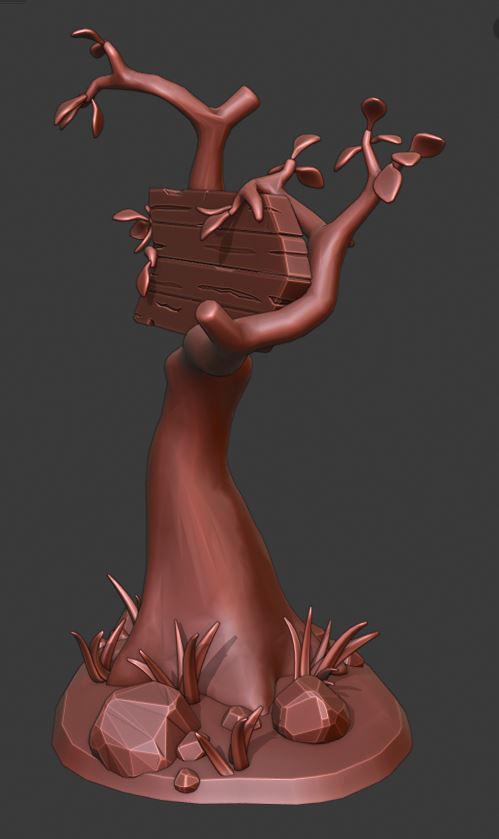
August 5, 2019 at 1:55 pm #49562HOMEWORK SUBMISSION WEEK 1
“Mouse Hollow Woods” sign. I plan on making some nifty text and image of a mouse on the sign. The name actually came from a random name generator – looked like a fun one to use.
Sorry @theluthier , wasn’t completely sure yet how to submit, or more likely I wasn’t paying attention! Thank you for the examples!
August 5, 2019 at 3:50 pm #49563@clintjohnson Yep, still looks good lol. Looking forward to the final product!
-
AuthorPosts


- The topic ‘BC1-1908 Homework – Clint Johnson’ is closed to new replies.