
BC1-1908 Homework – Philip Rampa
Forum Archive › BC1-1908 Homework – Philip Rampa
- This topic has 26 replies, 8 voices, and was last updated 7 years ago by
Philip Rampa.
-
AuthorPosts
-
July 31, 2019 at 5:23 pm #10499
This is my thread where I will post my process & homework for the Beginner Course in Blender 2.8. I am almost done with the modeling of the treasure chest and then I will begin with my sword for the homework.
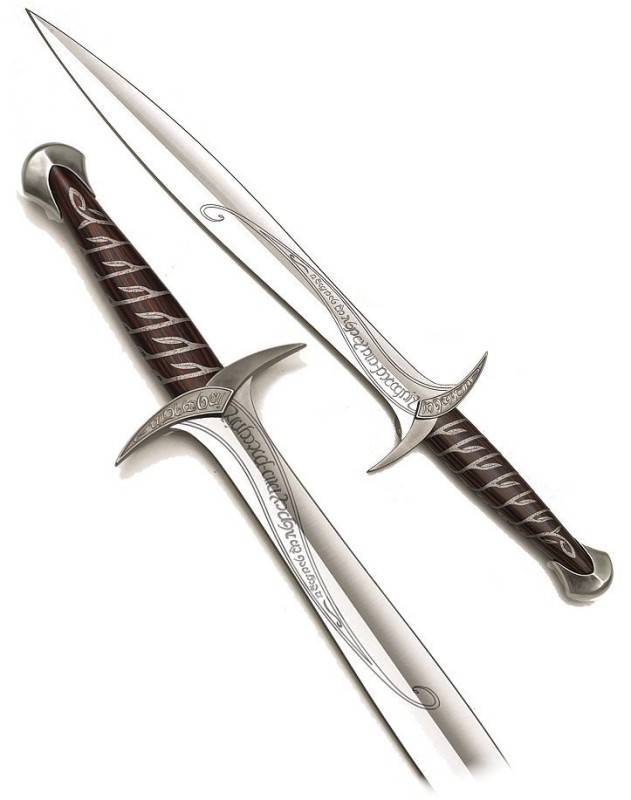
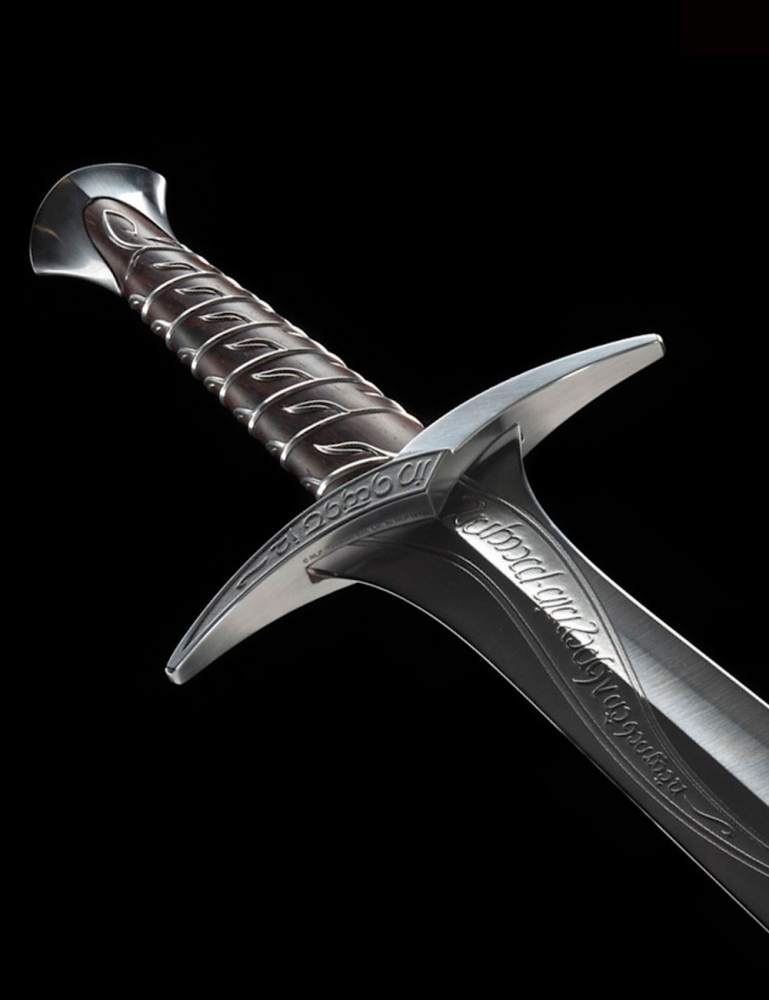
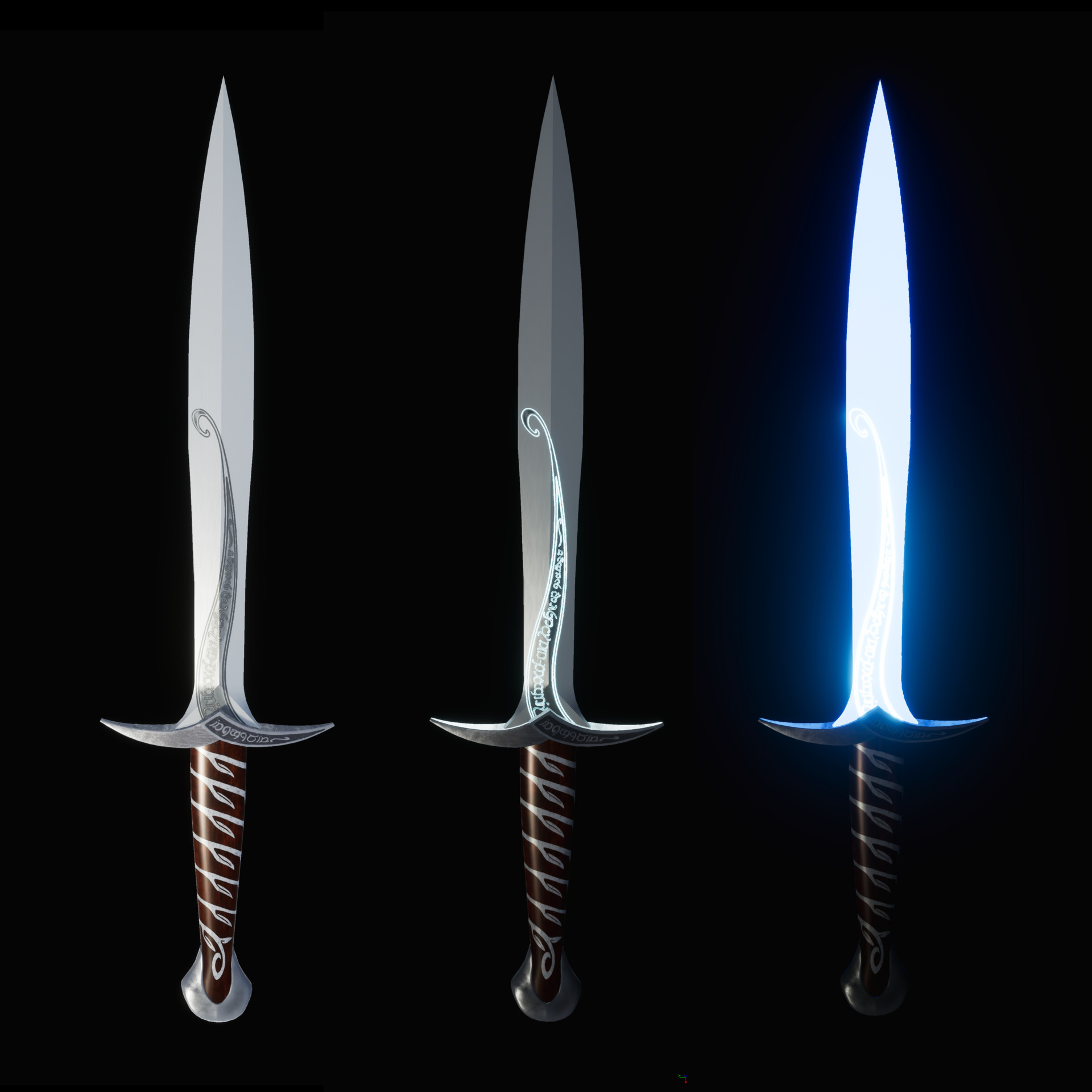
I would like to create the “Sting” that Bilbo found when going on his advanture. Maybe I can even use some Emission on the blade. I am not sure, how I can do the design elements on the sword but we will see how it will turn out. 🙂
Here are some pictures of the sword:
 July 31, 2019 at 5:36 pm #49247
Ooo, that looks like a good challenge.
July 31, 2019 at 7:26 pm #49248Damn I’m liking the look of that. And yeah, I imagine an emission shader in some aspect would definitely be responsible for this.
July 31, 2019 at 11:47 pm #49249That’s a beautiful sword!
As for the decoration on the sword, it’s just curves and text, Both of which we have in Blender…
August 1, 2019 at 11:06 am #49250Another LotR sword! I can’t help but affirm the decision. Looking forward to this 🙂
And welcome to the class!
August 1, 2019 at 2:23 pm #49251Awesome choice for your sword!
August 1, 2019 at 6:44 pm #49252Thank you Kent and I am glad to be in this course. I enjoy your teaching very much. I am still new to Blender and the 3D-World but I am fascinated by it and hope to get better at it. 🙂
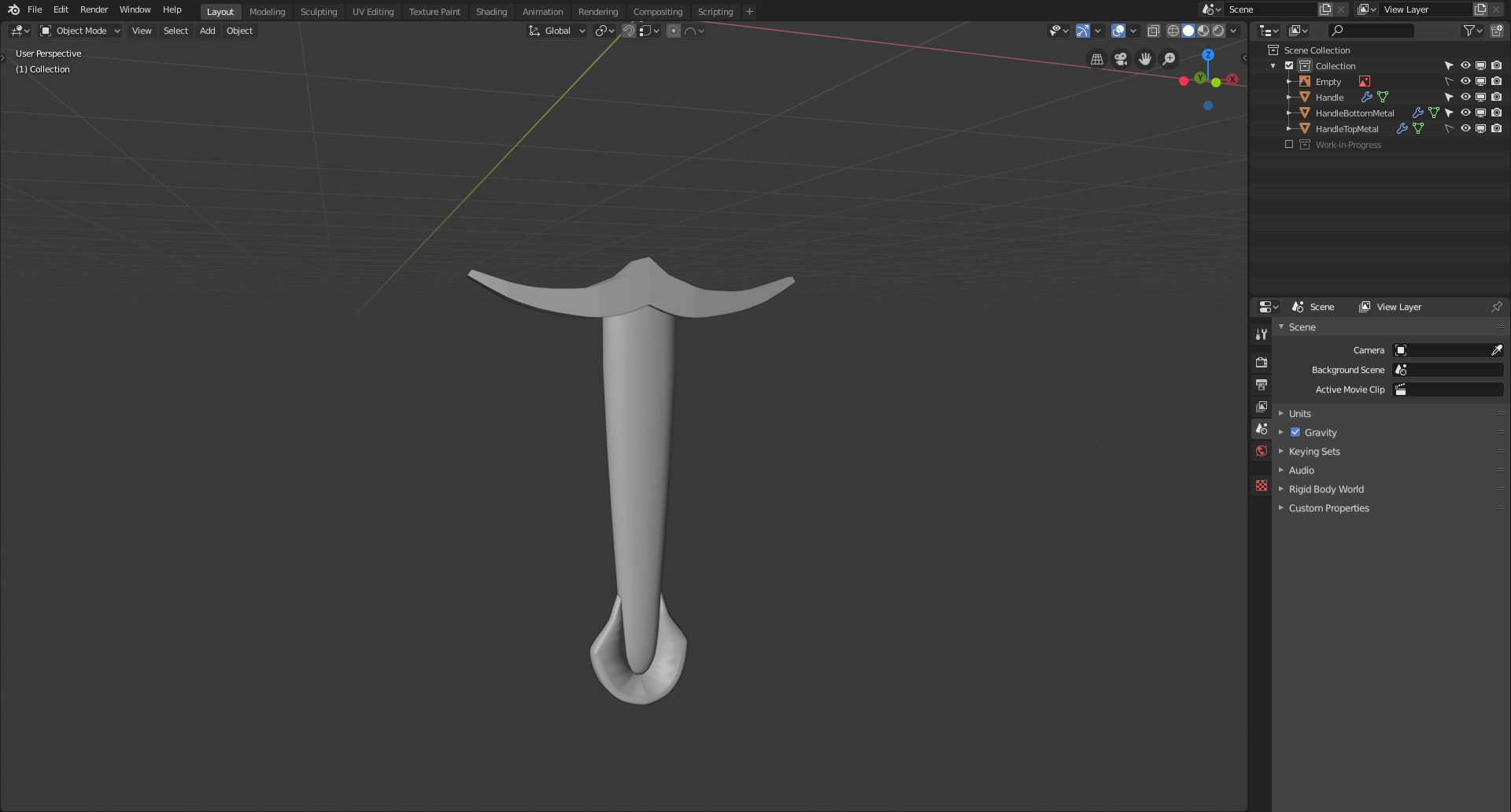
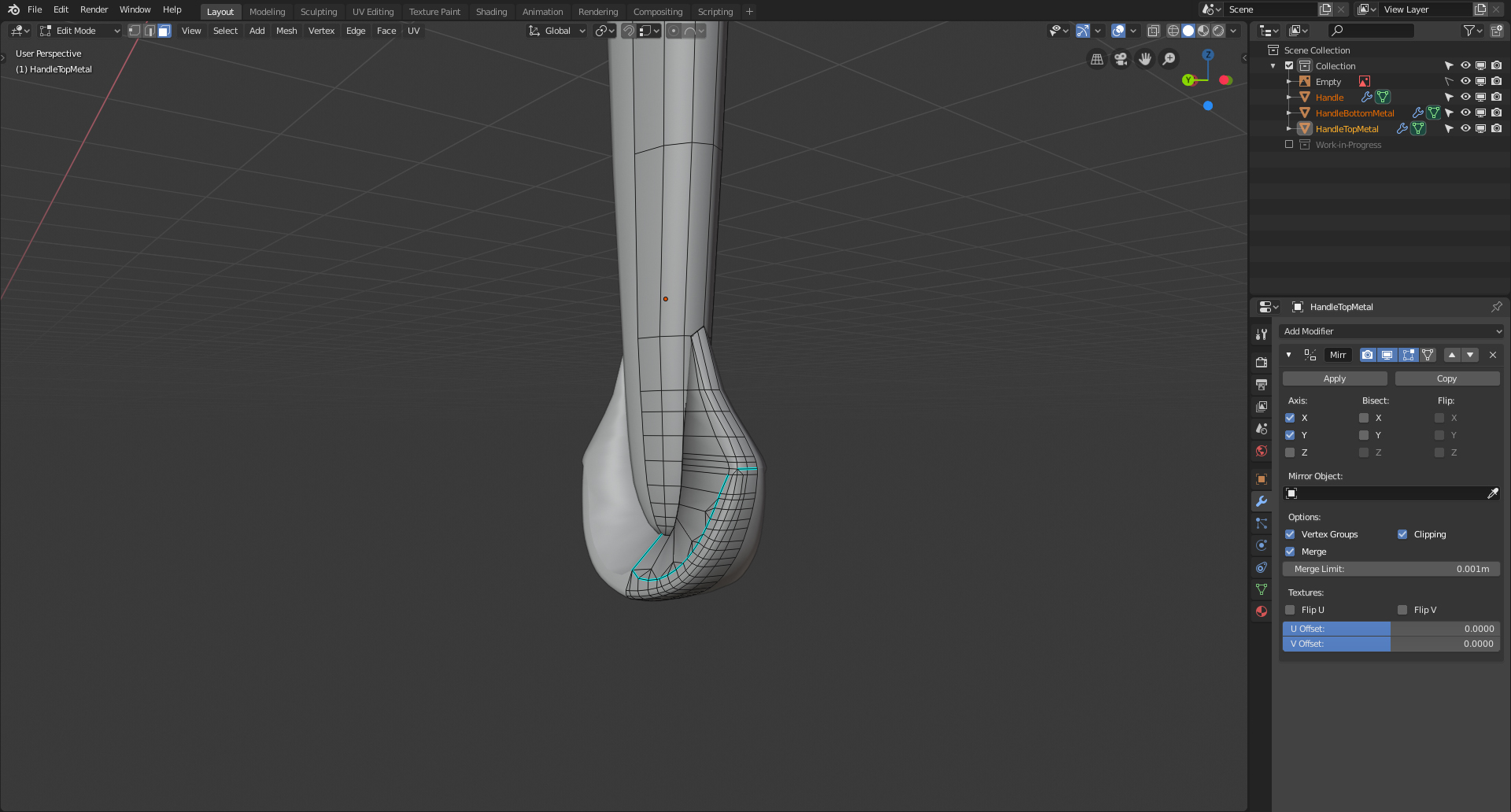
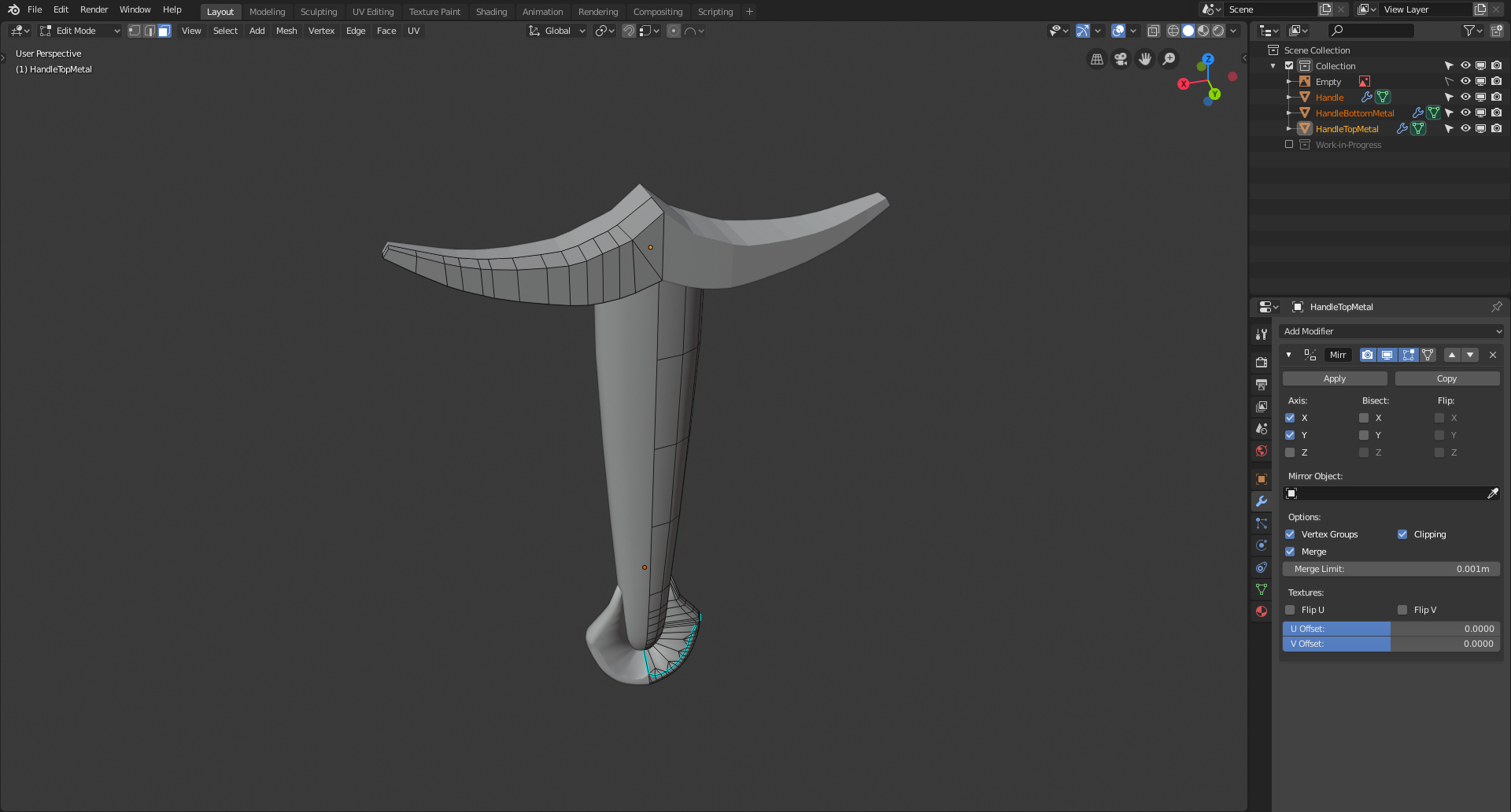
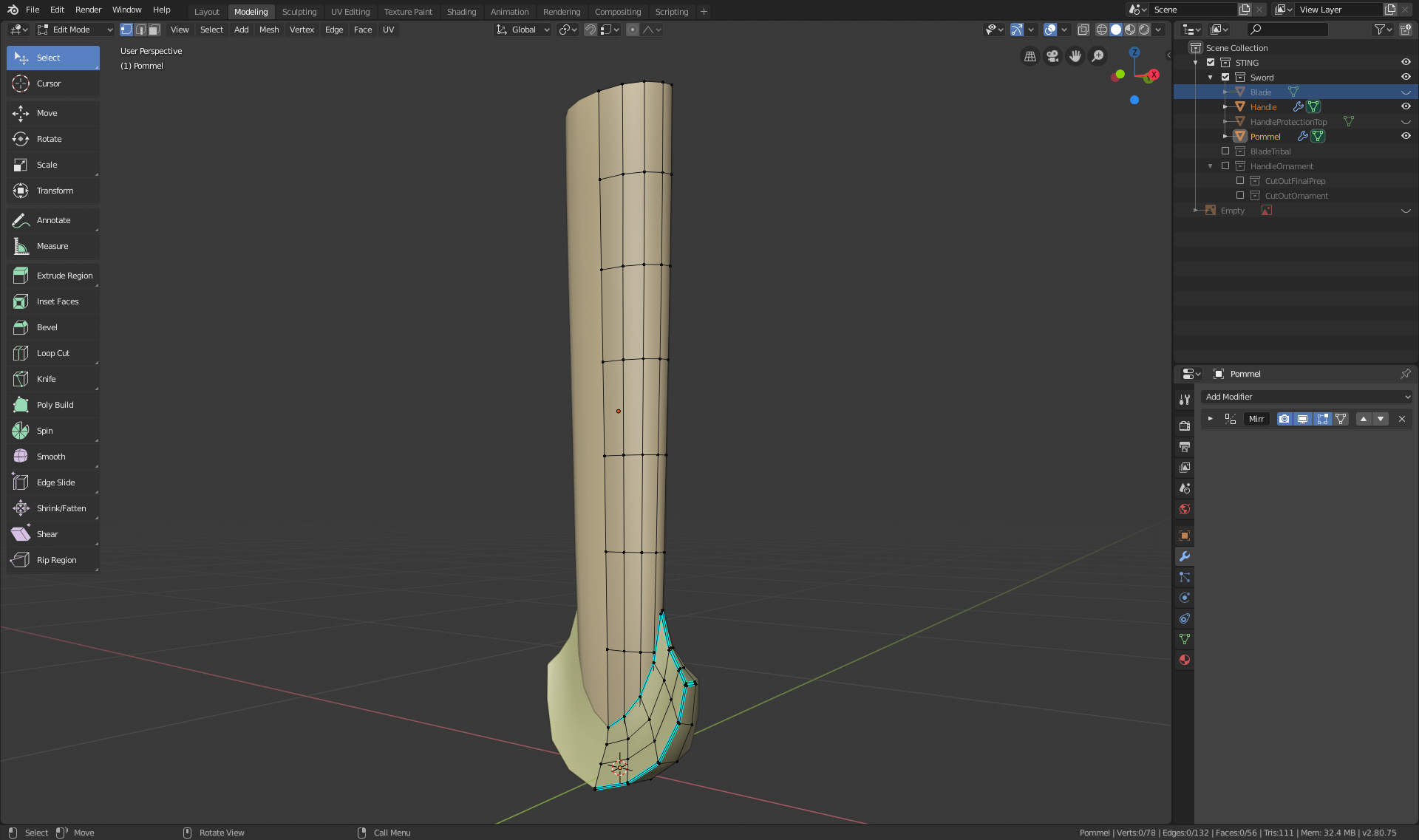
When I chose the sword I thought this would be a simple one to create. Unfortunalely this sword has a lot of curves and I am having a hard time getting the look right. Today I tried to create the handle of the sword. I tried many different ways to creat the metal part at the bottom but nothing looked right. I enden up using some faces on the side of the handle and duplicated them, then seperated these faces into an object and tried to extrude and bevel it out. I have not been able to get the top part right of the handle where the metal is somewhat overlapping but will continue to try.
I am grateful for any advise. 🙂
 August 1, 2019 at 7:44 pm #49253
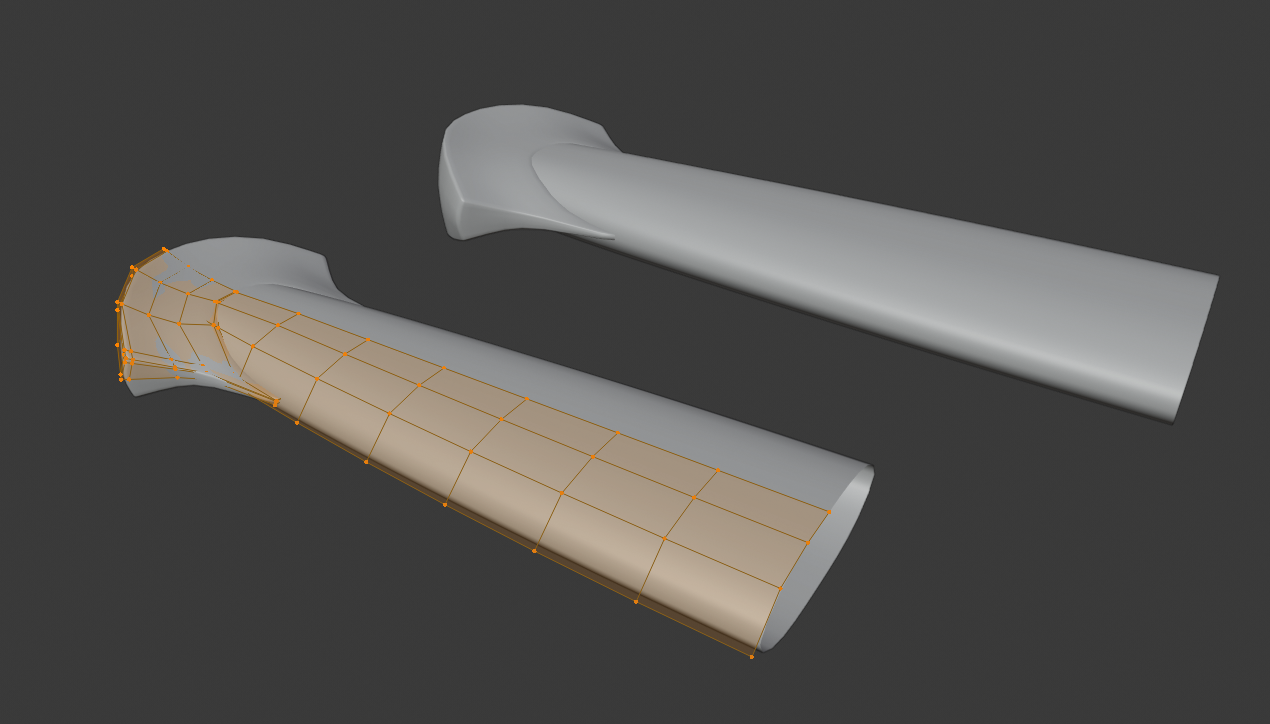
@philip79 I would start out by simplifying the pommel. Right now there are lots of unnecessary vertices. I would recommend making each major side it’s own face, like so:
 August 1, 2019 at 10:02 pm #49254
@philip79 Definitely agree with @williamatics, but as a sidenote I’ve noticed there seems to be some kind of pinching going on in the pommel? It could possibly just be the shading of the viewport, but it seems to be being caused by the diamond shaped quads you have. I’d also recommend marking sharp the red outline that William gave.
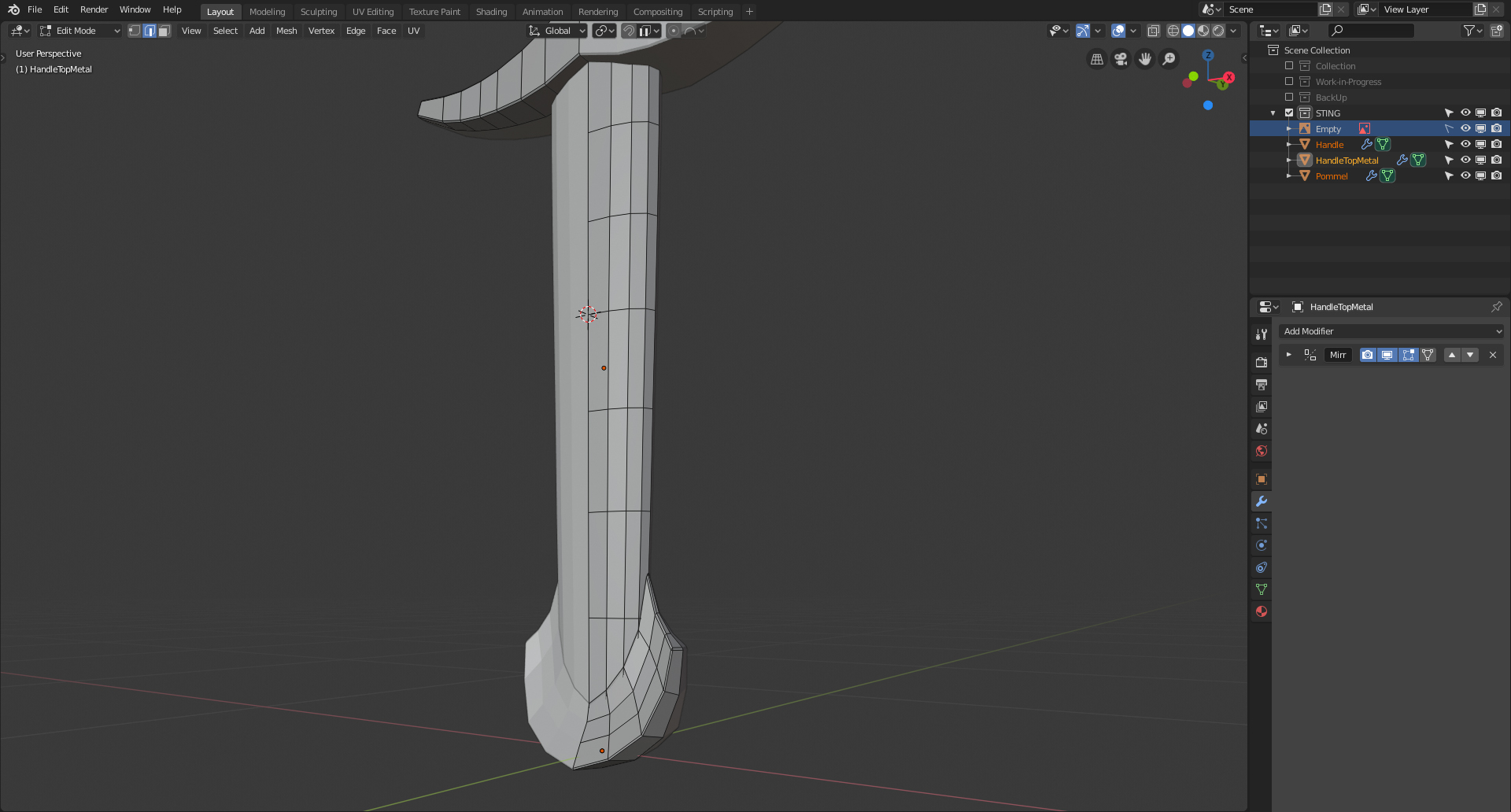
August 2, 2019 at 1:23 am #49255It could be just me,but it looks like the handle is too thin/flat. Not by much, just a bit. That might also help with the pommel (that should definitely be simplified, like already mentioned). Also the curvature from the pommel to the hilt should be very slightly concave. That will also help with the transition to the handle.
So you would get something like this (especially look at the transition!):
 August 2, 2019 at 4:27 am #49256
Thank you William Miller Aaron Rudderham & spikeyxxx for your feedback. I have given it another try and with your feedback and Images I think it looks good now. 🙂 I need to develope this skill to see a simplified version of a complex object. ^^
 August 2, 2019 at 5:56 am #49257August 4, 2019 at 2:32 pm #49258
Homework submission – Week 1:
I am glad I had some days off because it took me forever to get anything done. I am not sure if I did it correctly but I tried my best. 🙂
Step 1: Handle & Pommel
Thanks to some feedback here in the forum I was able to get it to look right.
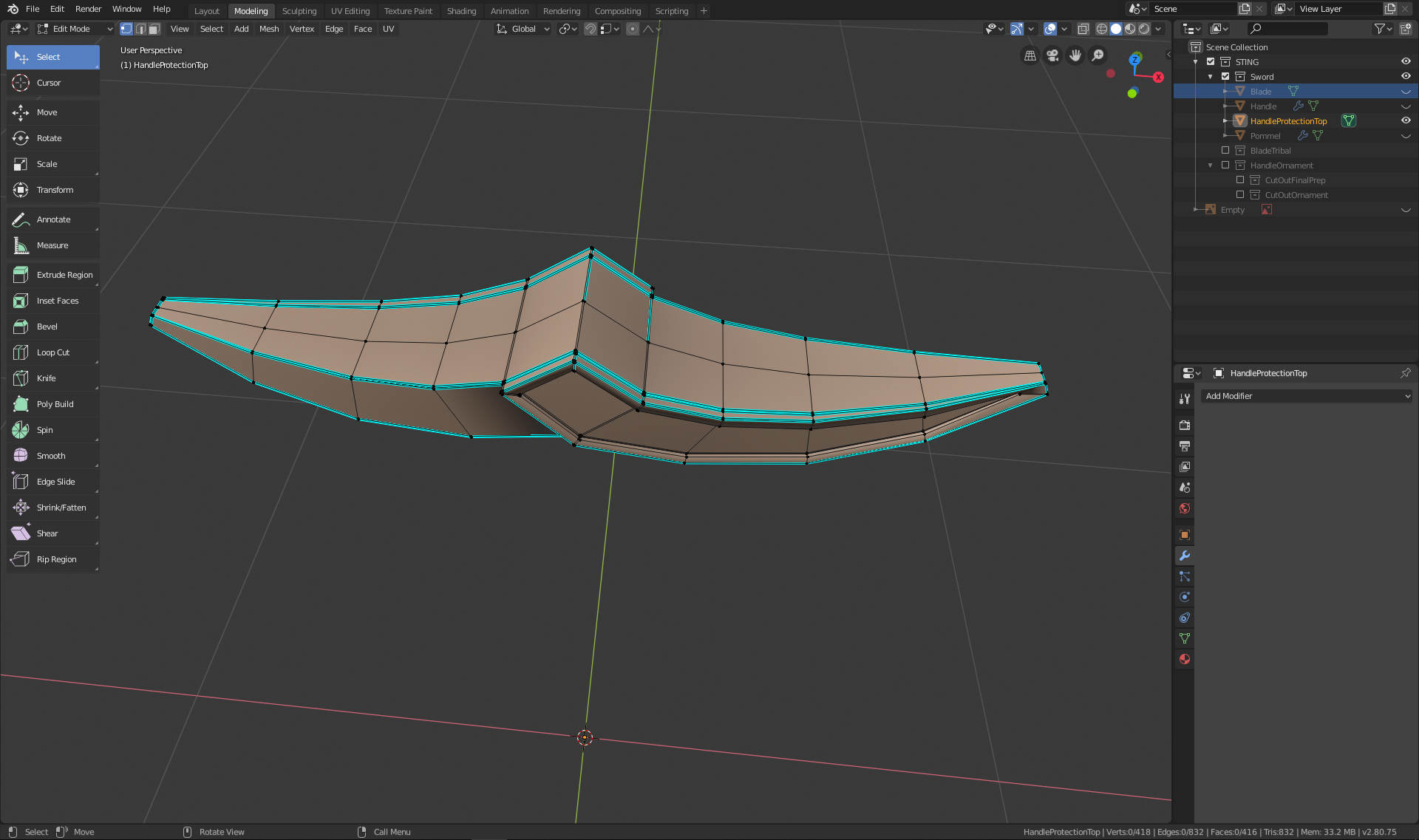
Step 2: Metal-protection above the handle
This was very difficult to create. I first used a mirror modiefier but I had to get rid of it because it is not simply mirrored but also in the opposite direction. I also had a hard time to get it to look right when using a Subsurface Modifier or Smooth shading. I didnt try to add the text because I have not reached that level to get it done.
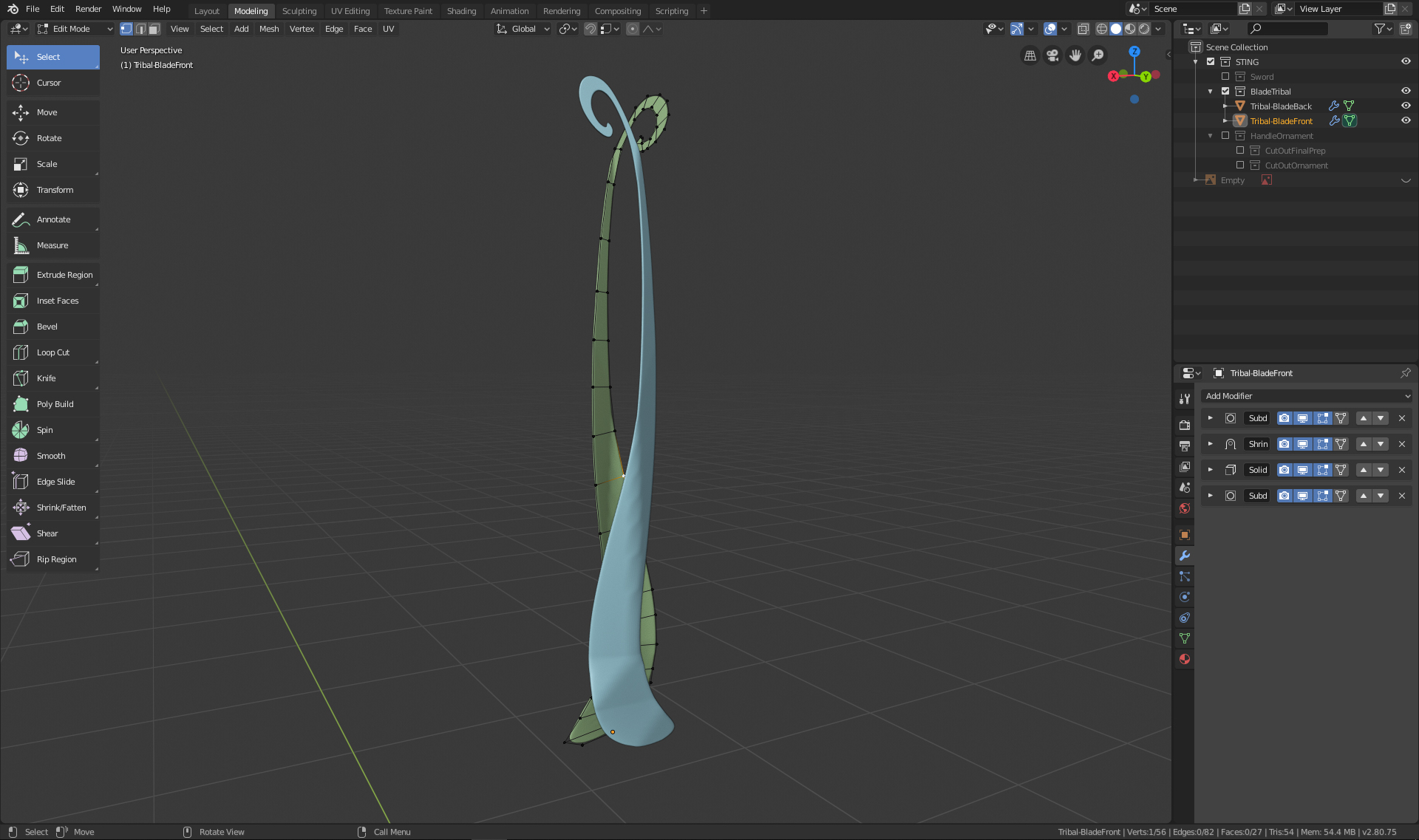
Step 3: The blade went well and I was able to use what I learned in the cousre and the modeling of the treasure chest.

Step 4: I created a singel vertex and create with extrude a flat version of the decorative part on the blade. Once I had it I used different Modifiers to get it on the surface of the blade. (I have not done the learning flow for modeling so I was trying many things. I hope to get there after this course).
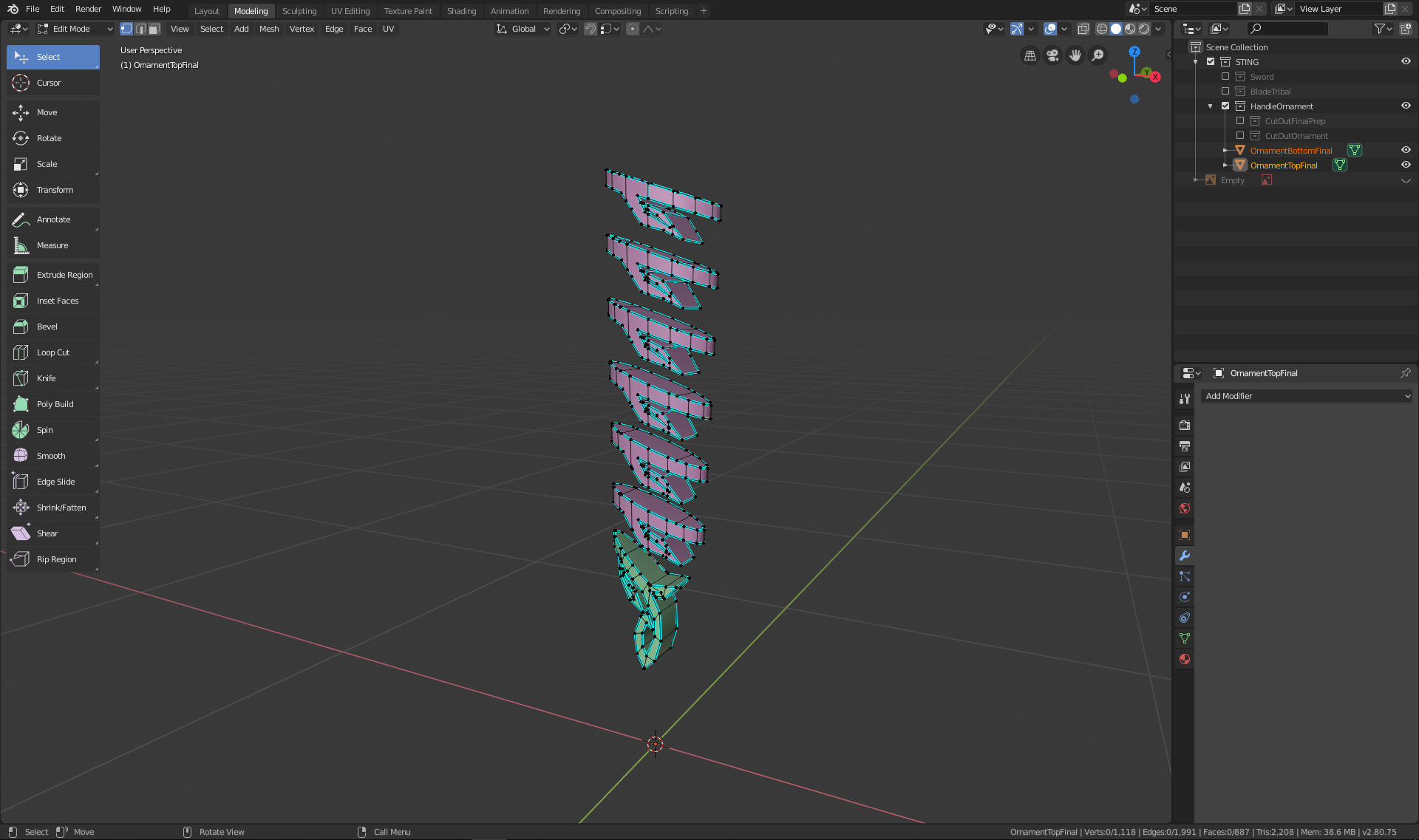
Step 5: I used the same method as on the blade to create the ornament on the handle. Once I had it 2D I was not able to get it right with the modifiers I have used previously. Instead I used an Array Modifier on the top ornament and then a Solidify Modifier to get it wider than the handle. Then I made a copy of the handle and cut out the elements with a Boolean Modifier. I applied all the modifiers and then extruded it out a bit over the handle and as a last step I marked all the hard edges.
Here is my final Image for the Homework:
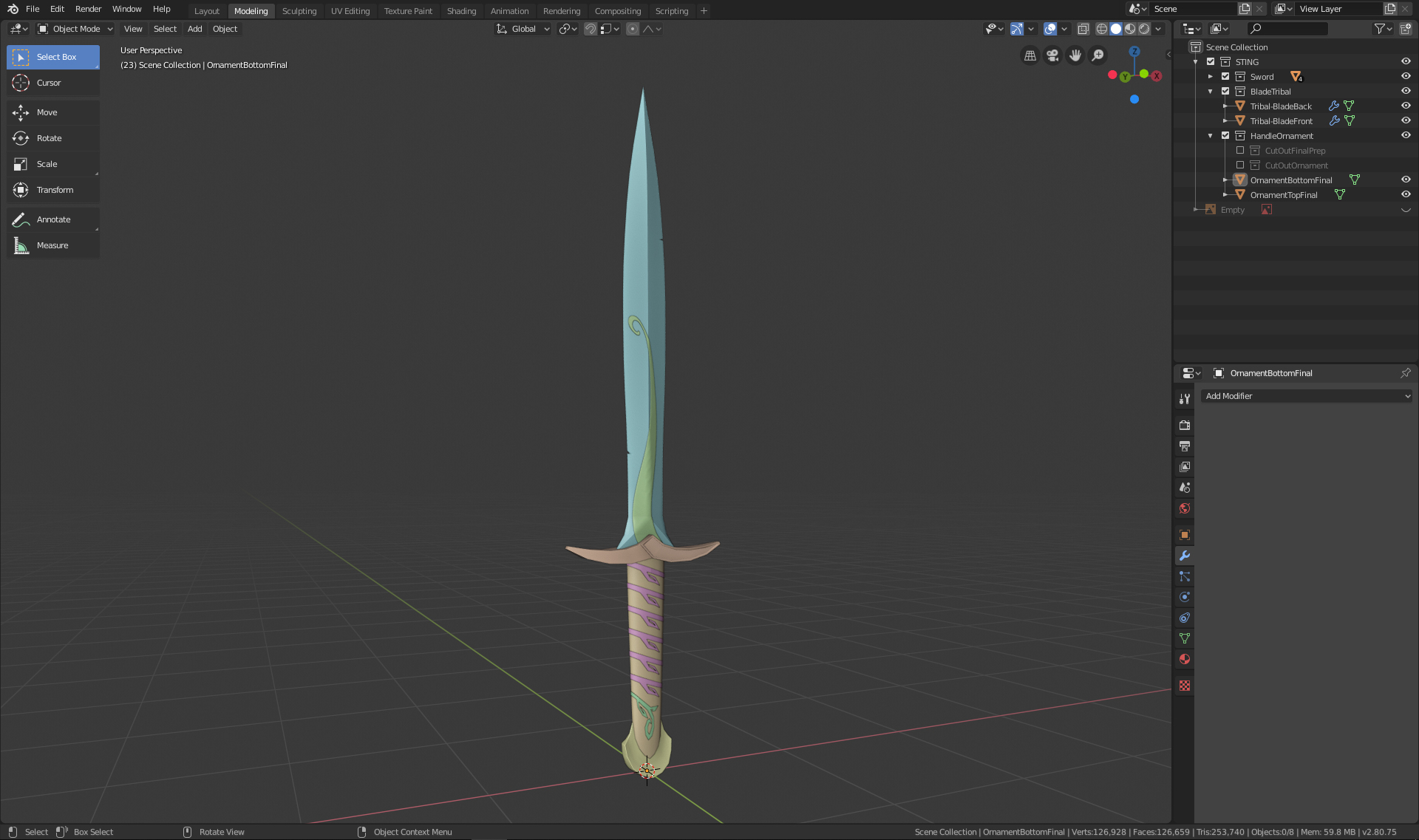
Thank you for your feedback. I am grateful for any tip and trick you guys can give me. If my approach for the ornaments on the blade/handle are not correct I would just leave them away for the rest of this course because I am not sure how much time I can invest next week and I still need to watch/create the Part 2/Texturing of the treasure chest. (I missed the part that we should watch the whole tutorial ahead of the course !!)
August 5, 2019 at 2:25 pm #49259@philip79 Looks pretty good from what I can tell. Good effort!
August 7, 2019 at 1:35 pm #49260@philip79 Your Sting model has come full circle! The shape and structure is spot on. And you even included the delicate inlay designs in the handle and blade! That’s very cool.
No criticism from me. You’ve definitely earned an A from me this week. This model will look so good textured and shaded too 🤩
I missed the part that we should watch the whole tutorial ahead of the course
It wasn’t a requirement to watch the course before the class. Though definitely OK if done that way, it’s actually intended to be watched throughout the course with each week relating to a chapter. Week 1 correlates to chapter 1, week 2 to chapter 2, etc. Since you’re doing the sword and not the chest, you can think of it as reference material with tips to glean that be applied to the sword. Hope that makes more sense.
-
AuthorPosts


- The topic ‘BC1-1908 Homework – Philip Rampa’ is closed to new replies.