
[WIP] CGC Challenge #2 – Vehicles
Forum Archive › [WIP] CGC Challenge #2 – Vehicles
- This topic has 27 replies, 5 voices, and was last updated 7 years, 1 month ago by
Jonathan Gonzalez.
-
AuthorPosts
-
June 29, 2019 at 1:47 pm #10430
I was planning on focusing on vehicles for the month of July for my own personal modeling challenge and it just so happens that the next CGC Challenge is also based on vehicles. That said I plan on participating. The vehicle I plan on creating is based off this: https://cgcookie.com/course/modeling-a-post-apocalyptic-vehicle
I’ll be using the vehicle in that course as the base and add my own unique features to it. Ideally this would be game ready and include real time “renders” of this vehicle running in Unity. More high def still shots will be made in Blender.
The main theme of the vehicle will be a combat/apocalyptic vehicle. Something that you might find in Mad Max or Twisted Metal. Below are some references for the vehicles or vehicle modifications I’d like to incorporate.
https://www.artstation.com/artwork/KRkW9
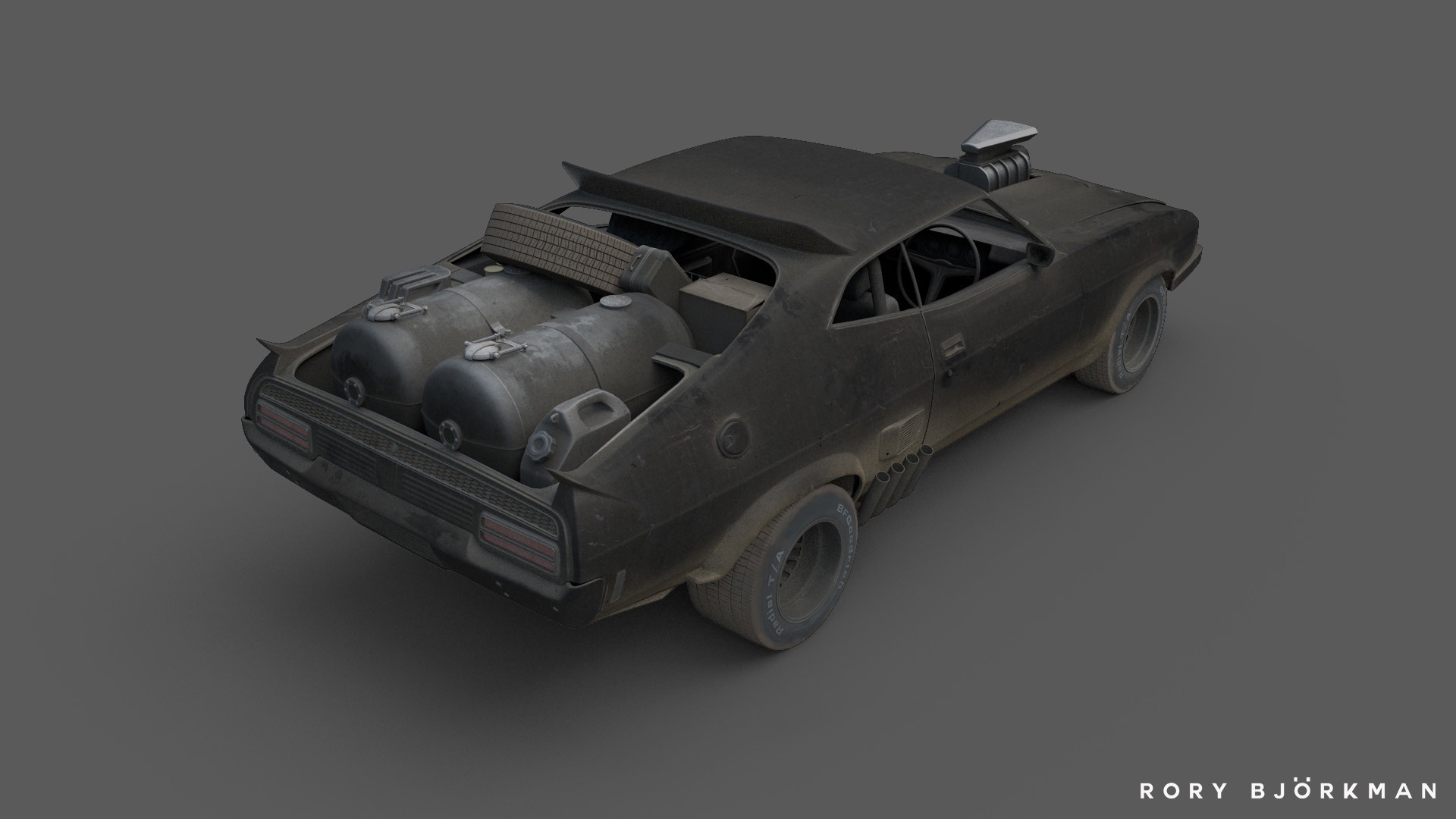
https://www.artstation.com/artwork/4bEvzl
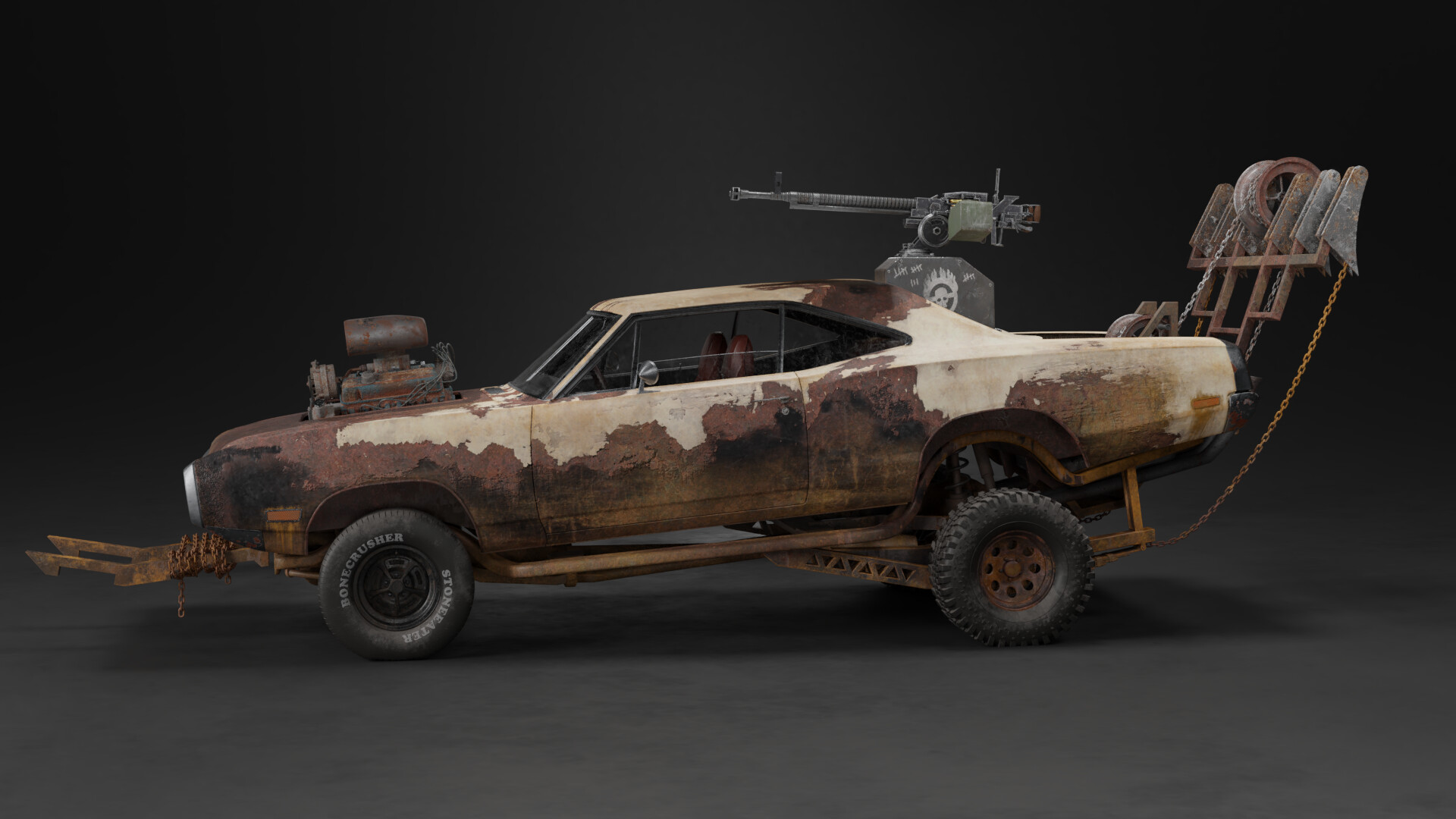
https://www.artstation.com/artwork/RYDODO
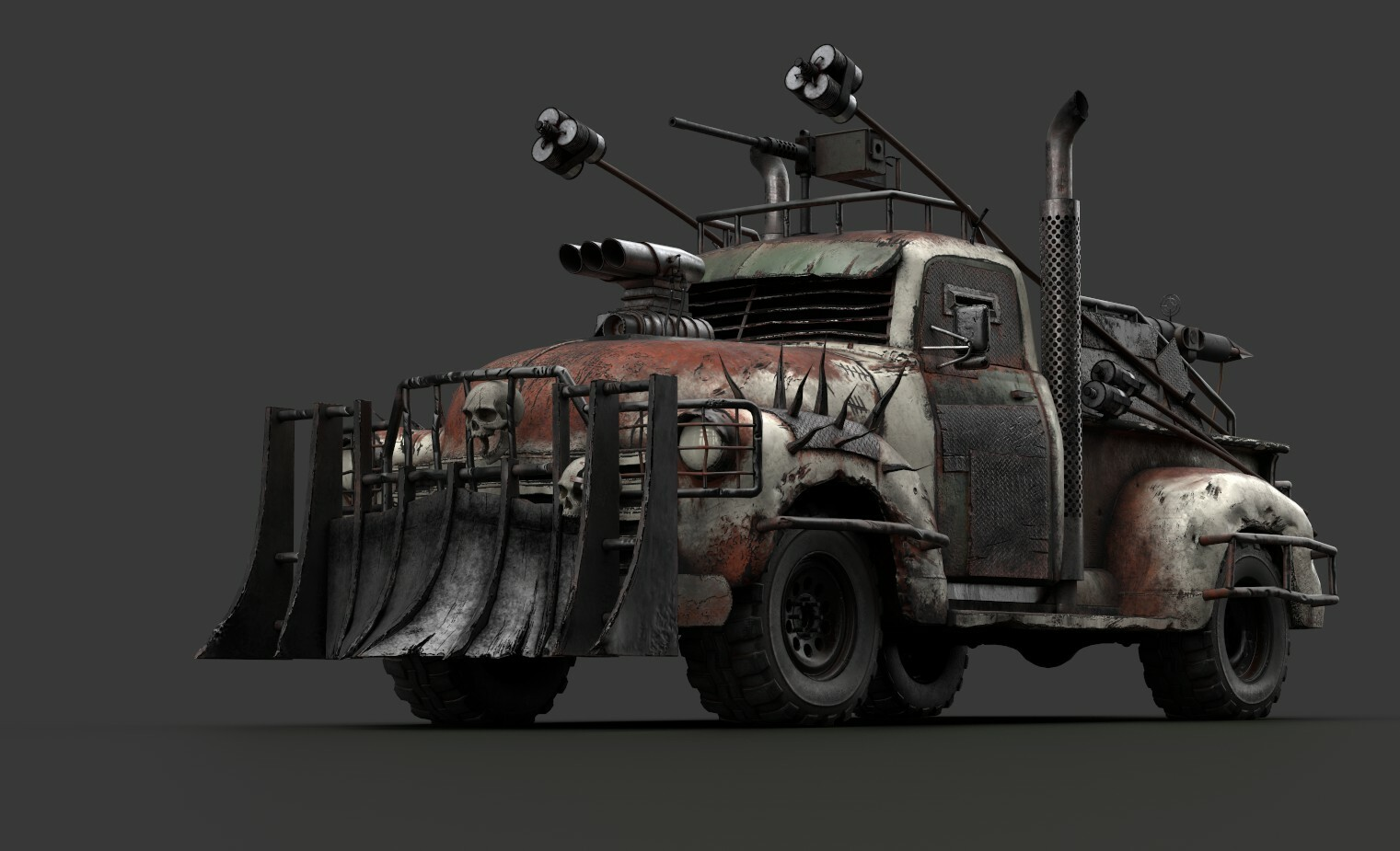
I will be breaking this down into 3 week chunks, each week covering a specific part of the vehicle.
Week 1 – Vehicle Modeling
With this being my first big vehicle model, I’m mostly focused on getting the base truck created from this course: https://cgcookie.com/course/modeling-a-post-apocalyptic-vehicle . After that if time permits I’d like to make the following modifications:
- Different tires/rims. I’d like something similar to the third picture in the references I posted above. They look great for a post apocalytic environment
- Additional armor plating
- Under body complete with suspension
Week 2 – Vehicle Texturing
With the vehicle being apocalyptic I’m aiming for a grungy look. Rust and peeling paint, maybe even some bullet holes and metal that is being eaten away by the elements. Along with that I’d like to have some unique visual elements like painted decals. This will all be done within Substance Painter 2019.
Week 3 – Rendering
I would like to make this a game ready model and as such would like to experimental with real time rendering of this vehicle. Using Unity 2019 and HDRP to really enhance the looks. Using volumetric lighting along with some custom shaders for the tires to look slightly deflated. If time permits I’d like to create a vehicle controller to drive the truck around a desolate desert environment complete with usable .50 cal machine gun that can fire and aim in the direction of the mouse.
June 29, 2019 at 3:02 pm #48060I like this idea! Pretty challenging concept. Good luck Gonzo and enjoy the ride 😊
July 1, 2019 at 8:51 pm #48061I’m posting what I plan to accomplish every week this month for this project. Since it’s based off 21 days I’m breaking it down to three weeks to complete this. I’ve never created a vehicle as complex as the one I’m aiming to model so we’ll see how well it goes. The good thing is I’m learning through a course so a large part of the modeling process will be covered through that. I would like to model the bottom portion of the truck as well. Ideally this would be usable in game so having a missing under body wouldn’t look weird.
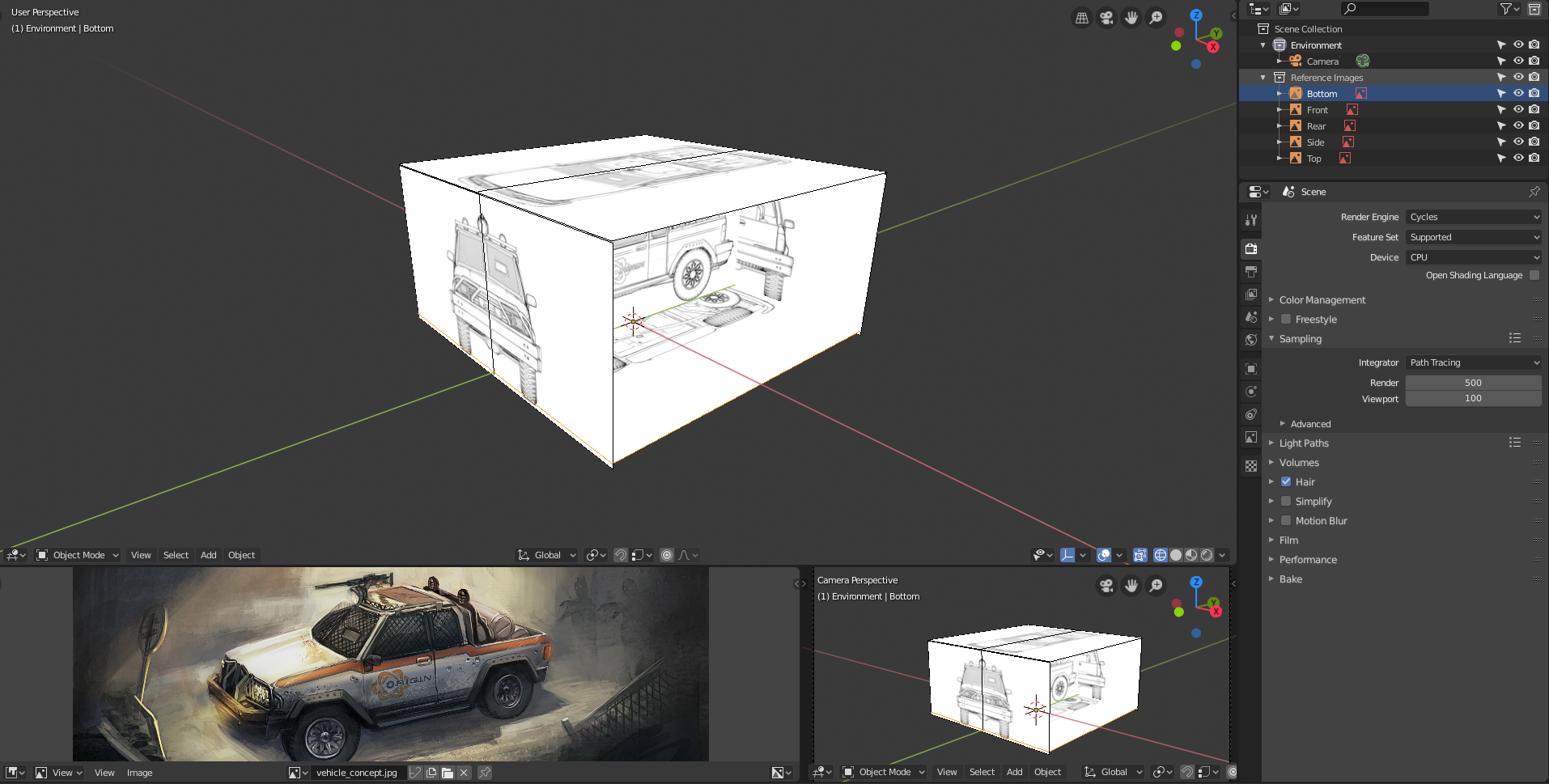
In order to keep momentum up I plan on updating this daily showing off the small changes I make. I think it’s great to see the small pieces come together to create something bigger in the end. Today I just setup the images for the truck. I’m using Blender 2.8 for this even though the original course was made with an older version.
 July 2, 2019 at 9:14 pm #48062
Got the major portions of the truck blocked out:
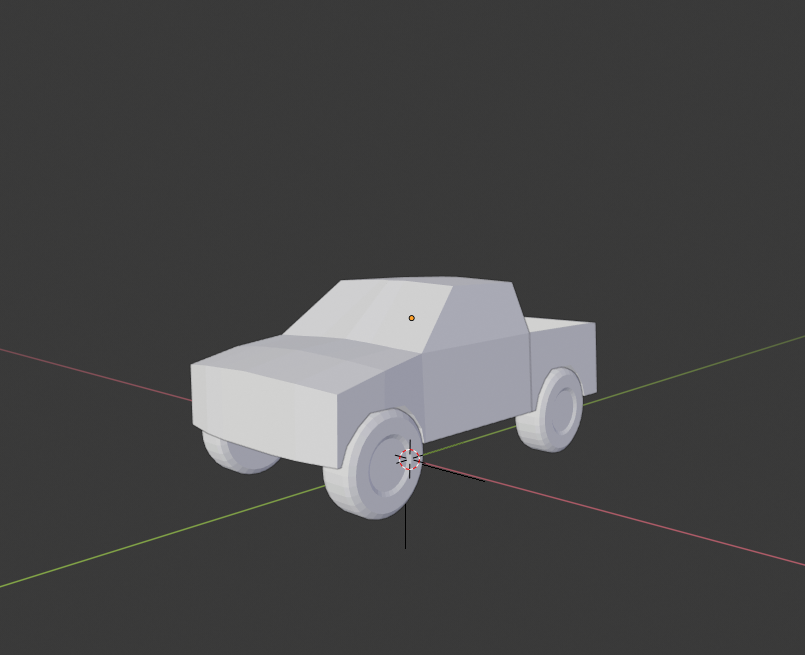
Looks a bit small but the truck doesn’t have a large truck bed so I suppose it’s accurate. I’m not sure if Blender 2.8 has background images like older versions of Blender have as I found it a bit annoying to move around physical images in my view port. I added an image as a background (Shift A > Image > Background Image) but it seemed identical to the reference image type so I’m not sure what the difference is.
On a side note this truck has me thinking this would make for a fun RC Combat game in AR. One of the big inspirations for this vehicle was the Twisted Metal series, it somewhat reminds me of Outlaw: https://www.youtube.com/watch?v=g92VTM5CXVM
July 3, 2019 at 12:20 am #48063@jgonzalez the old background images are gone… you can move your ‘empty’ (‘cause that’s what it is, and empty with image type) wayyy in the distance on a specific axis. Then it won’t be in the way when in perspective mode, but when you go to a specific orthographic view (front, side, top, etc.) then you can still see it as normal.
July 3, 2019 at 2:12 am #48064@jgonzalez Here live the settings you can change to get a similar behaviour to the old Background Images:
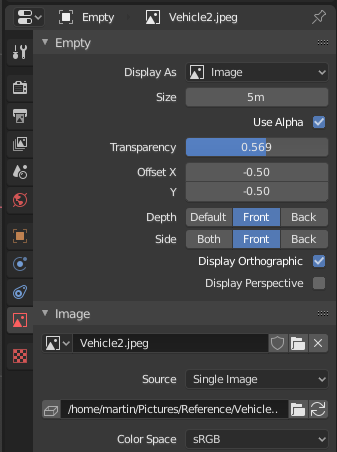
But I think you are right about the fact that there is no differences to Reference Images. (Maybe that will change in the future?)
July 3, 2019 at 2:53 am #48065@spikeyxxx WHOA, does this mean you can now completely hide it in perspective view with the tick boxes???!
July 3, 2019 at 4:25 am #48066@jgonzalez I’ll be curious to see if you will reach all your weekly goals (without making extremely long nights), because I think your time schedule is pretty ambitious for a first car. Especially since you plan on doing all this extra / new stuff… (optimizing for games, playing with HDRP, vehicle controller and gun)
Btw, you could add a 4th week to your schedule, since the challenge runs till July 28th (28 days) 😉
July 3, 2019 at 1:46 pm #48067@smurfmier1985 Good to know. All the game stuff is relatively easy for me as I’ve already done it before. The hardest part of this is the modeling/texturing. Everything outside of that will be quicker. I feel confident about getting this done, now whether it’s as high quality as I’d want is the only issue.
July 3, 2019 at 2:33 pm #48068I look forward to seeing this project come together. It’s great to see a CGC staff member particpate in a challenge 🙂 Good luck!
July 3, 2019 at 3:40 pm #48069@frikkr Hah thanks. I was planning on working on vehicles this month so this was a nice surprise. Been wanting to create this vehicle as a game asset for a while so all the more reason to join in. I’m also one of the few CGC crew that isn’t amazing at Blender so I’m not cheating. Hah.
July 3, 2019 at 8:59 pm #48070Truck is coming along. Learned quite a bit with the past few lessons in the course:

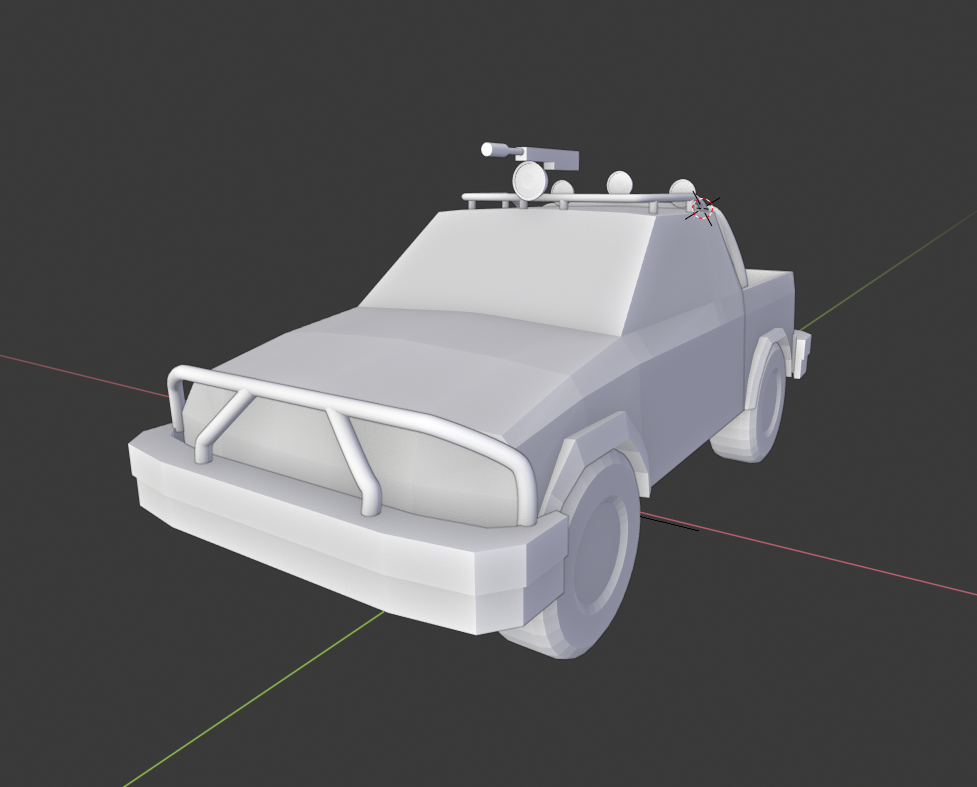
I’m not aiming for an exact match as I will be changing a few things myself but I’m quite happy with what I have so far. Also found out today I have quite a few credits for Substance Source which will come in quite handy next week with texturing. Might even be able to save me some time with specific modeling as I found a few high quality textures that can mimic specific parts of the vehicle.
July 4, 2019 at 1:41 pm #48071Ok so last night I was playing around quite a bit in Substance Painter. After realizing I had quite a few credits for Substance Source I decided to download a number of SBSAR files for use in Substance Painter to make things much easier. Since I primarily plan on using this as a game asset I’m finding ways to cut down on topology and utilize more low poly ways of achieving a similar look. I’m quite happy that I’ve been able to achieve this with the rims:
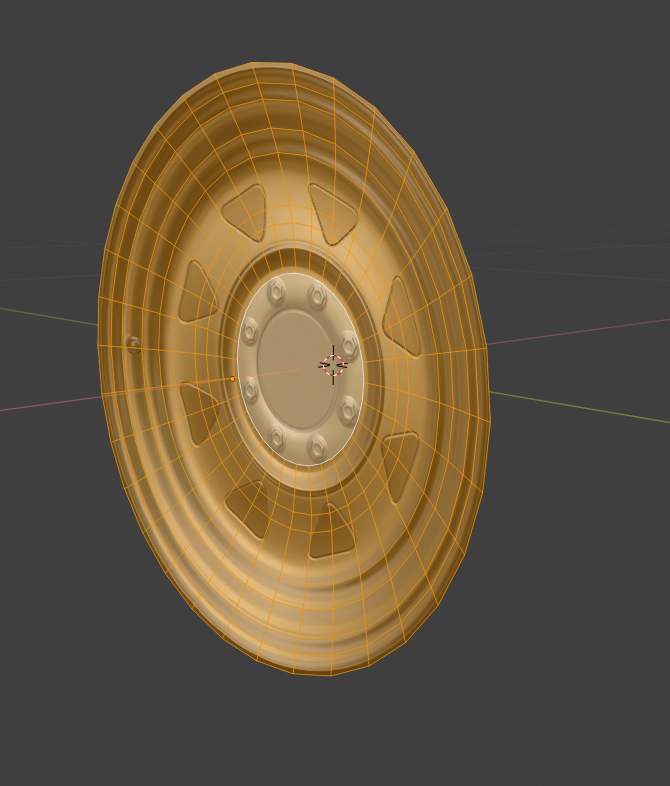
Here is what it looks like in Unity:
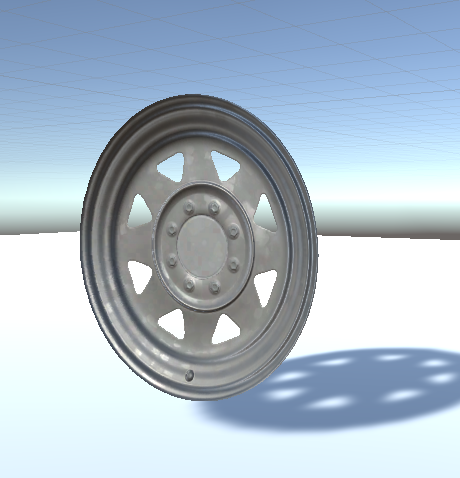
I did make it a concave object so it doesn’t just look like a flat mesh object which I think helps the realism of this. Here is another angle in Substance Painter:
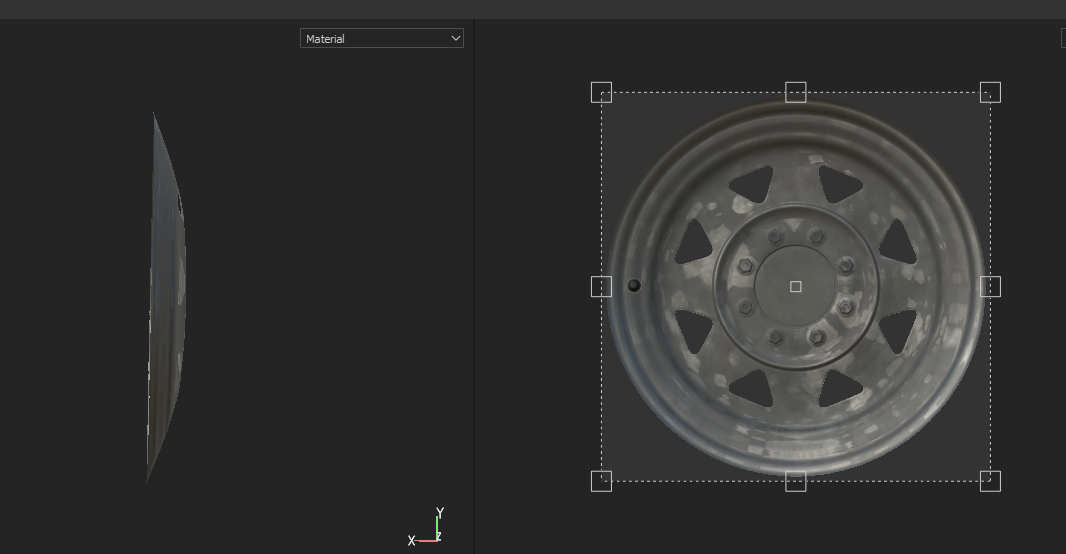
The truck model also has a few parts that include a mesh grille and window grates, so I plan on using textures for the grille portions in conjunction with physically modeled edges. Think it would make for some nice low poly details that still look great.
July 4, 2019 at 11:08 pm #48072@jgonzalez that is nice way of doing it. i’m thinkin similar approach, creating trim sheets for the details to get more texture detail on them. other would be doing decals and make the main body of mass with weighted normals.. decisions decisions. 🙂
July 4, 2019 at 11:57 pm #48073@jgonzalez I like your solution for the rims, smart 😊
-
AuthorPosts


- The topic ‘[WIP] CGC Challenge #2 – Vehicles’ is closed to new replies.