About how to improve / fix errors on the tutorial “Quick and Easy Traffic Simulations in Blender! CGC Weekly #19”

Forum Archive About how to improve / fix errors on the tutorial “Quick and Easy Traffic Simulations in Blender! CGC Weekly #19”

Viewing 5 posts - 1 through 5 (of 5 total)
  • Author
    Posts
  • #10151
    marietto
    Participant

      Hello.  I’m trying to create a traffic simulation using the blender particle systems with different car models. This is the tutorial that I have used as base :

      https://www.youtube.com/watch?v=wWEwxtu9gGc&t=1s&fbclid=IwAR0TmMM3HDO3S-scNSGg4YO4cZsXTCHtFLcydgbTEPvBXrnFEix0S5OGQKQ

      BTW my enviroment consists of a two-lane road. I wanted the cars crossed both lanes in opposite directions,so I created two planes called emitter_close and emitter_far with two different particle systems attached. 

      These are the values that I have used for both planes :

      1. Emissions Number = 300
      2. Start / end = 1 – 320
      3. Lifetime = 50
      4. Random = 0
      5. Emit From = Faces
      6. Rotation = yes
      7. Dynamic = yes
      8. Render / Emitter = yes
      9. Render / Group = Group_car_yellow / Group_car_green
      10. Whole Group = yes
      11. Size = 1.860
      12. On the Physics tab is enabled the Force Field type = Curve Guide with minimum distance = 1.000

      I have also created two mesh groups. Inside each group there are the main components of a car,like :

      1. Empty_car_ yellow or green 
      2. 4 wheels,parented to the empty_car_yellow,with a driver configured on the X rotation and X location,with :
      • Expr = -var ;
      • object = empty_car_yellow ;
      • type = X location ;
      • space = world

                   3. another 4 wheels,parented to the empty_car_green,with a driver configured on the X rotation,with :

      • Expr = -var ;
      • object = empty_car_green ;
      • type = y location ;
      • space = world

                   4. the car’s body meshes 

      Each car follow a path,that’s represented by the NurbsPath_road_sx and the NurbsPath_road_dx,with the following parameters set :

      • Path animation = yes
      • Follow = yes
      • Frames = 320

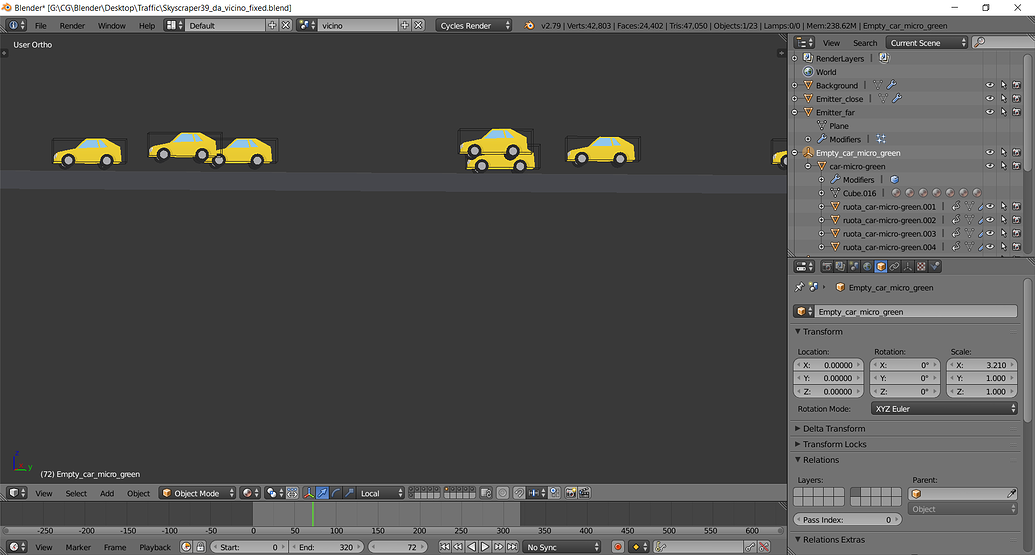
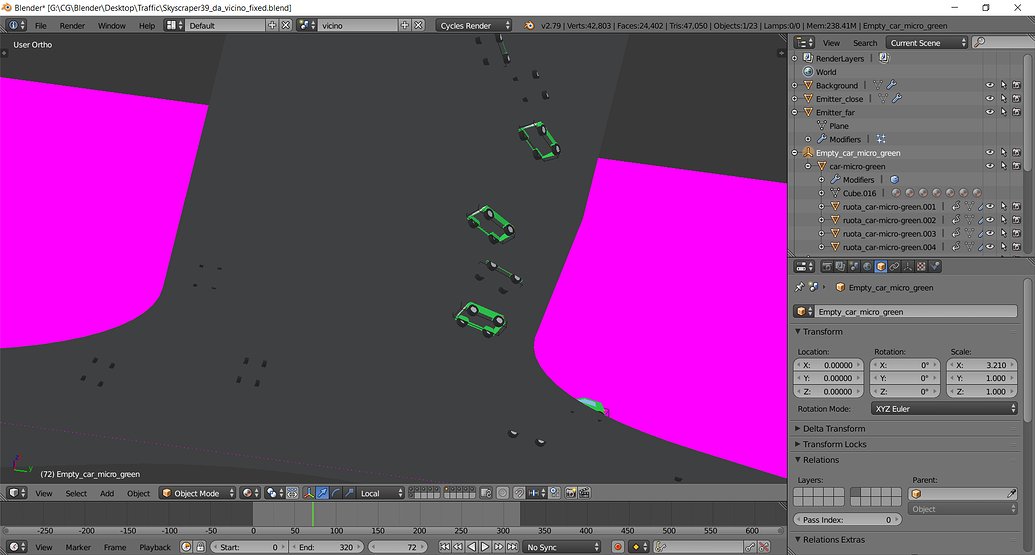
      Below you can see how is working the simulation : Is there a way to position cars better than now ? because when they are emitted,some of them cross the ground and some others walk too far above it… thanks.
      #44600
      Jonathan Lampel
      Participant

        Nice work adding the drivers to the wheels! 

        I can’t see the emitter in the picture, but my guess is that it’s at least a little bit tall, and so the cars are coming out of anywhere on the face. Try making it just a subdivided line with no thickness, and emit from the verts instead of from any faces. 

        #44601
        marietto
        Participant

          @jlampel : do u want to look inside the blender file ? you can find it here :

          https://drive.google.com/open?id=1mp_ApoVm0urtzASqMtadWEbG1Mk88w0R

          and,please,can you explain what should I do in easily understandable terms to fix the error ? thanks.

          #44602
          marietto
          Participant

            @jlampel : i’ve modified the emitter like you said. it seems better now,but its not perfect. 

            #44603
            Jonathan Lampel
            Participant

              @marietto Ok I played with this a bit, and I’m really not sure why the cars are rotating when emitting from vertices. A solution that does seem to work though is scaling the emitter down along the Z in edit mode until it’s almost a single edge but not quite. 

            Viewing 5 posts - 1 through 5 (of 5 total)
            • The topic ‘About how to improve / fix errors on the tutorial “Quick and Easy Traffic Simulations in Blender! CGC Weekly #19”’ is closed to new replies.

