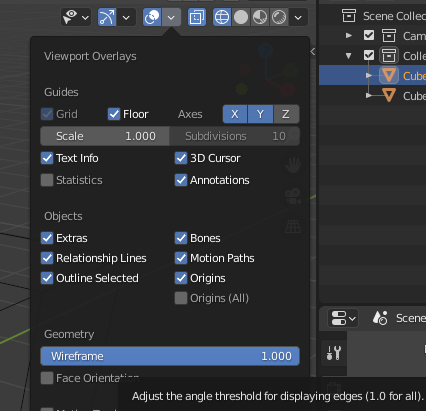
You should be able to see the wire frame for all the objects once you click the wireframe icon on the top right. Check in the Overlays drop down just to the left of the wireframe icon, under Geometry check that the wireframe slider is all the way up to 1.
If you want to edit multiple items in wireframe, in Object mode select on an object hold SHIFT and select a second, third or as many as you like (or just press A for All objects, but this will include camera, lights etc..) then enter Edit mode and switch to wireframe.
Help yourself to a cookie.

