Reply To: -update- Auto Smooth_Blender 4.0+
Forum Archive › -update- Auto Smooth_Blender 4.0+ › Reply To: -update- Auto Smooth_Blender 4.0+

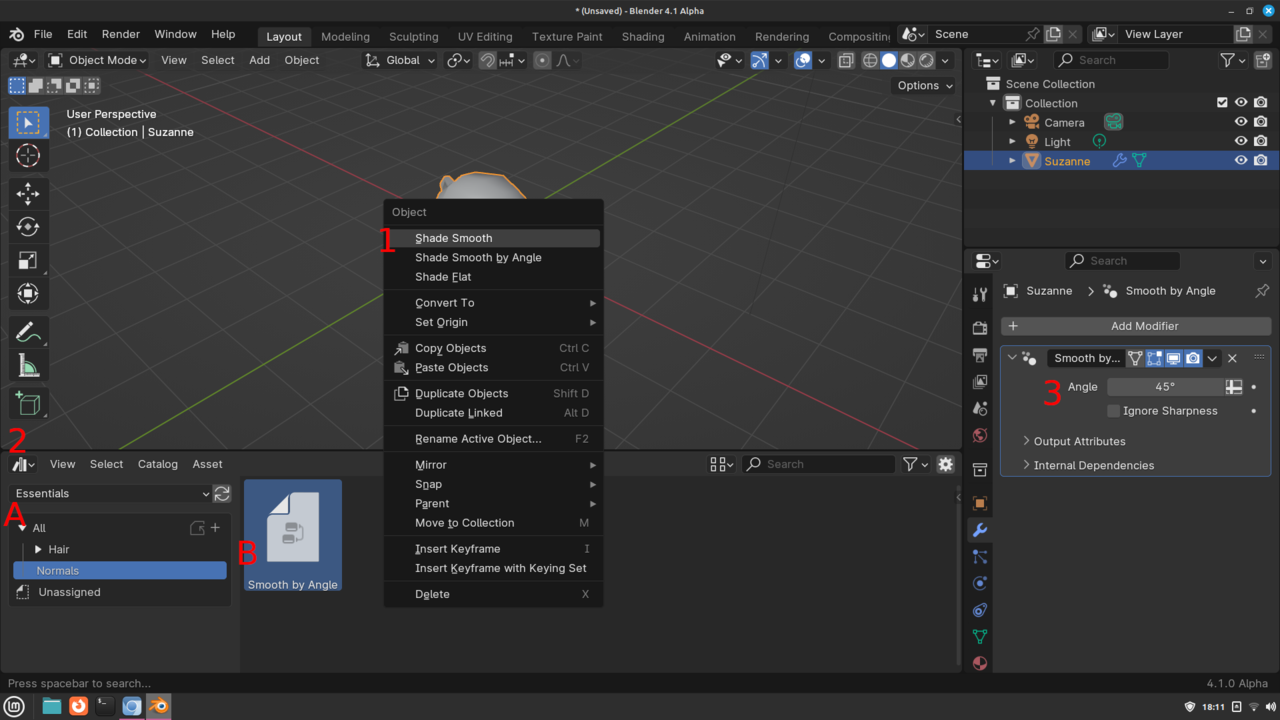
The next release 4.1, which is alpha right now, will remove the auto smooth from the data tab. I just checked it and it is in the asset browser under normals category. It is also removed from the context menu(Right click in object mode). You do have a new shade smooth by angle, but that doesn’t allow you to set the angle. So to shade auto smooth for 4.1+ you will need to 1. right click object and click shade smooth.(Smooth by angle ignores the auto smooth). 2. A) Go to the asset browser. B) Optionally change to the essentials Library and click normals category C) find the “Smooth by Angle” asset. Then drag and drop it on the object. 3. Adjust angle in the modifiers tab of the properties editor. The ignore sharpness means it will ignore edges that are marked as sharp.
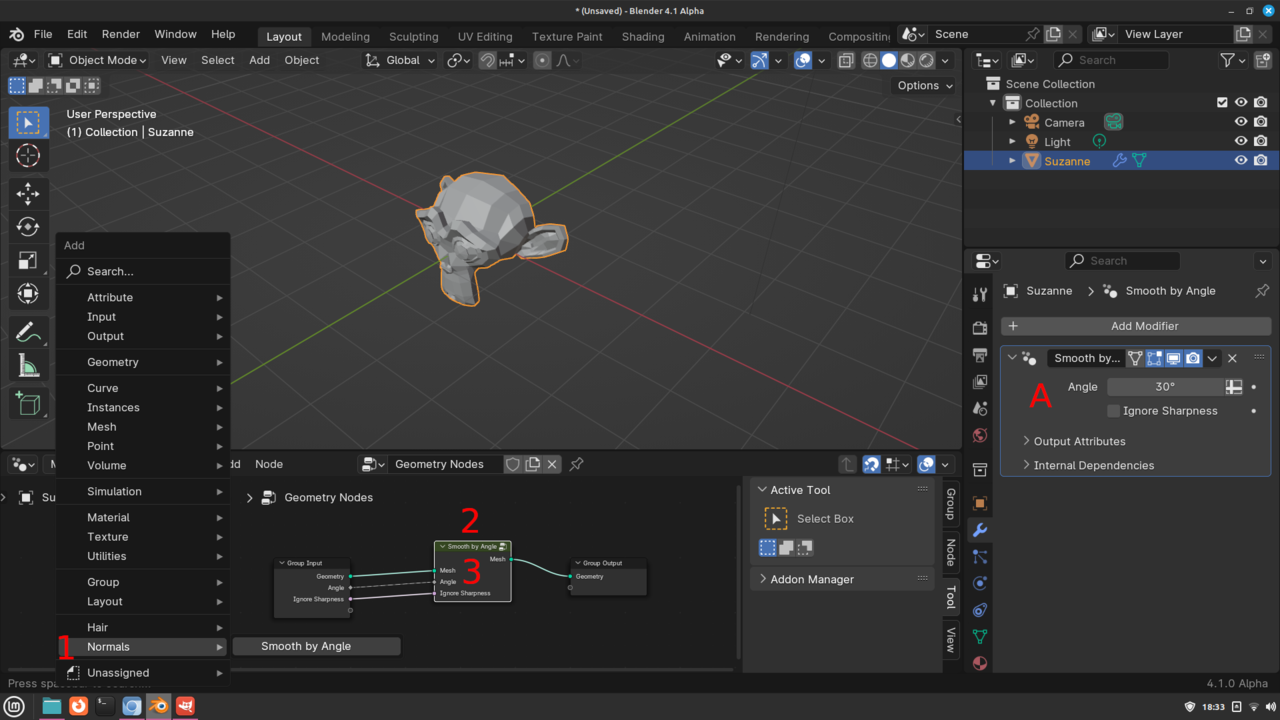
Alternatively, you can do it thru geometry nodes. Go to the geometry node editor while you have the object selected and click new. 1. Shift+a->Normals->Smooth by Angle. 2. Put node on the green line between the Group Input node and the Group Output node. 3. Adjust the angle. A) Optionally you can connect the angle from the Smooth by Angle node to the Group Input node and then you can access the angle setting thru the modifiers tab. Note:You still have to right click on the object and click shade smooth for this to have any affect.