Reply To: Tutorial Recommendation for Complex Tumbler
Forum Archive › Tutorial Recommendation for Complex Tumbler › Reply To: Tutorial Recommendation for Complex Tumbler

@carmelazabala
To further what @jlampel beautifully said. I would recommend modeling this starting out as a straight up and down cylinder first. Don’t make this task harder than it already is.
Here’s some of my workflow I am really enjoying:
Stage 1 is get a good look with basic block-out. Then go slightly more complex on a duplicate copy. Then go further. Duplicating my template objects lets me play around with the duplicate and then I can move on when I am satisfied. If I completely mess it up then I still have my previous copied mesh to work with. I just hide the templates as I go deeper. Once I am done I delete the templates OR keep them in a reference collection to remind me how I went about the process…….super helpful for me later on when I come back to the file after a good long break.
I also actually started out with just 1/8th section of a 16 sided circle that I extruded up and then arrayed it with an Offset Object set to an empty at the world origin. I rotated the empty by 45 about the Z-axis and arrayed the Count 8 to turn it back into a circle (a 1/8th section rotated about an offset object by 45 degrees, copied and rotated another 45 degrees………… multiplied by 8 = 360 degrees, I get my cylinder back…..yay!).
Important Note that only the empty should be manually rotated and causes the array’d object to offset and rotate each of it’s copies by 45 degrees.
Also a really cool pro tip I learned: I work with circles in multiples of 4 because you can get to 360 degrees every time and use modifiers to your advantage
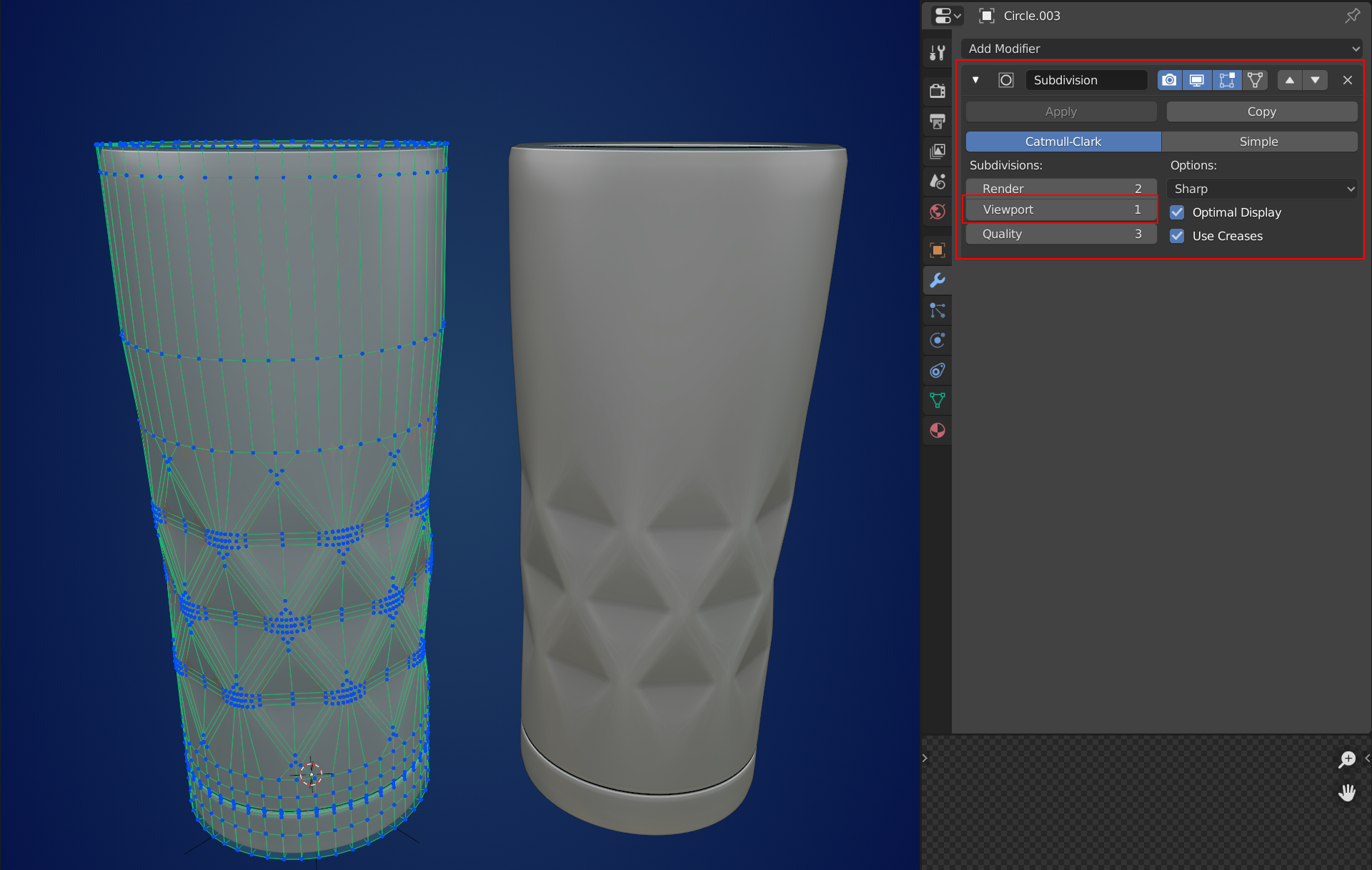
I would recommend Jonathon’s mesh layout more than mine but they both end up getting close enough in my opinion at the end of the day.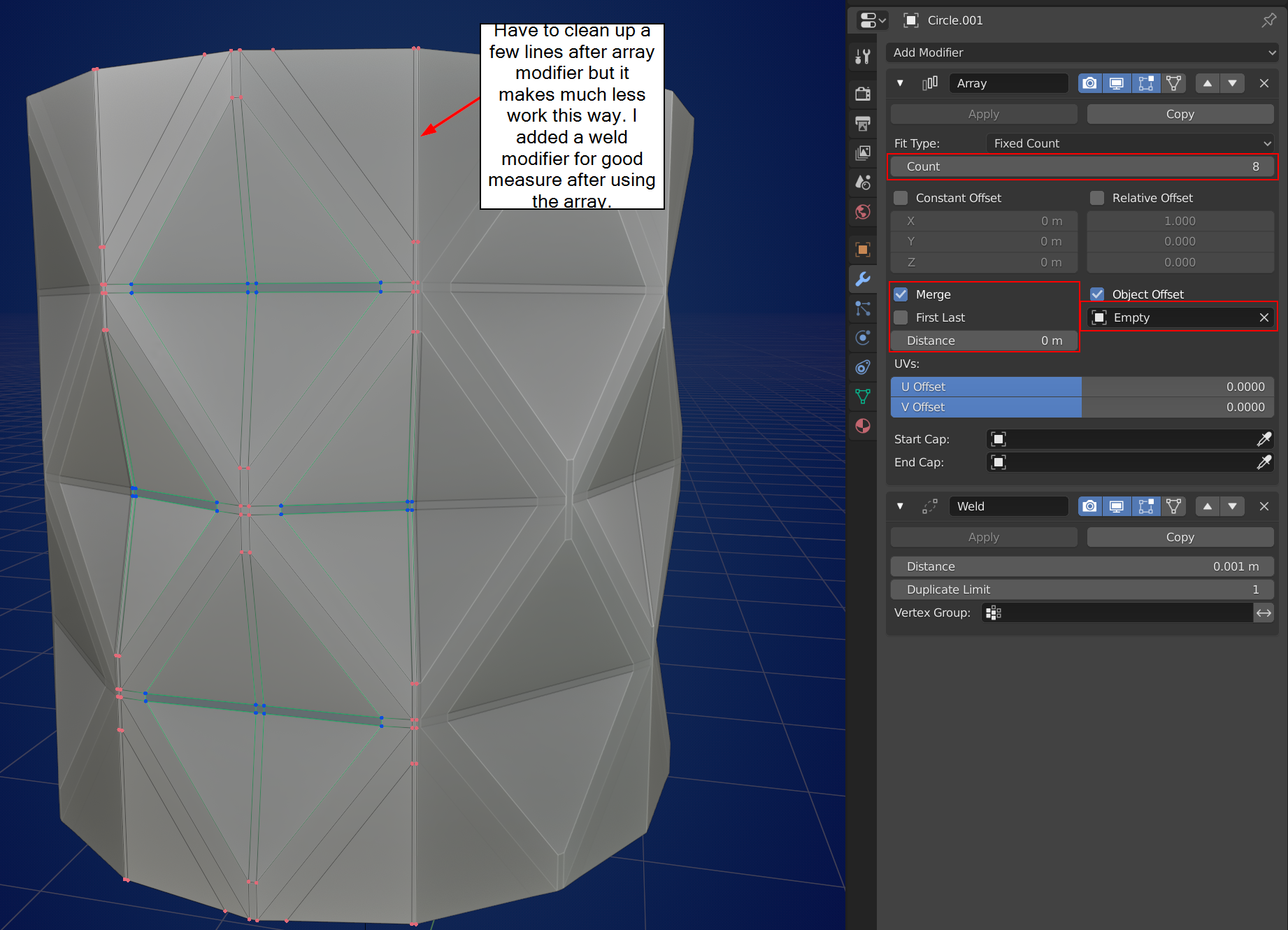
After applying the array modifier and doing some cleanup to that all vertical edges were equal all around (basically cleaned up edges that were at the cutoff for the array), I used a bevel until I got the triangle shapes that I wanted. to be fairly crisp but smooth enough to use a sub-div modifier.
Then after that I used the Edit tab on the N panel and activated the Circle Button on the Loop Tools Add-on to make the top and bottom of the diamond pieces and then extruded those perfect circles to make the full tumbler cylinder.
Then I turned filled the inside of the cup with just easy cirlce cross sections and gave the top and bottom some extra “holding” edges for the Sub-Div modifier.
Then I turned on Proportional editing and went into X-ray view and selected the bottom of the tumbler and scaled it in while locking the Z axis to give it the varying width look. I rolled the Proportional Circle up until I was satisfied with how much the surrounding geometry shrunk.
The rest was just cleanup.
Hopefully this workflow helped. This was a very nice challenging exercise for sure!