Try the loop tools add-on: Select un-even faces and hit flatten.
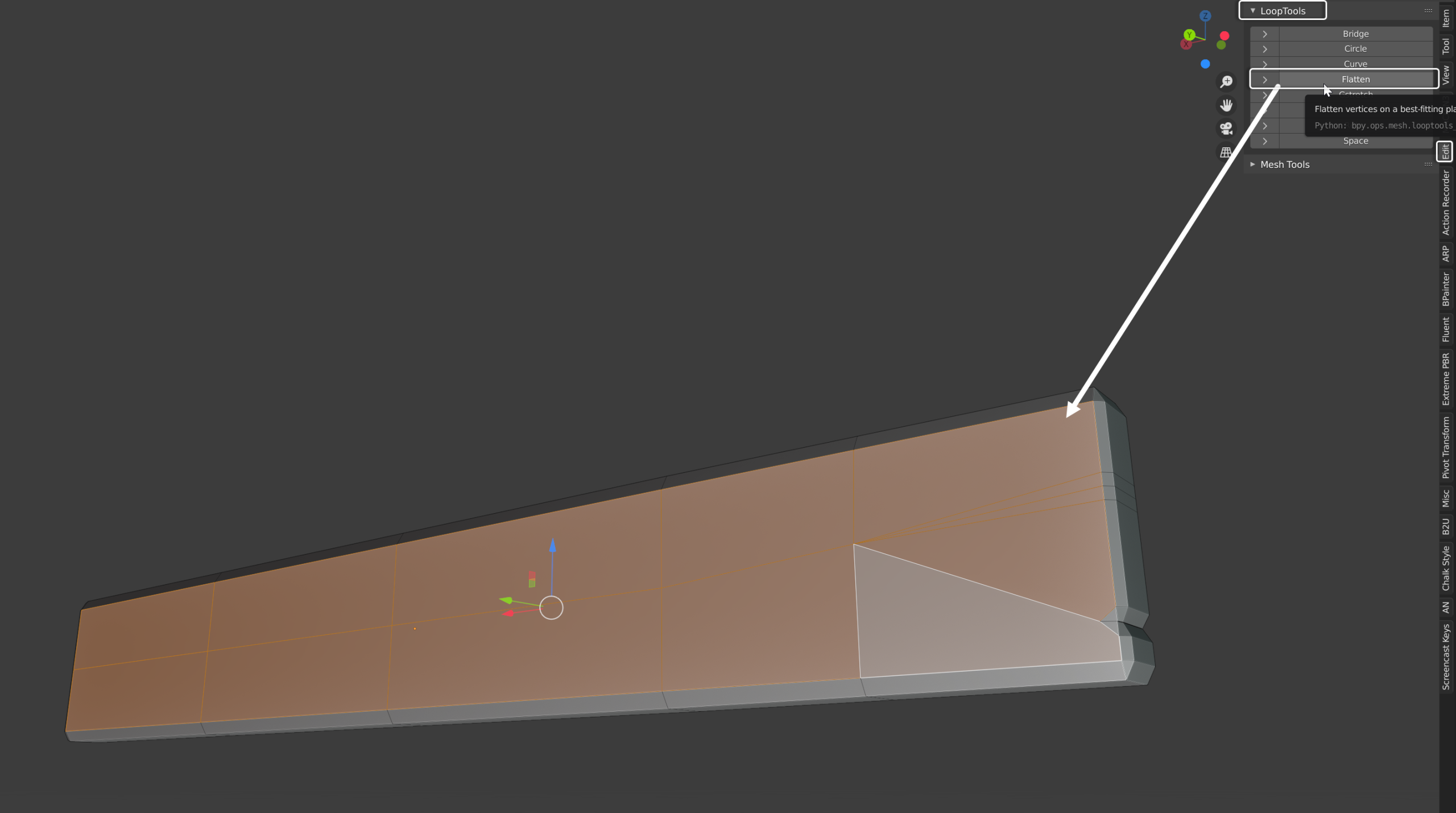
Smooth as butta afterwards.
Also. You’re board faces are pointing inwards on their normals (that’s gonna bite you in the bum later). Red for me means bad for you lol. Means the normal direction is pointing inside the object (makes it harder to add proper shading and materials later).
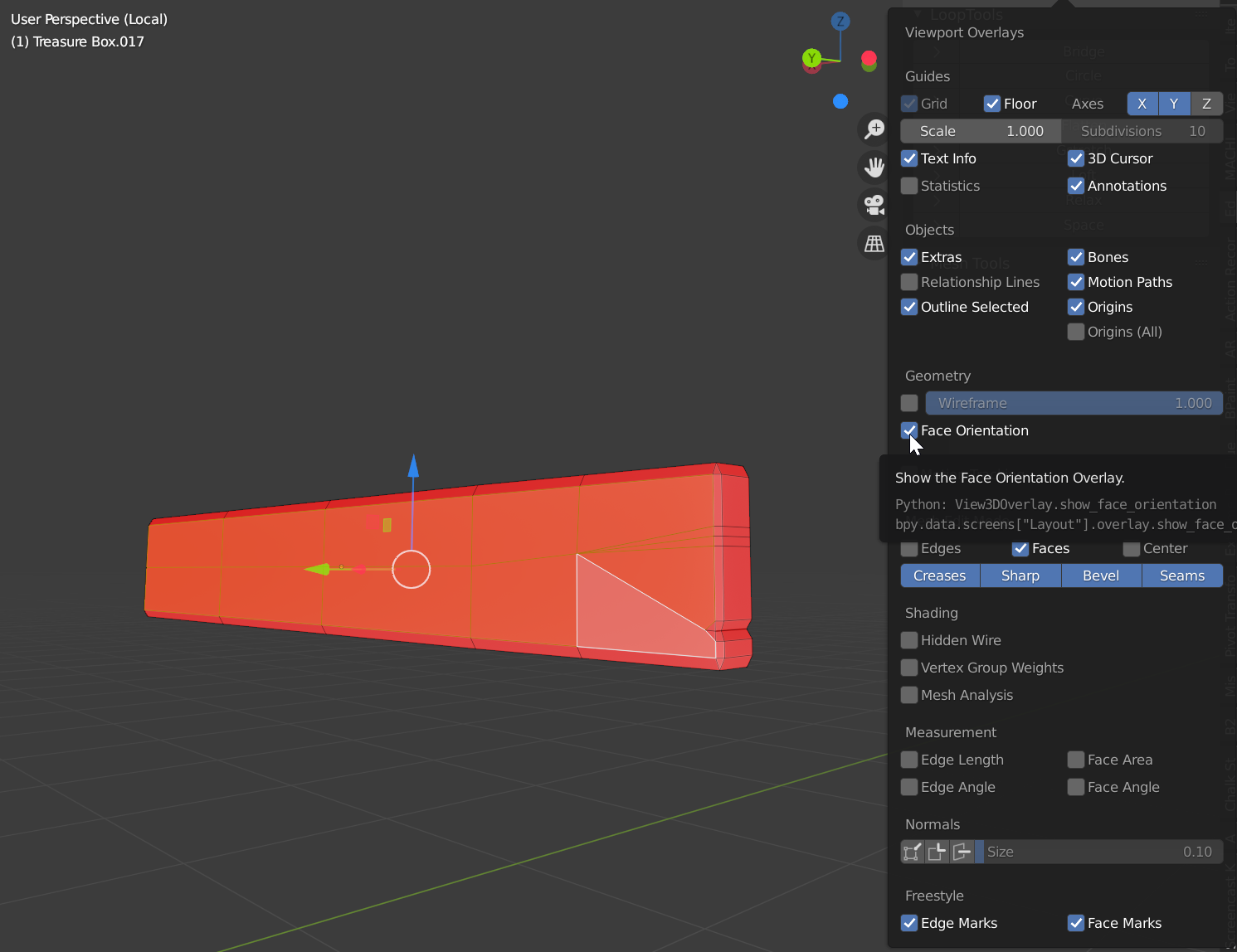 @jesse94 take a look at my blender nugget on face normal orientation to help out a little. Then go into edit more on every object that has them and select all and hit Shift + N and invert the normals (you can select all objects and take them all into edit mode to do this quickly).
See the post here: It’s modeling nugget #2
https://cgcookie.com/questions/13339-blanchsb-s-blender-nuggets#answer-46164

