Ah! Also if you’re using a texture or gradient material, you HAVE to pay attention to this bit:
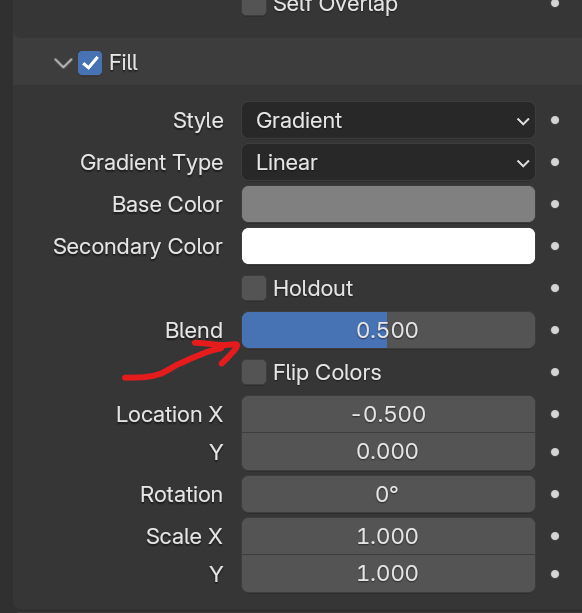
The base color will show up in Solid mode, but to see the color attribute, you need to have the Blend factor greater than 0.
An additional point:
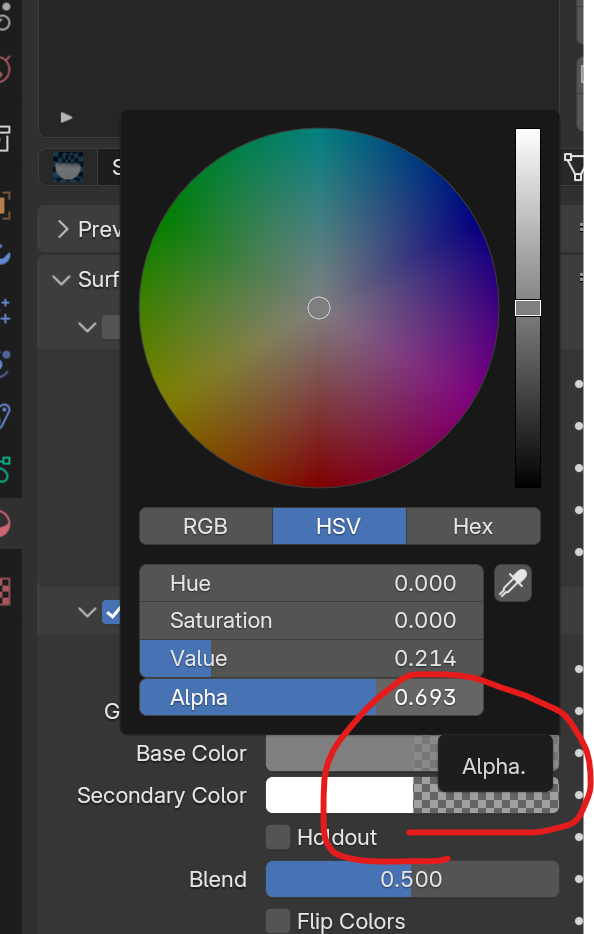
You can set the alpha for the base and secondary color on a gradient. This will dictate the transparency of the two value of the gradient. My usual way of doing a gradient is as follows:
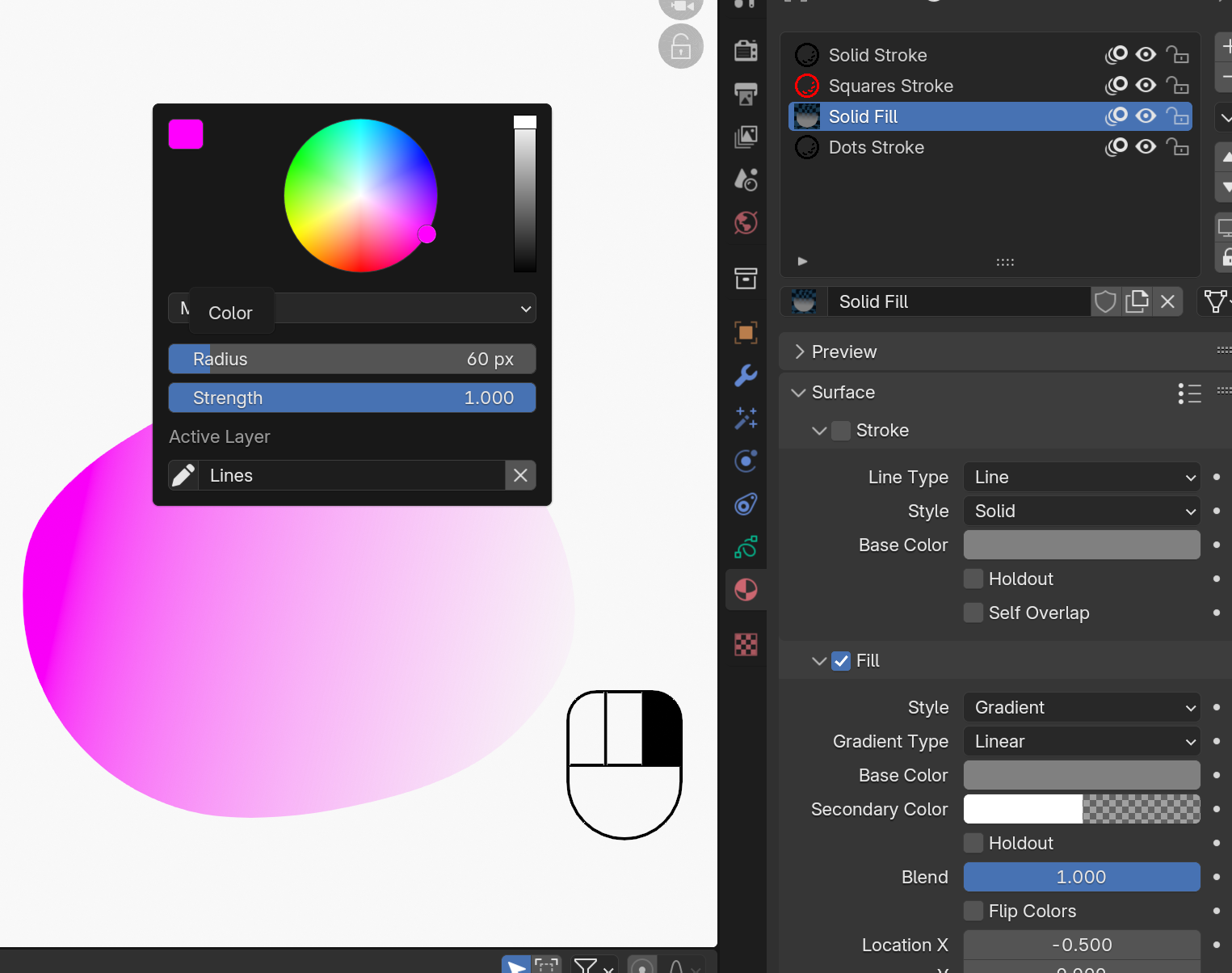
What you’re seeing here is the following:
Base Color can be anything, so long as the Alpha is 1.000 (or 100%)
Secondary Color also can be anything, so long as the Alpha is 0.
Blend is 1 so that the color attribute dictates the color of the gradient.
The second way to do this is only with material settings, but the color attribute will “tint” the overall material. This is a good solution for things like a sky, but it’s limited use.

