
Reply To: Tie Fighter.
Forum Archive › Tie Fighter. › Reply To: Tie Fighter.

The composition is wrong in my opinion, The focus should be on the Tie Fighter.
The moon is taking up far too much of the image and with the Tie Fighter on the dark side of the moon, when looking at this image my eye is drawn to the lighter side of the moon, away from the Tie Fighter.
Try moving the moon closer to the camera, I know this will take up more of the image, but bare with me here, move the moon to the edge of the shot so only part of the moon is visible, about half or a little less.
Move the main light source (the sun) to the opposite side, try and position it so the dark side is just visible on the edge of the image.
Then move the Tie Fighter a little closer to the centre of the image.
Use the composition guides in the cameras viewport display settings. The Rule of thirds is always a good option.
Something like this:
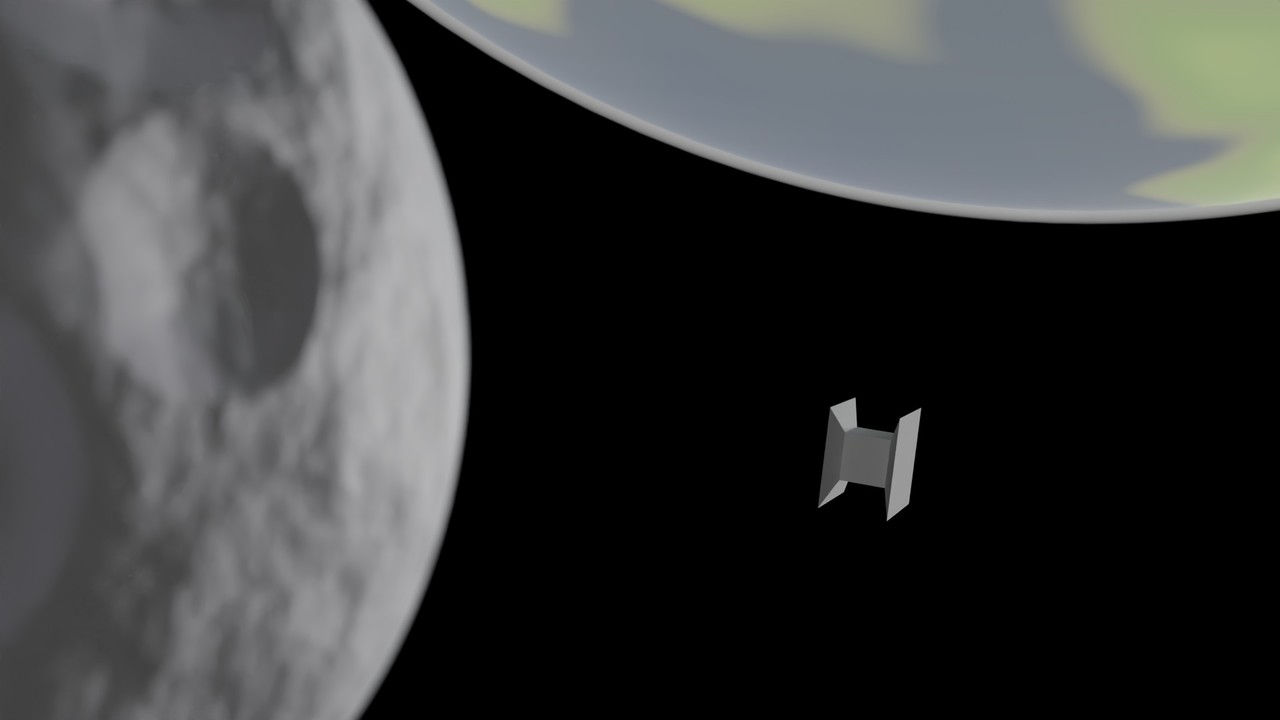
OK, my Tie Fighter is not as good as yours.
See how I use the rule of thirds with all three objects, the planet and the moon frame the Tie Fighter.
And with depth of field, with the Tie Fighter as the focus object the moon is nicely out of focus giving the illusion of distance and size.
Also with the darker vastness of space behind gives a better contrast for the Tie fighter to really stand out in the crowd.
You are a fast learner, but there is always more to learn.
Hope this helps you on your speedy Blender journey.