
Reply To: Stuck on a challenging 3d model? Post it here for a live walkthrough [closed]
Forum Archive › Stuck on a challenging 3d model? Post it here for a live walkthrough [closed] › Reply To: Stuck on a challenging 3d model? Post it here for a live walkthrough [closed]

Update: Oct 13th,
I decided to continue working the mask and character body. This is all “post-deadline” additions and I don’t mind if it doesn’t get critiqued, but figured I would submit it anyway to show my thought process towards completion. If you have time you are more than welcome to critique this instead but no worries either way.
One thing I think I took away from previous training and was able to apply here successfully on my own: I used the Skin Modifier for the body after having learned that from modeling the beloved CGCookie Monster course, I took some copious notes in my iPhone for quick tips on the skin modifier: this is the short recap I learned
Skin Modifier How-To
Step 1: Make a cube and go into edit mode and select all verts and Alt +M to Merge at Center which makes 1 vertex.
Step 2: Add the Skin Modifier to the active vertex (a.k.a Cube)
Step 3: Use ‘E’ to extrude a new segment from the selected vertex
Step 4: Extrude away making a stick figure skeleton. Move verts with ‘G’ as desired.
Step 5: While defining the stick man use Ctrl + A to scale the blocks as they get created. Use Ctrl + R to subdivide a vertex between two verts.
Step 6: Move and Scale verts until ‘Skin’ shows a nice geometry since sometimes it gets a little wonky.
This made making the body figure super easy compared to blocking it out manually, especially when it came to the fingers and toes. Oh my, it was completely delightful!
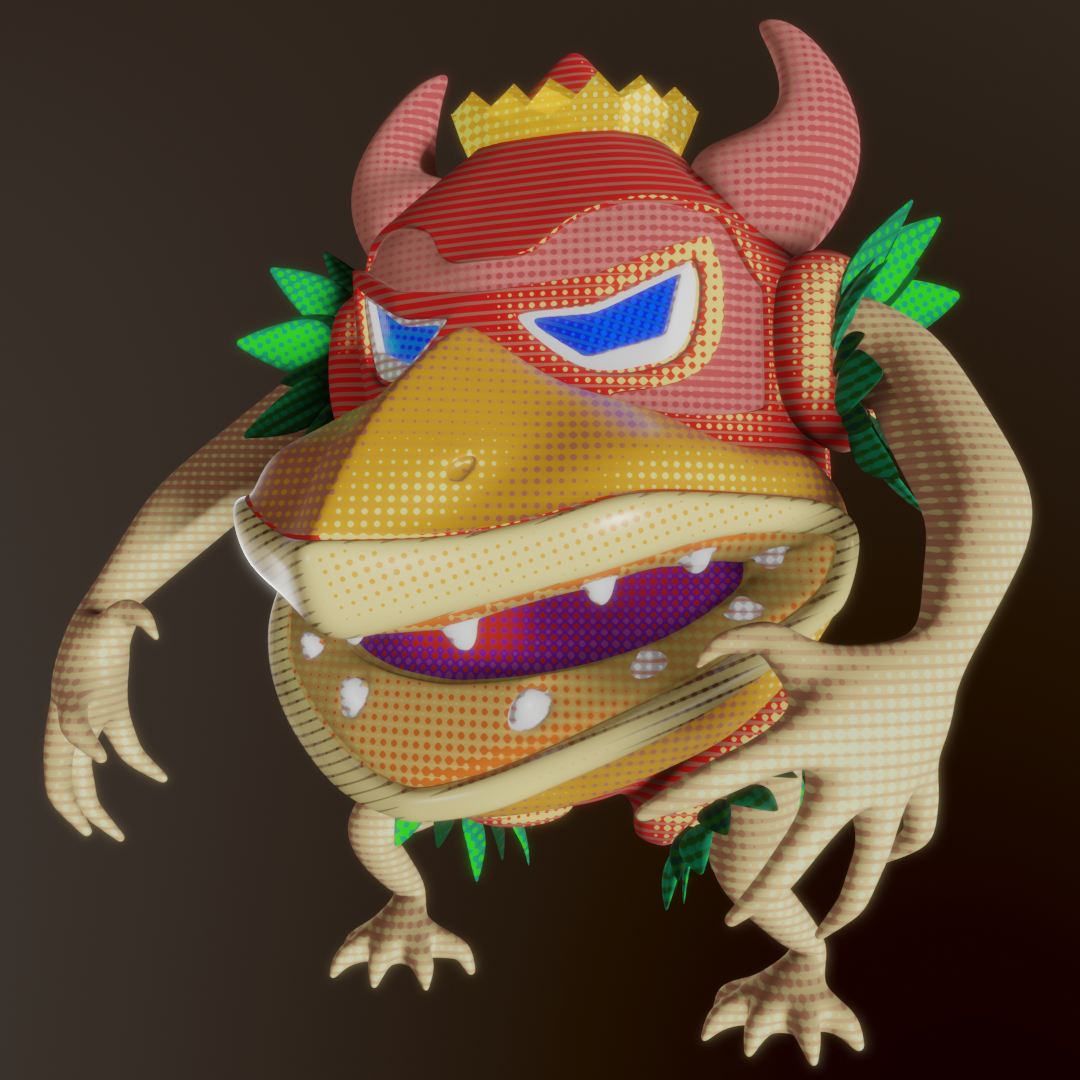
I am finding it really hard to remember how to get sharp corner detail into my mesh and keep it that way for corners that take a hard turn another direction (as opposed to a standard ledge which I have down well). I end up making what I feel is more un-necessary geometry just to get that ‘sharp corner’ effect. I could really use some good rule of thumb advice for that. I would have liked to get some more sharp around the light pink eyebrow area. It rounds too much for my liking but I wanted to keep quad count to a minimum