@slenaerts try using denoising in the compositing instead, perhaps not for this project but for future reference, unless you have time to spare. Try rendering one frame to see the difference.
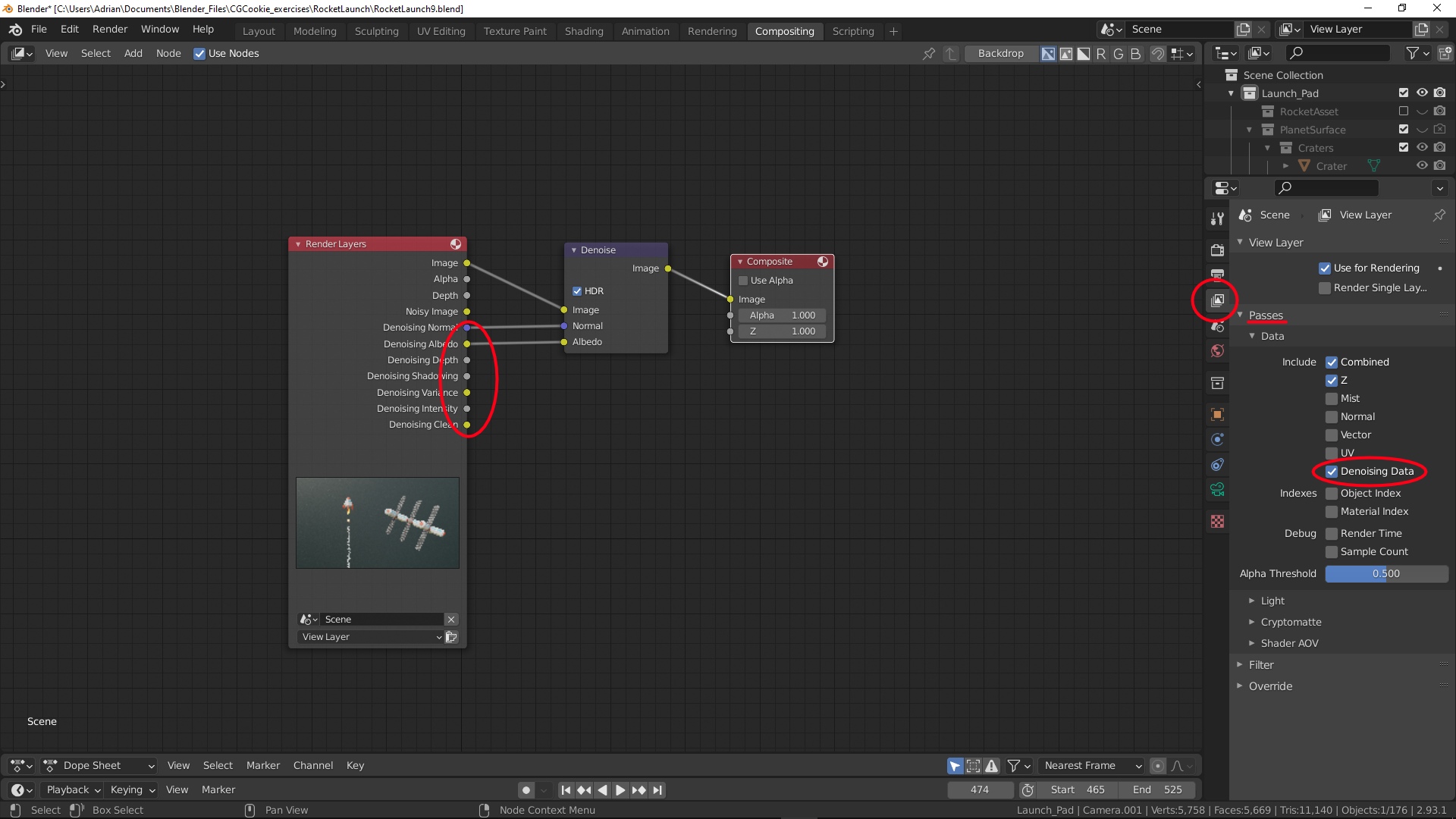
All you need to do is activate denoising data under passes in the view layer properties tab. This will give you extra outputs on the render layers node.
Click on the compositing tab at the top of the screen and click use nodes (top left), add a denoising node (SHIFT + A > Filter > Denoise) between the render layer node and the composite node and from the render layer node plug the denoising normal into the normal of the denoise node and the denoising albedo into the albedo and then render your animation.