My advice would be to save often, try and make it habit to save regularly.
When I open a project I have been working on, the first thing I do is save a new iteration with SHIFT+CTRL+S and then when ever I make major changes or additions I save with SHIFT+S. If I take a break, for more coffee usually, I will SHIFT+CTRL+S again.
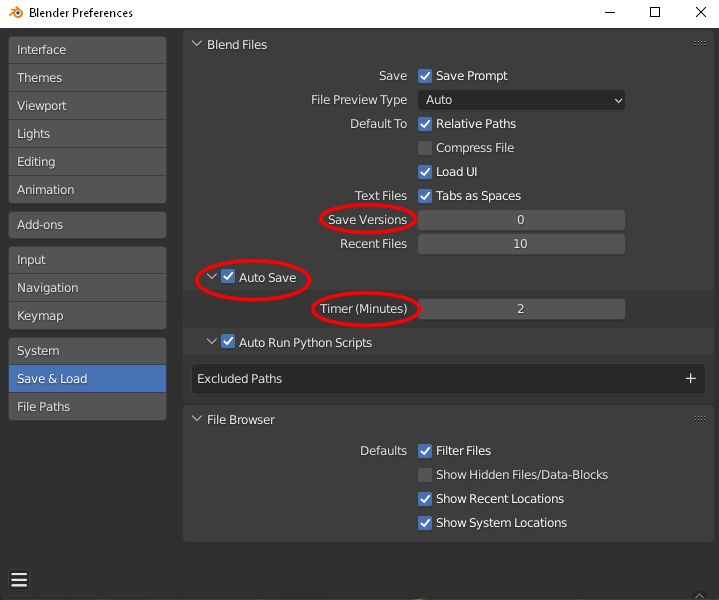
You do have the autosave facility in Blender, I think this is active by default and you can set how often the autosave saves, however I am not so sure it actually does save that often. To recover an autosave, click File>Recover>Autosave, and find the file you wish to open, I usually look at the time for the latest, if I need it, occasionally I do.
The save version you see in the preferences is the number of copies Blender will save, but this will only save copies of what you save. Meaning you still need to save regularly. You can see the copies in your file browser as a file with .blend1, the original is .blend. Because I have a habit of saving regularly I have this set to 0 copies, to keep my drive tidy and save space, although I do have 2 x 2TB drives.