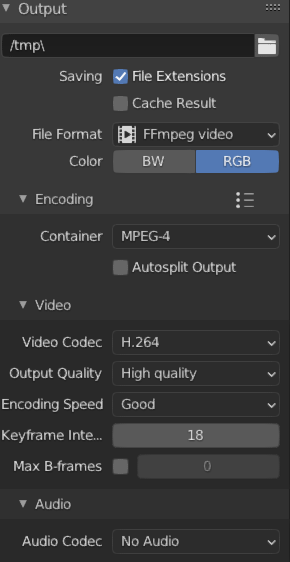
Go to Output Properties and change your file format to FFmpeg video.
Then Chancge the Encoding container to MPEG-4, In the Video drop down switch your Video Codec to H.264
The last 2 settings will just be for quality so you can change that to whatever you want.
I would Recomend Keeping the Keyframe intervals to about half of your fps.
If you want to automatically save your Mp4 change the – /tmp\ – to your file location. You can also just click the file button.
Hope This helps!

