Hi Kate @KateMcCSeattle ,
I had another look at your file and I believe it has something to do with using the Vacuum Collection…
If you Apply the Scale of all Objects of the Vacuum and (I can’t believe I am saying this) also the Location, so they all have their Origin in the same place, you can use Separate Children to get this:
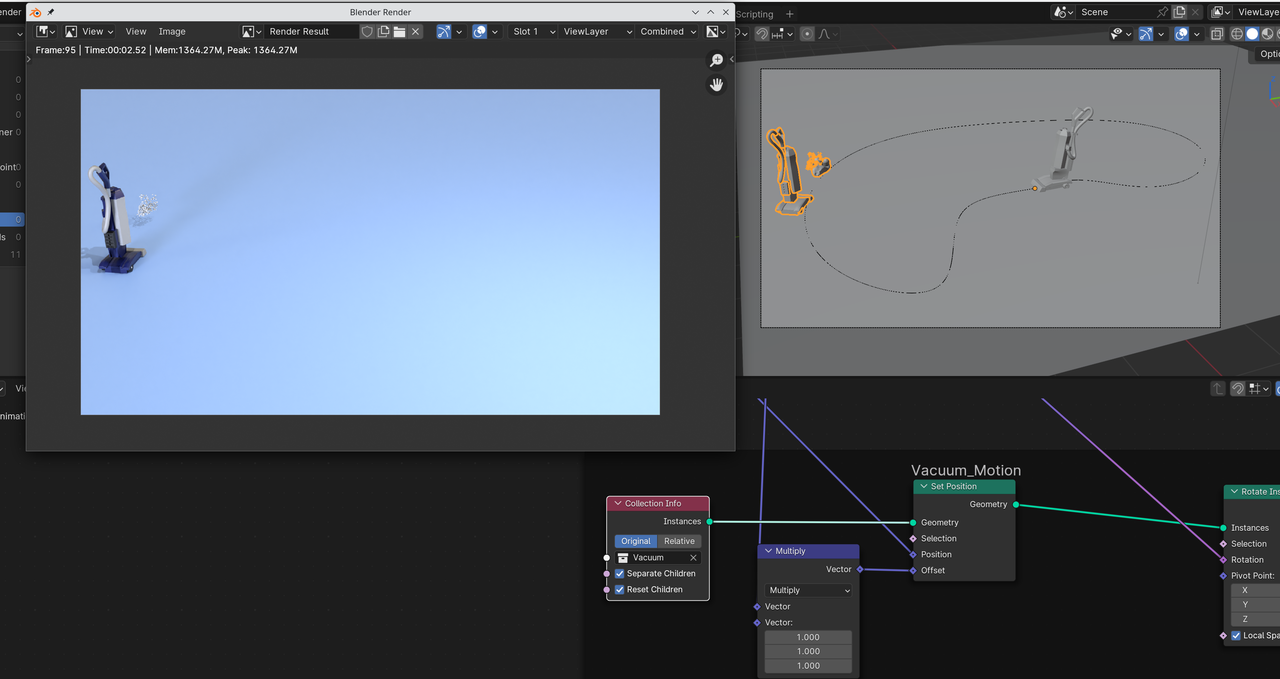
I also ticked Reset Children, but I don’t think that’s necessary.
So:
Select the Vacuum Collection in the Outliner and right click > Select Objects.
CTRL+A > Apply All Transforms (WARNING: this is an exception; don’t get into the habit of doing this! Usually, you’ll only want to Apply the Scale.)).
This will shift the Vacuum on the Path, so you’ll have to correct that in the (Multiply Node that goes into the) Offset.
I think that’s all…seems to be rendering fine, but let us know if something isn’t working.

