I have no idea what is happening in your case, we might need the advice of @duerer here.
What I can tell you is that you put a grey socket (single value) into a purple socket (vector: X, Y, Z-axes values), which puts that single value into all 3 axes:
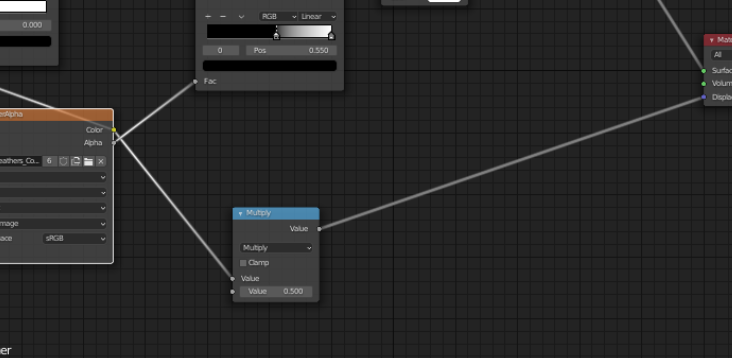
instead you should use a Vector > Displacement Node:
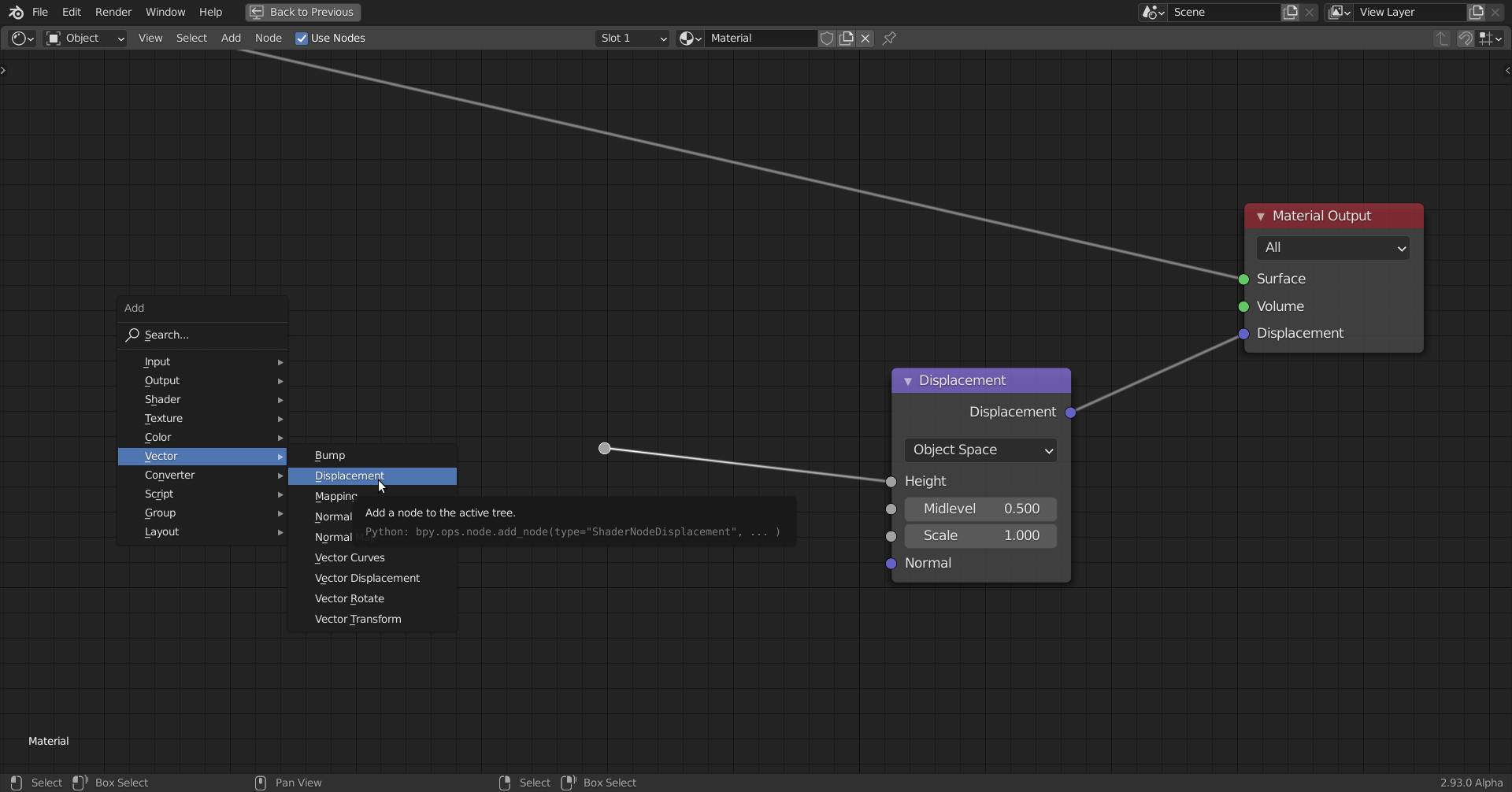
Now, in the other screenshot:
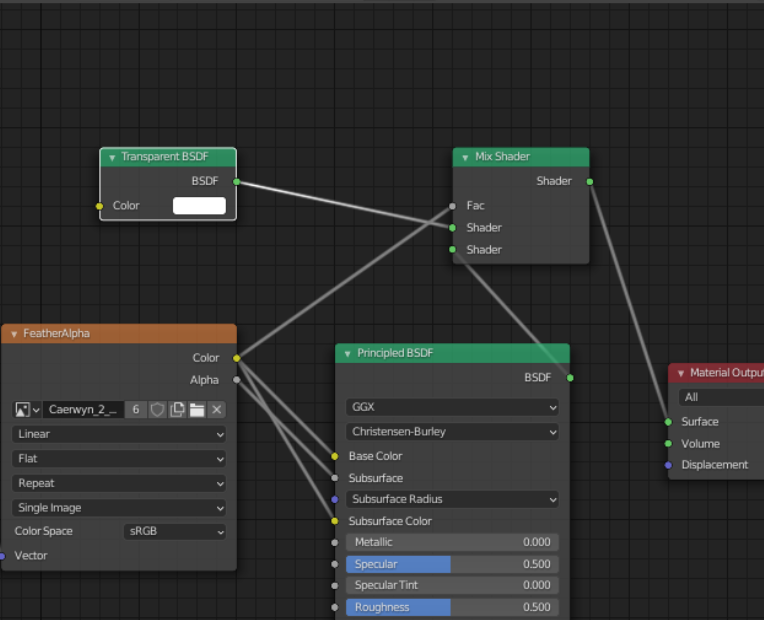
you take the color output of your (to me unknown) texture and plug it into the Base and Subsurface Color. And drive the amount of Subsurface Scattering with the Alpha Channel of that mysterious texture. But you also plug the color info (RGB) into the Factor of the Mix Shader! NEVER do that! NEVER plug a color output into a grey socket.
EDIT: If the Texture is B&W, then the Color output is B&W, so then it doesn’t matter.
What happens is that the Color (RGB) is being turned into a single value by this formula (in Blender, there are other, similar formulae for the Luminance, what is what this is called):
which is implemented per the ITU-R standard as 0.2126R + 0.7152G + 0.0722B. Completely unpredictable behavior!
No matter what your FeatherAlpha texture looks like, this setup seems to me as being ‘pretty f*ed up’.
Maybe you want to use the Alpha output of the texture as a Factor in the Mix Shader?

