Reply To: Pseudo-displacement, real displacement, methods…
Forum Archive › Pseudo-displacement, real displacement, methods… › Reply To: Pseudo-displacement, real displacement, methods…

Thanks @indigowarrior9 for the links. I have studied the topics before, but I reviewed them again. My main source of information was
Height Maps vs. Normal Maps in Normal Map Modeling for Games by @jlampel
I think my original question/title may have been unclear and a little misleading. I’ll try to clarify.
I find the definitions in the first Pluralsight article a little less than helpful. It seems clearer to call a grayscale image texture containing relative heights a “height map”, corresponding to the data which it contains. It can properly be used for several different purposes. The number of bits is important, but doesn’t change the functions.
- Bump mapping
- Geometry displacement
- Geometry micro-displacement/tesselation
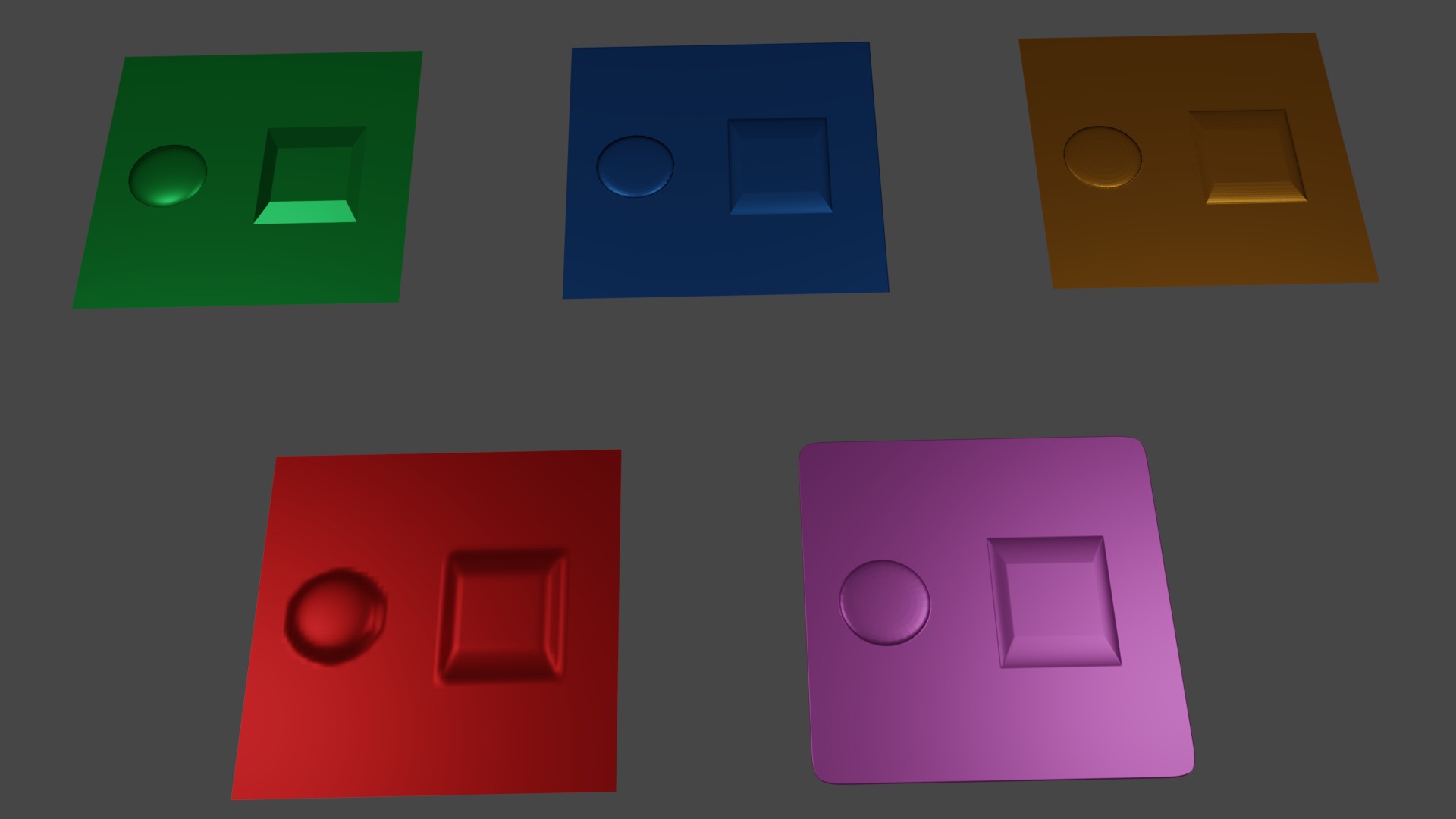
I was surprised when I discovered that 3 different methods in Cycles can produce similar “faked” rendered output:
1. RGB normal texture => Normal Map node => shader Normal input
2. Grayscale height texture => Bump node => shader Normal input
3. Grayscale height texture => material output Displacement input
All perform bump mapping. #1 is slightly better quality.
And of course the height texture can be used to actually displace the geometry.
4. Via Displace modifier (low performance and quality)
5. Via adaptive subsurf / tesselation (high performance and quality; needs a good image)
#1=green #2=blue #3=gold
#4=red #5=pink