Hi Stanislav – Lampel is right, this is a common dyntopo sculpting issue that I run into and have explained in several videos but can’t remember which one exactly. Here’s a gif explaining the fix:
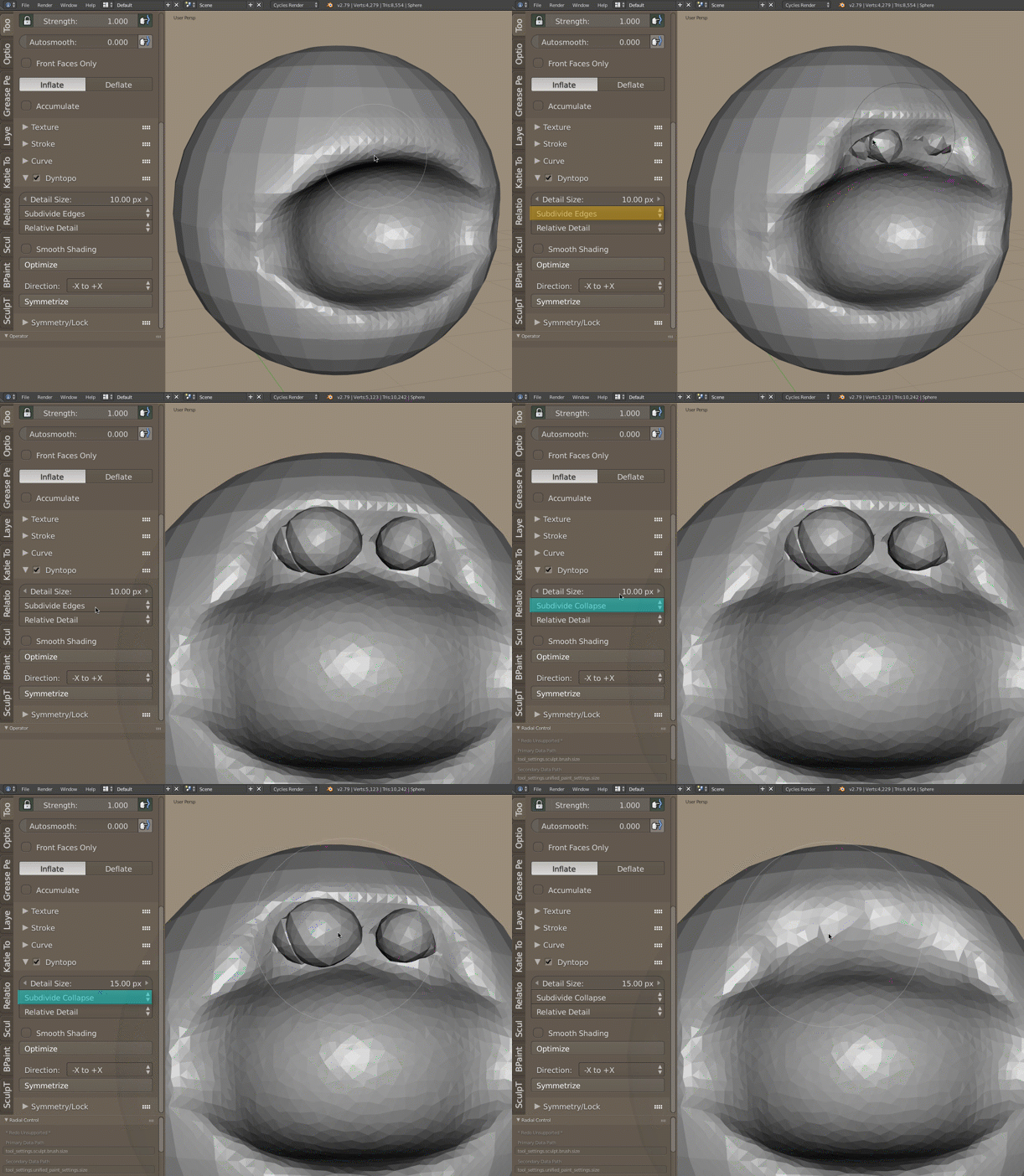
- The bubble-like artifacts come from the “subdivide edges” mode because it preserves toplogy finer than the detail size. And usually I see these bubbles appear when using the inflate brush specifically.
- To fix, switch to “subdivide collapse” and optionally bump up the detail size for broader topology generation. This way when you stroke over the problem area, dyntopo will regenerate the topology. And when you jump back and forth between inflate and the smooth brush, the geometry should sort itself out again.
- Then you can go back to “subdivide edges” mode and continue sculpting.

