Hi Shawn, here’s an alternative way:
Select the two verts, like this:
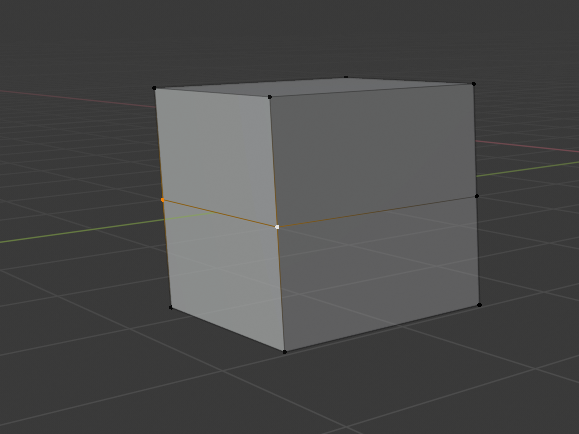
Press ALT+V and immediately Enter. (This is called Rip Fill; it makes two new vertices and fills the space between them (with a face ,in this case))
Go into Face Select Mode and select the top face:
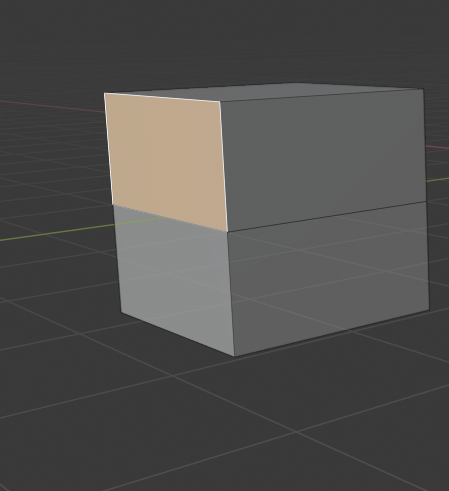
Then move the face back:
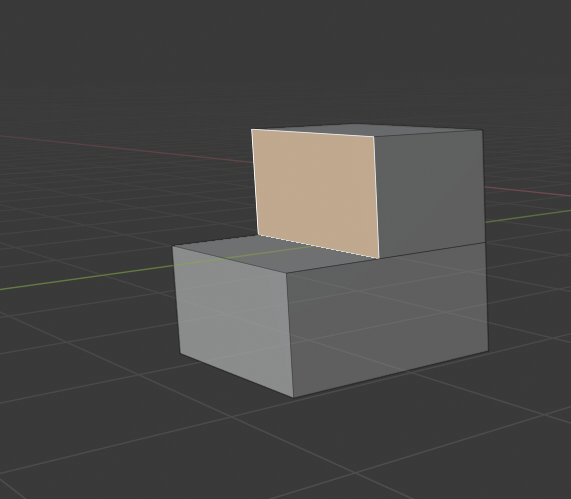
If you already have a loop cut, like you have, then it’s simply a matter of ALT+M > merge by distance.

