Hi @Mjoshi8794 ,
If you are on Windows and Select with LMB and have Emulate 3-Button Mouse enabled, you can’t use ALT+Select, but you can double-click on an Edge, to Select an Edge Loop.
(On Mac or Linux, you can set the Modifier Key to the OS- Key in your Preferences:
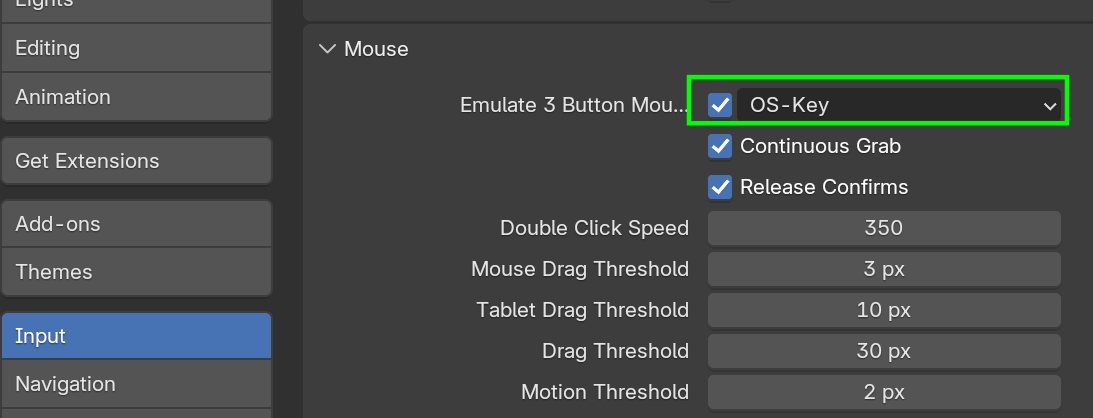
.)
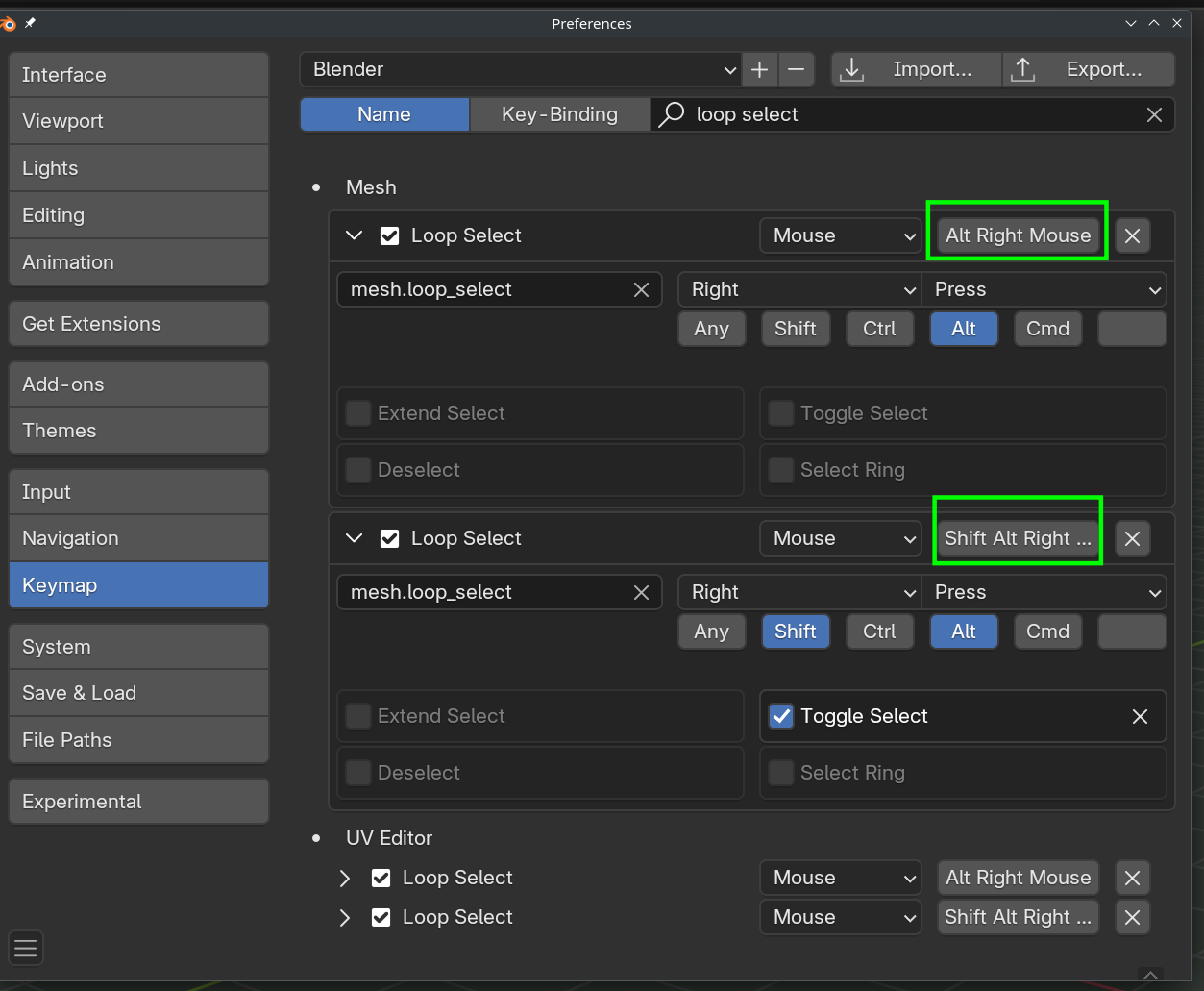
It is also possible, that your OS uses the ALT combination for something else and overrides Blender’s use. Then you’ll have to either change your OS shortcut, or the Blender shortcut:
It is also possible, that you’re doing something wrong, or something’s not right with your model; I highly recommend to try this on a default Cube. Just add a Loop Cut with CTRL+R and then try to Select that.

