
Reply To: Normal_fix with Data transfer
Forum Archive › Normal_fix with Data transfer › Reply To: Normal_fix with Data transfer

Right Max,the size is also different in the Y-axis; I know that it’s only ‘half a pot’, but it appears to be so little, that it is inconsequential.
But,
Remove the Data Transfer modifier from the Pot_normal (not too important but it’s not working anyway, because it’s referencing itself; remove it just to clean up).
On the Pot: move the Subdivision Surface Modifier to the top of the stack and the Data Transfer to the Bottom. This is because you want to transfer the Normals from the Modified Pot_normal to a similarly Modified Pot.
Now you need to take care of your Topology: Either remove those Edge Loops, or connect them all the way around. I’d recommend removing them: select all 4 of those loops and then X > Delete > Edge Loops. If you decide to leave them and coonect them around, you also need to change that on the Pot_normal!
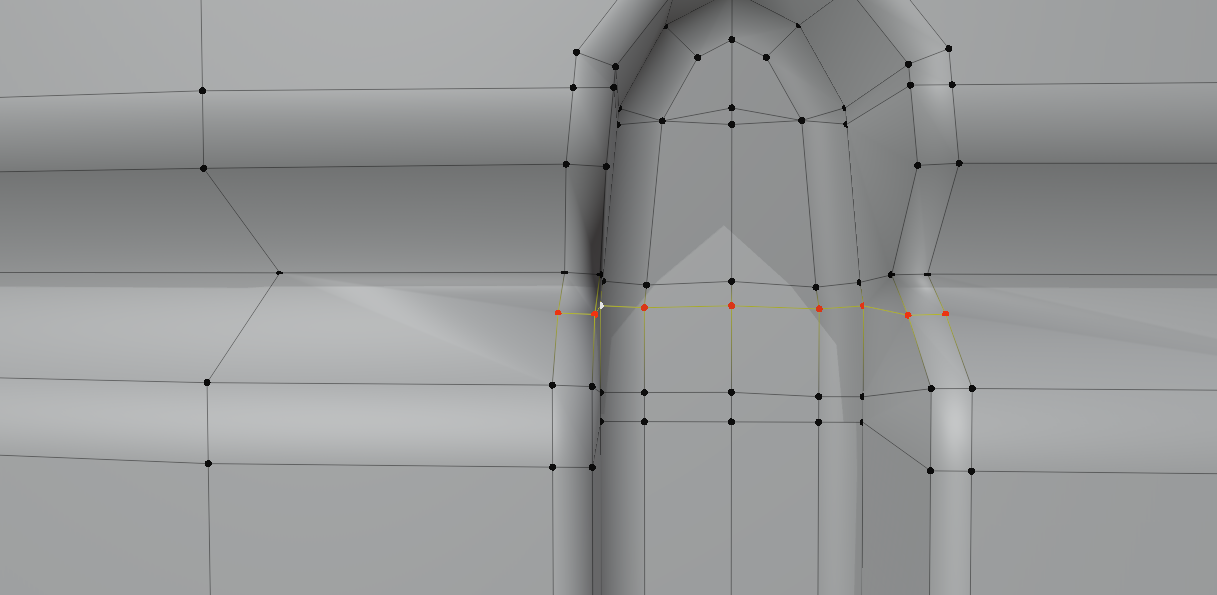
You should connect this (use the Knife Tool):
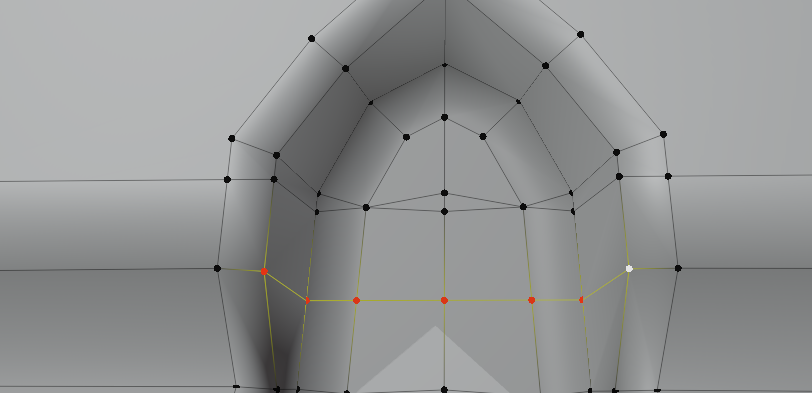
Clean up htose Vertices that are accidentally Merged. Easiest way (I can think of) is to first J > join them like this:
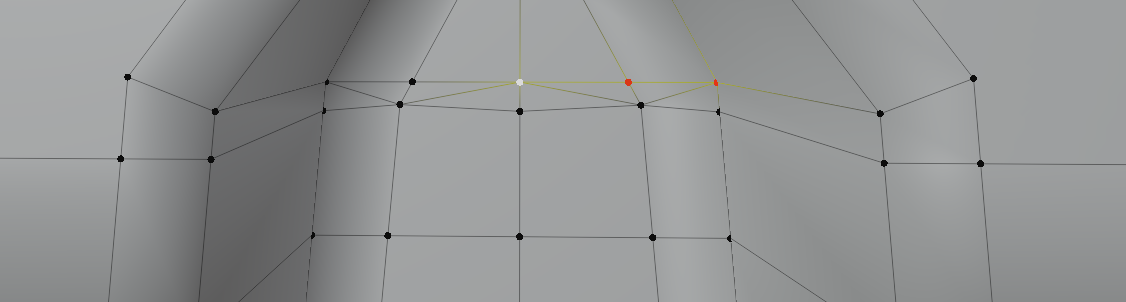
then select two triangles at once and press F to make a Face:
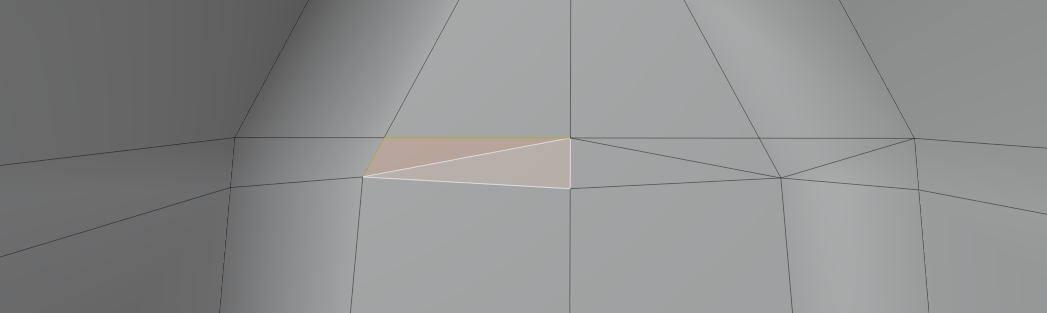
Then you need to make some triangles at the top and bottom of the holes, like Jonathan shows in the video.
The result will look great!
I hope this helps! If something doesn’t work out, or if you have any more questions, just ask.