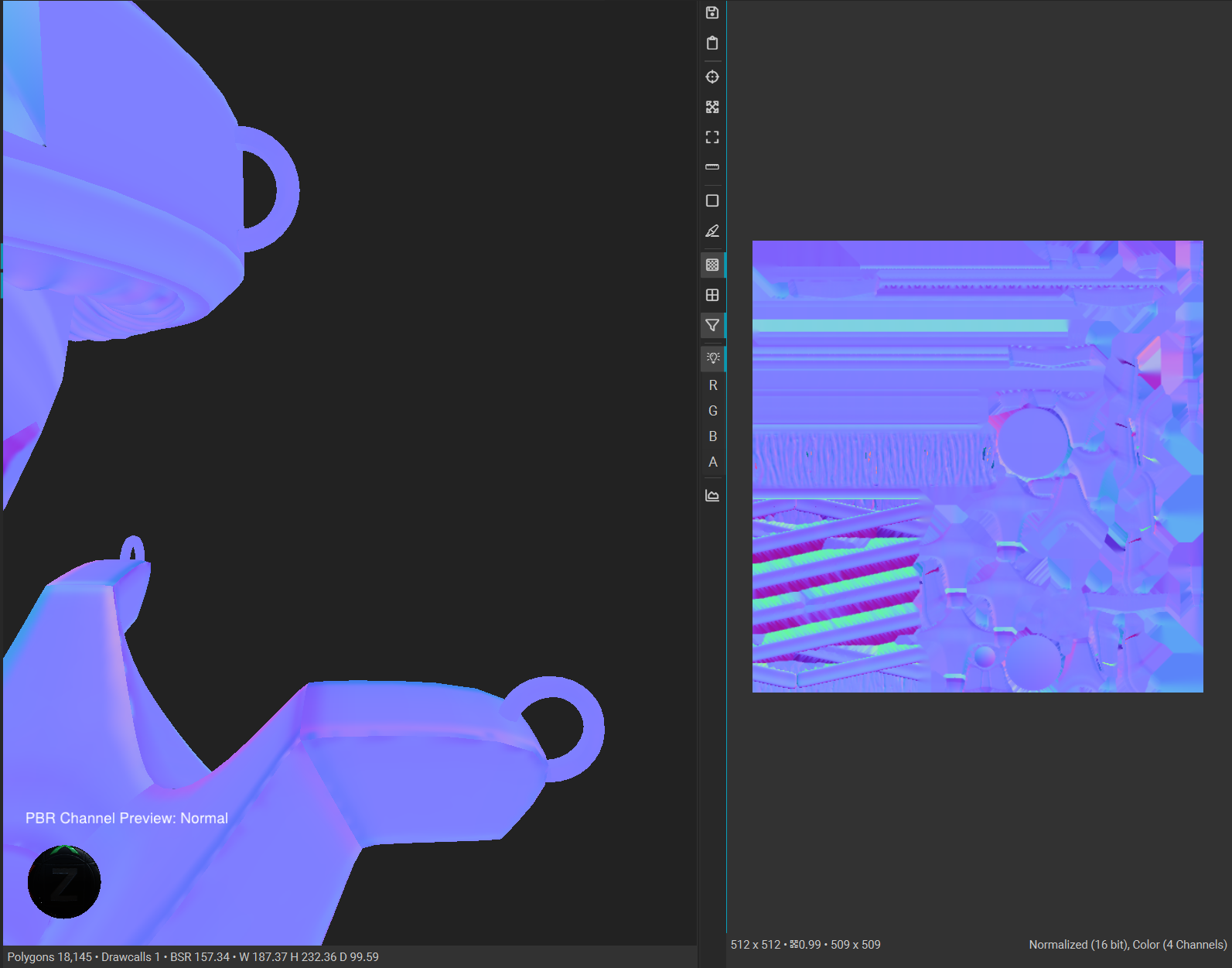
EDIT: Did not realize you had posted just as I was typing this up! Glad that you were able to figure something out in the meantime, although a completely different solution than mine haha. I guess this is a good reminder that at the time of this issue, InstaMAT is still a work in progress and is likely to have some weirdness going on like that. 🤷♀️
Ok, wow this hurt my head haha. I have never encountered this before, and I’m still not sure what the issue actually is. However, I think I have stumbled upon a possible hotfix (don’t want to call it a solution, since again I’m not sure what is actually going on and I’m not sure if this truly “solves” the root of the issue).
That being said, in the Mesh Baking dialog in InstaMAT there is a toggle button for “Binormal Per Fragment” under the Normal Tangent Space header. Baking when I had that enabled seemed to “fix” the issue of baking out that green colour. I’m not sure if this is InstaMAT misinterpreting the normals of those meshes for whatever reason, but baking with that enabled seems to produce expected results.
Give that a try and let me know what happens! 🙏
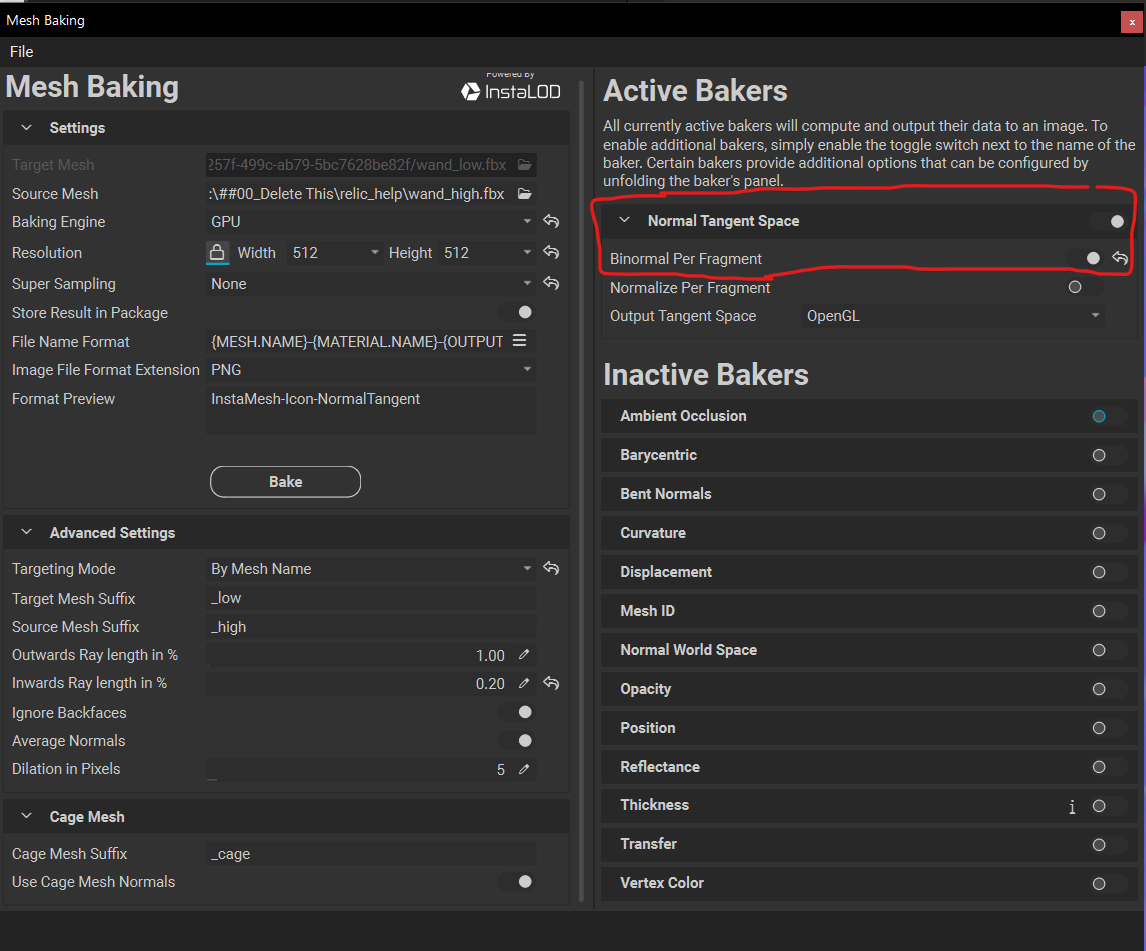
With the option enabled.