Restarting / rebooting makes no difference.
This might be important: When I rotate (alt+left button), everything rotates around me rather than me rotating around something. That would seem to be very important.
The problem appears to be file specific; when I open the latest iteration of the rocket project I can’t zoom or pan. When I press shift+alt, it says “Pan View” at the bottom but “Pan View” disappears when I depress the left mouse button. When I press ctrl+alt, it says “Zoom View” at the bottom but “Zoom View” disappears when I depress the left mouse button. ctrl+left mouse button works normally.
When I start a new project there is no problem.
Therefore, it must be a setting that I accidentally modified (blender seems to have a lot of those).
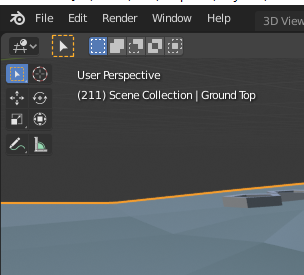
I have a suspicion it might have something to do with one of the 8 icons in the upper left corner of the viewport, but I don’t really know. Suggestions?