Hi @abscnth
Check the actual material colour and make sure you have assigned the correct materials to your object.
If you are in Material Preview mode it will display your materials as close as possible to the final render so if you made the material colour blue (for example) it will show this in Material Preview mode.
However, if you are in Solid mode, you can tell Blender to display the objects in several different ways.
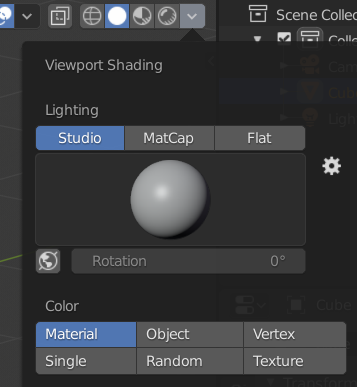
The “Material” and “Object” options there can be set differently and if you change it on any of those places, it WON’T actually change the colour of your material, just the way it is displayed in that mode.
Check the “Viewport settings” under the object tab for the object display colour. And check the “Viewport setting” under the material tab for the material display colour
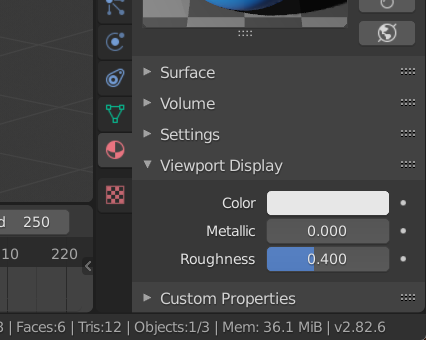
It is likely that you have changed one of those thinking it would update the real colour of your objects.
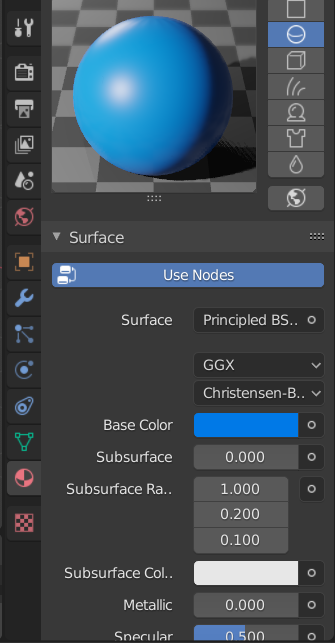
For that you need to change the base colour here.
Hope that helps.

