Hey Harris,
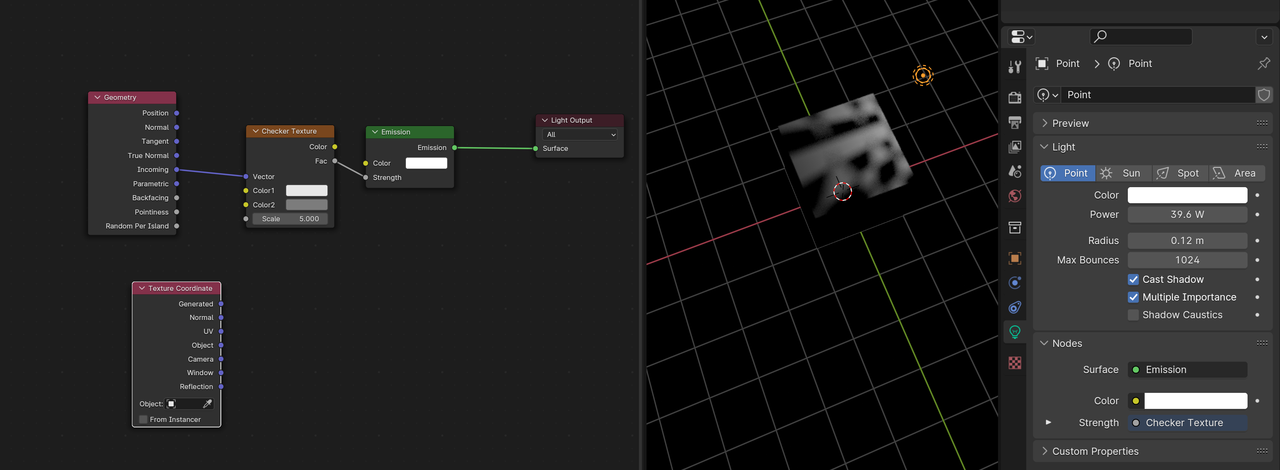
Blender 4 has some changes made to Lights. If using the Normal Texture Coordinates, you’ll have to use a Radius of 0 for the Texture to work (can’t remember exactly what happens, but the Light is calculated differently, when the Radius > 0), but you can also use UV Coordinates instead of Normal. That often gives a nicer result (you can see the difference better, when trying, for instance, a Checker Texture).
To get the ‘old’ behavior back, you’ll have to use the Input > Geometry > Incoming like this: