Hi Charles,
Let me say again, this is not an easy thing to model!
What catches my eye mostly, is the inconsistency of the edge sharpness.
Looking at the Topology, you have holding Edges at both sides of the green Edges but only on one side of the yellow ones:
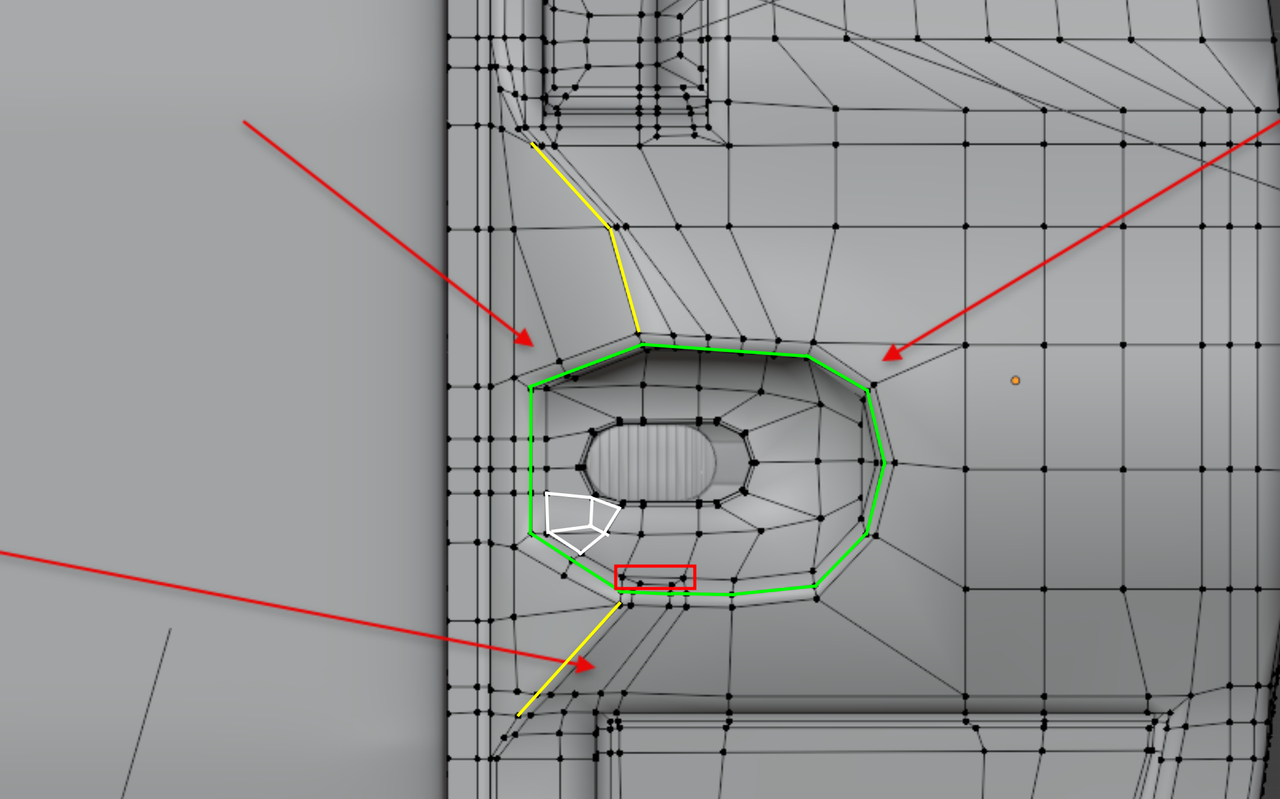
There is also inconsistency in the distance between the ‘main’ edge and the holding edges, which results in the uneven sharpness.
Apart from that, the part in the red rectangle is too close to the holding Edge Loop and in white, the Triangle and N-Gon next to each other could easily be made into two Quads. But those things don’t show in the model in Object Mode and are thus not very important.
It is often best to try and model along the 3 Axes as much as possible. for instance, in a highly simplified representation:
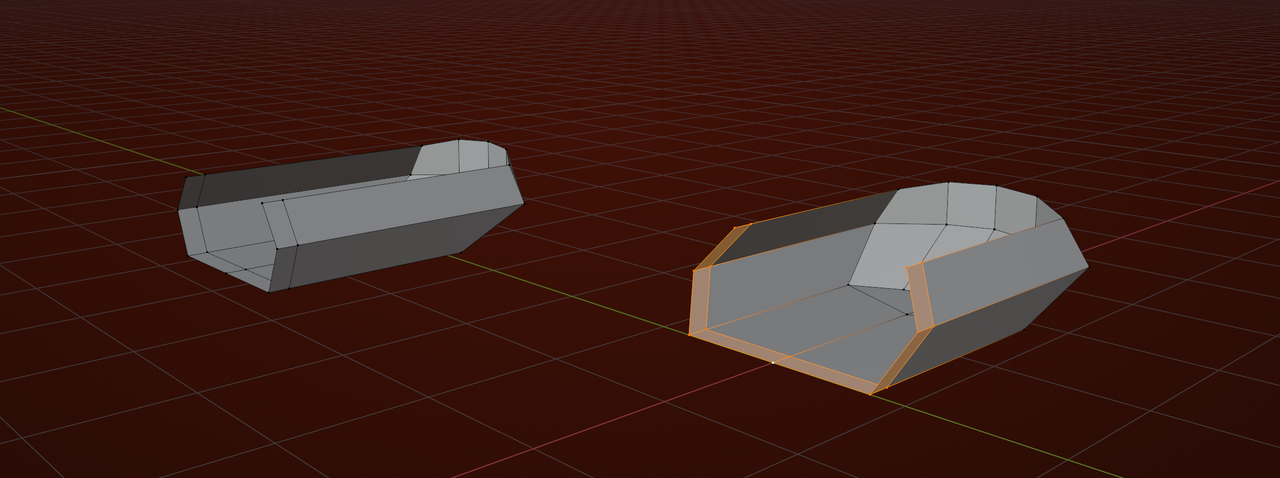
Using my favorite Blender Shortcut: SHIFT+CTRL+ALT+S to Shear (in Orthographic Front, Side or Top View).

