Course Library
Learning Paths
Free Courses
Learn Blender 3D in the way that’s right for you.
Inner Circle
Where members share progress and help each other learn.
›
The Commons
A free Blender community open to artists of all skill levels.
Forum Archive › Model faces look weird › Reply To: Model faces look weird
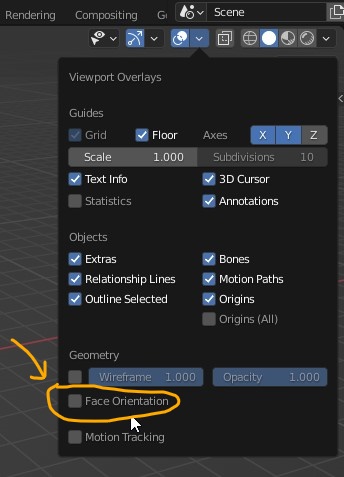
You may want to turn on Face Orientation under Geometry so you can see if the planes are not in the correct position.Red: Inside (incorrect)Blue: Outside (correct)
Like @spikeyxxx mentioned how to press SHIFT + N to recalculate normals.