
Reply To: Mirror mod, weird shading after applied
Forum Archive › Mirror mod, weird shading after applied › Reply To: Mirror mod, weird shading after applied

Hello @spikeyxxx and @dostovel,
Thank you both very much for the help!
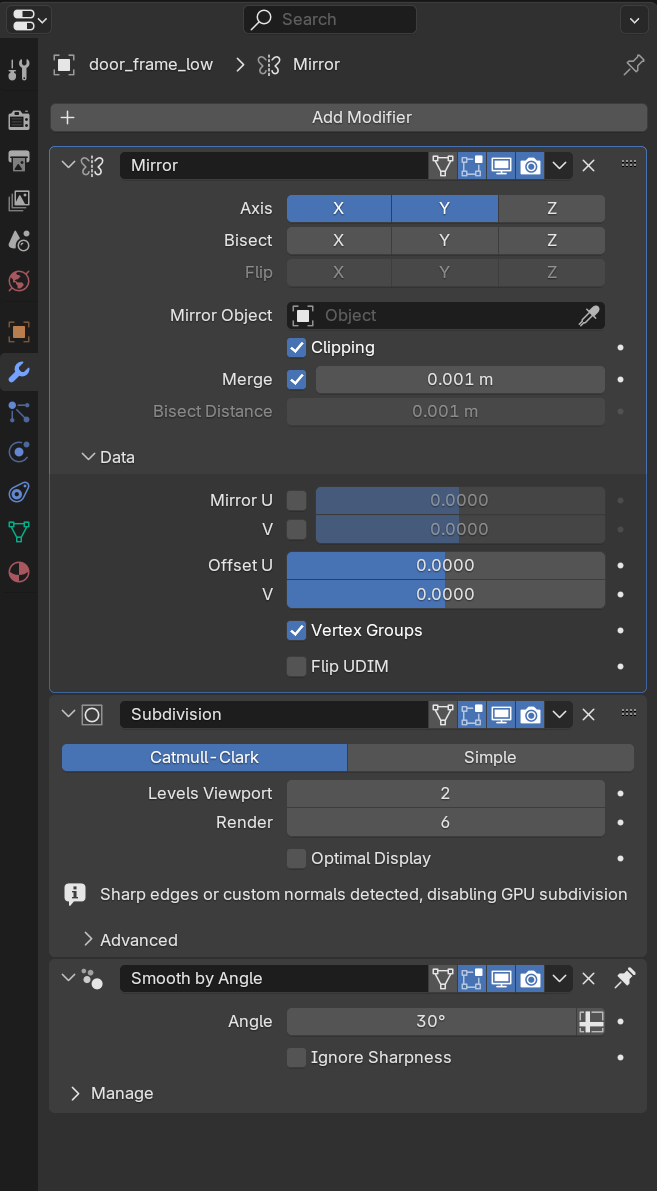
Here is a screencap of my low and high poly modifiers that I had set when I did the bake.
Low Poly:
High Poly:
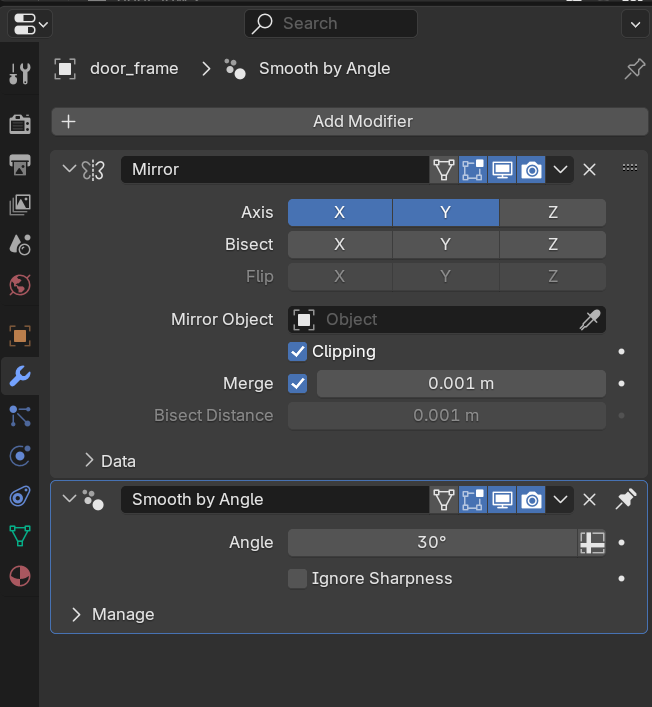
After doing the bake I selected the mesh and then did convert to mesh as the video instructed to apply the mirror modifier to the low poly model we export to substance painter. This is when things broke. After applying the mirror modifier post bake.
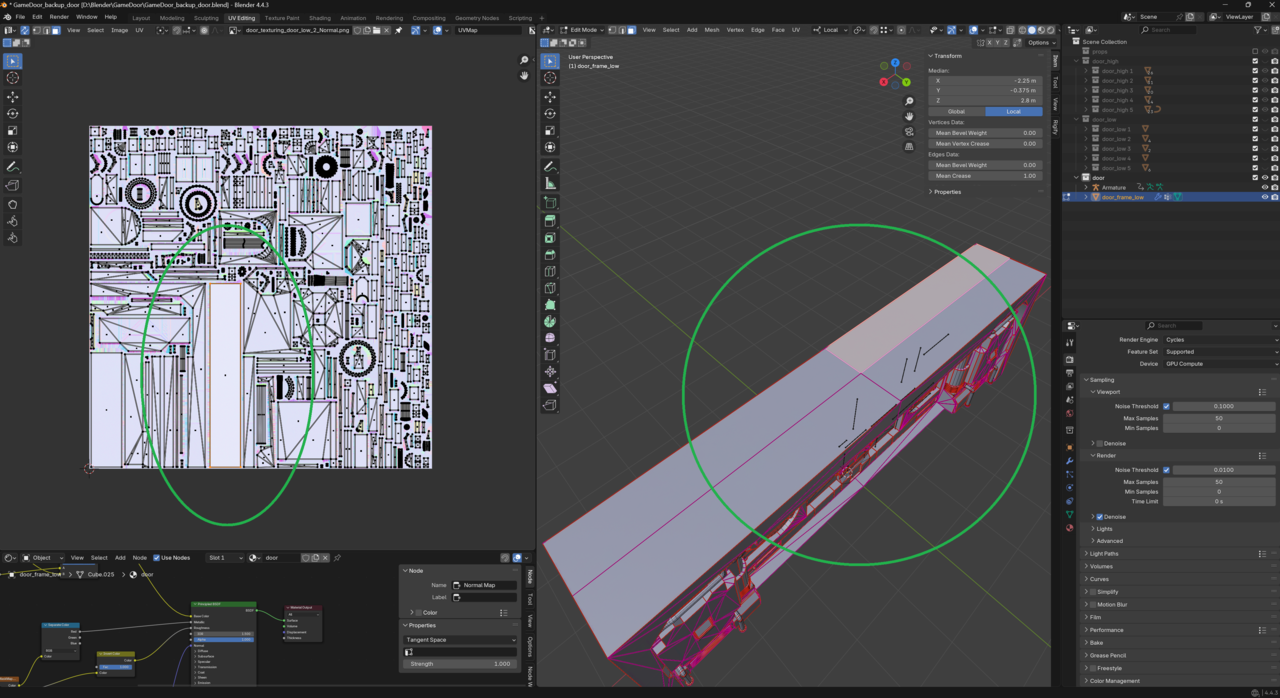
I do agree that setting a uv mirror here would resolve the issue but then it would require more texture space for the bake as the mirrored objects are no longer sharing the same uv island (no longer overlapping). It was my goal here though to try and follow the video and have overlapping uvs as in this tutorial Jonathon’s baked normal also appears to have overlapping uvs. I’m wondering if something was changed outside the video as Jonathon’s modifiers and steps the steps I performed were identical. The only difference I can think of so far is that this series is using blender 2.x and I’m on 4.x
Here is a screencap of my overlapping uvs. I imagine that as long as the mirrored uvs are not directly next to each other this issue would not be noticeable but I would like to see if maybe I’m missing something here
Lastly, here is a google drive link to 3 blend files, the current one, and two for pre/post bake. Thank you both again for your help, it goes a long way!
https://drive.google.com/drive/folders/15ZNj1XxpVSjc-wWyywu4n9Y62BsbtZZW?usp=sharing
https://drive.google.com/drive/folders/15ZNj1XxpVSjc-wWyywu4n9Y62BsbtZZW?usp=sharing