Thank you for the screenshot! That was what I was looking for, however has left me stumped as well haha.
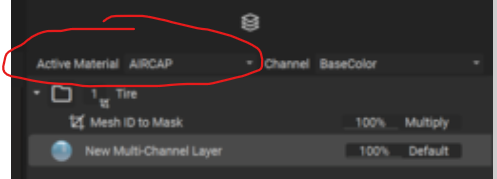
Are you able to switch what material you are viewing in InstaMAT (assuming you are still using different material slots for each mesh) and see if you can apply any layers to either of the other meshes?
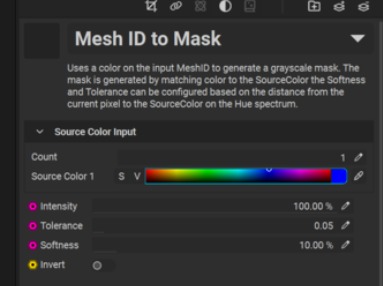
Another option you may try is increasing the tolerance of the ID Mask parameters.
If none of this works, the way I would try to approach this again is make everything share one material in Blender. Ensure that everything has clean UV unwraps with no overlapping UVs (or similar to what is shown in the lesson). From there, you can try a fresh import into a new InstaMAT file and attempt again. InstaMAT is new(ish) software as well, so there is potential for this to simply be a weird glitch and a fresh file may be all that is required!
Admittedly I’m not quite sure what could be the cause of your problems at this point in time, but if you give these a try and achieve different results, please post them here and we can continue diagnosing. 🙂

