Ok, it looks to me like the left side of the eye is probably all black indicating minus numbers, so we’ll have to fix that.
Here’s the process, step-by-step, from beginning to end:
- UV unwrap your sphere (the automatically generated UV map will work fine)
- Create a new Image texture 1024*1024 (resolution isn’t very important but I wouldn’t go lower than 512*512) and set it to 32 Bit. We’ll name it “Tex Coordinates” for this example.
- Open the Shader Editor and copy the setup below: (This setup assumes that all three dimensions of the object are the same. If this is not the case, you’ll need a Value node and Multiply by 0.5 for any dimension which is different from the others.)
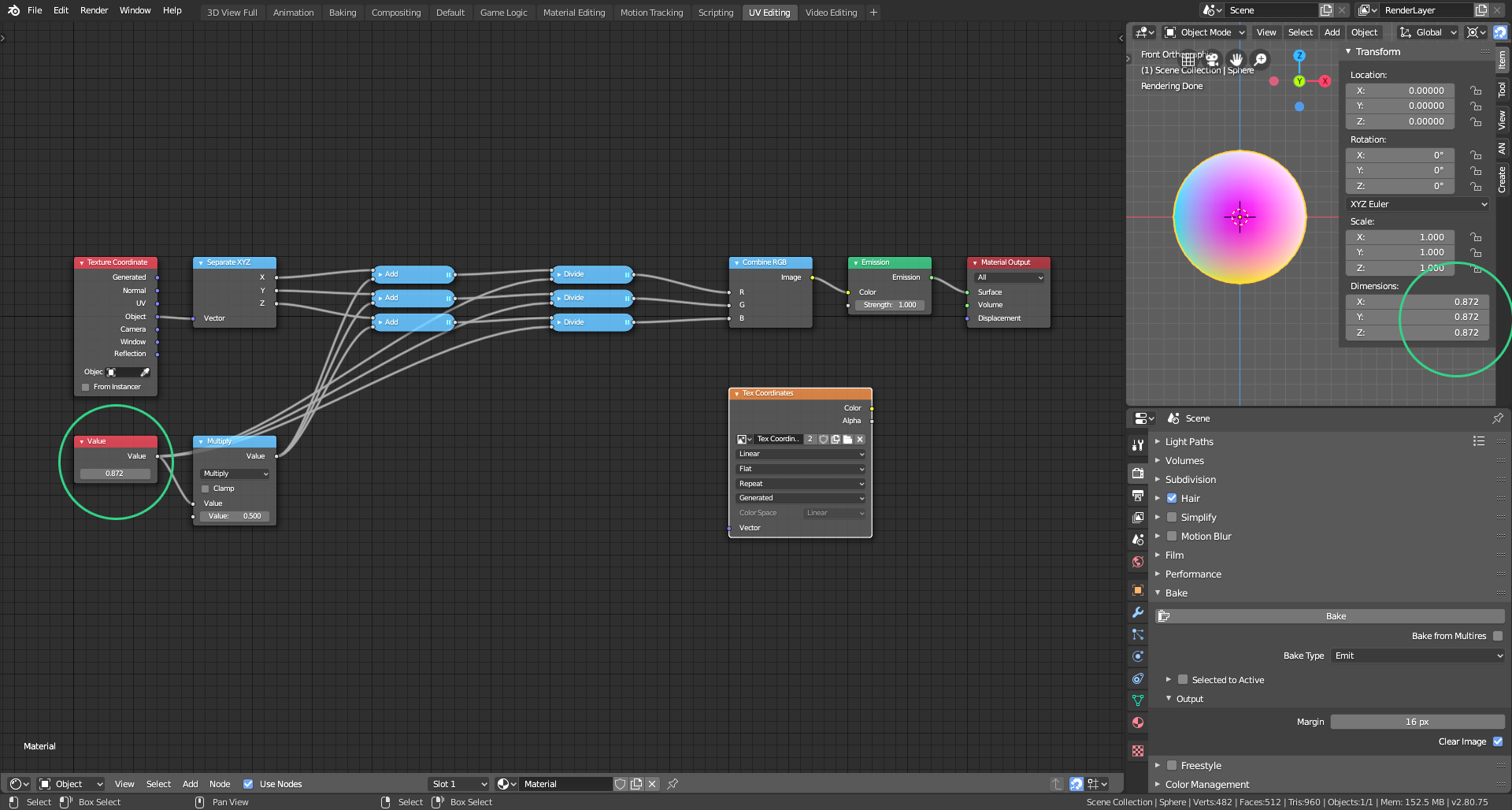 Copy and paste the dimension of your object into the Value node (highlighted by the green circles)
- Bake your texture as you did before.
Now to use your new Tex Coordinates image copy the setup below:
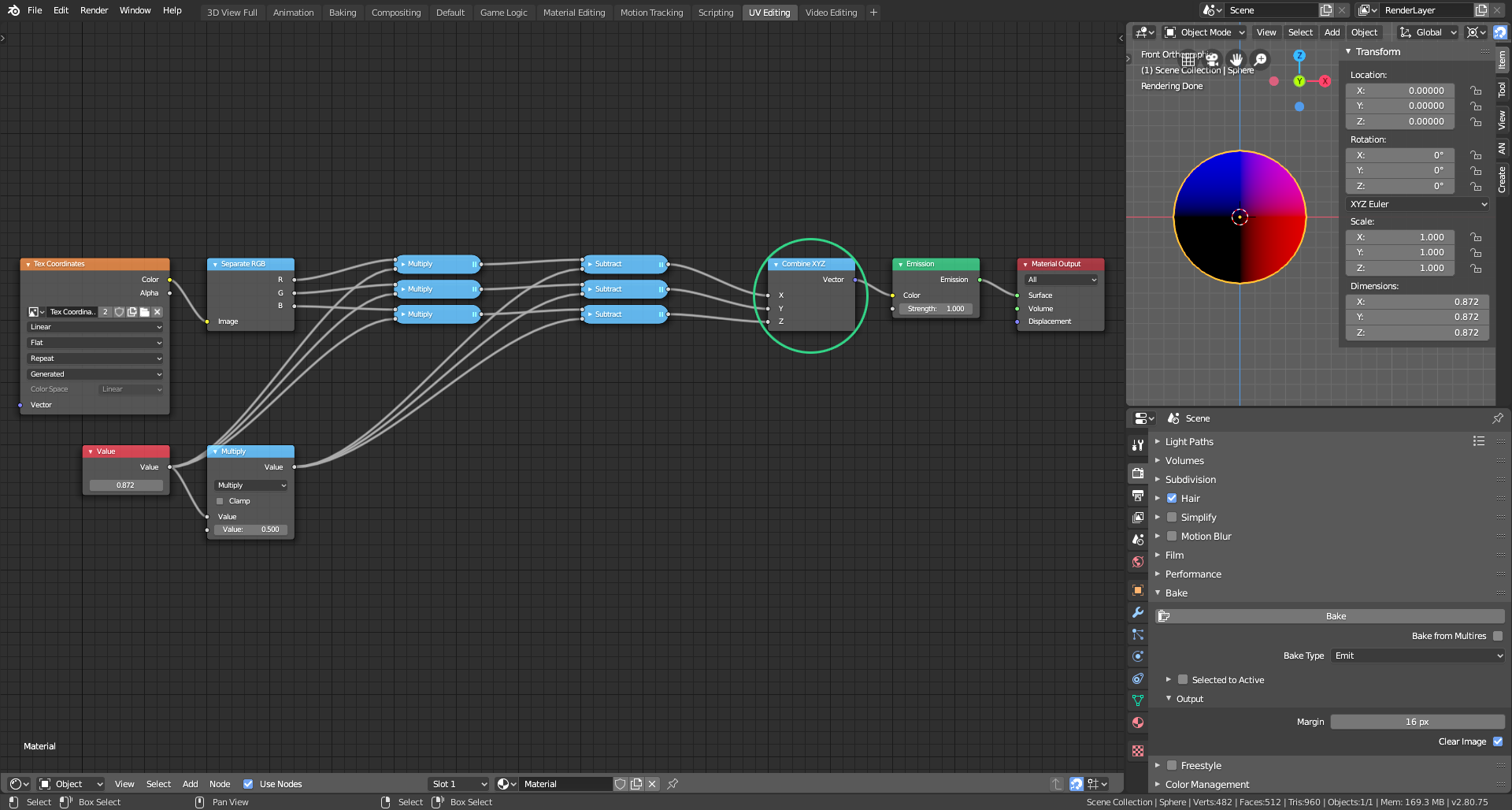
This Combine node (highlighted in green) is now your texture coordinates node.
I hope this is clear enough. Please do ask again if you need more help.

