Indeed! Never Rotate in Edit Mode (or Apply the Rotation), unless you absolutely have to!
In your case, you can probably easily make a new nut, but here is a general fix (that only works with Meshes that have a ‘clear’ orientation) when you accidentally Applied the Rotation:
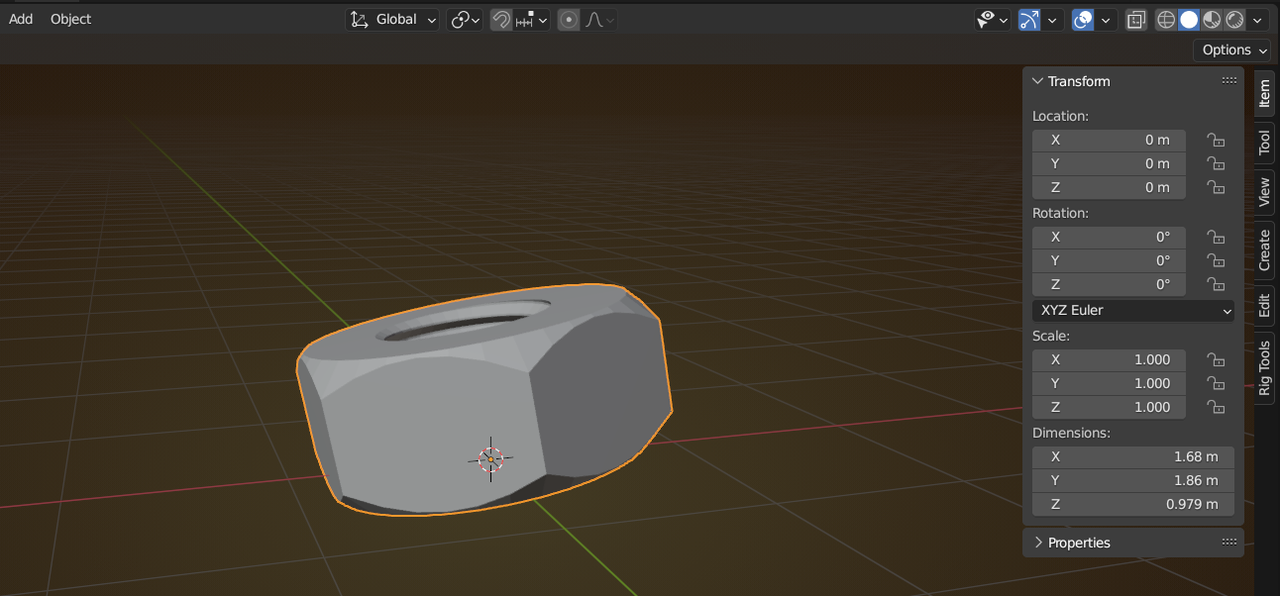
Say you are in a situation like this:
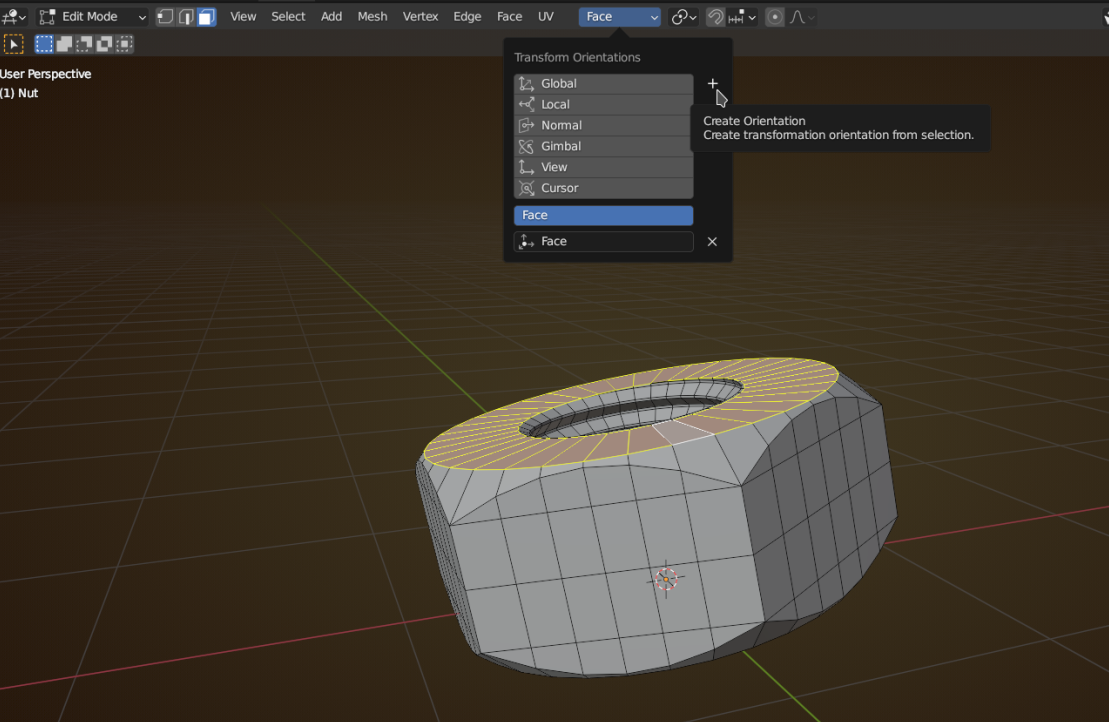
Go into Edit Mode and select one or more Faces that should be ‘un-rotated’, and click on the + here:
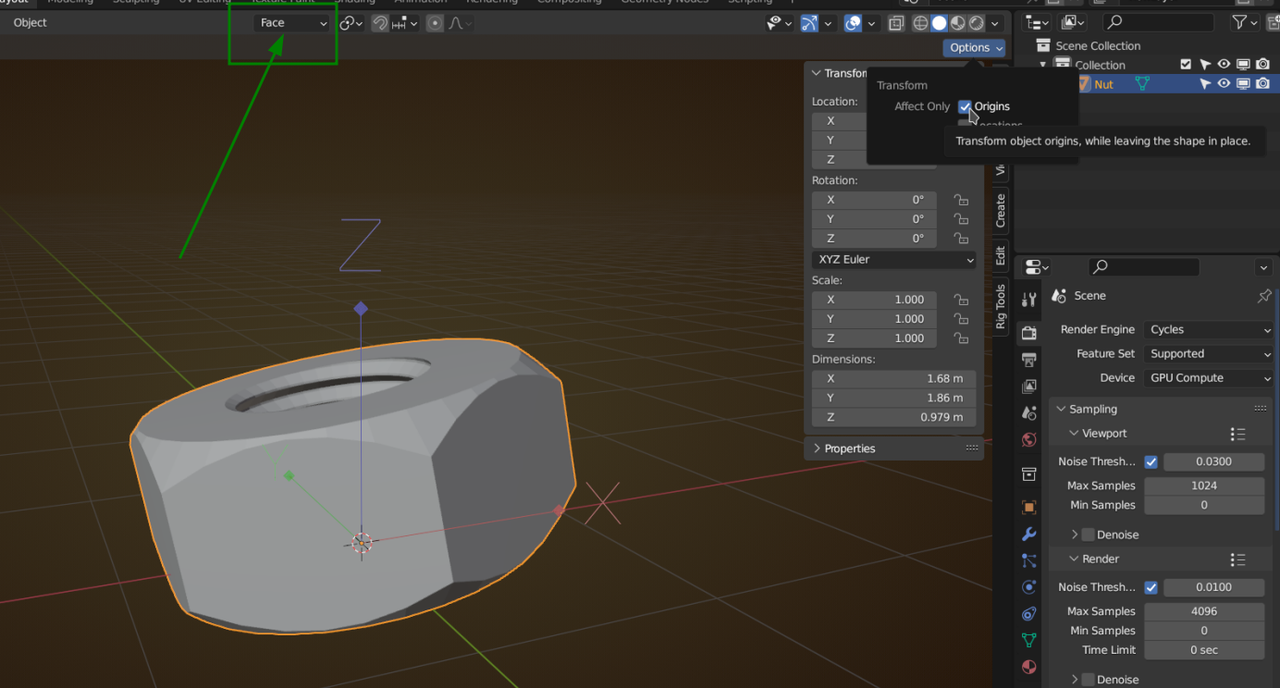
Back in Object Mode use this hidden Option to have Transforms affect only Origins (Face should still be the Transform Orientation):
Now use this little trick:
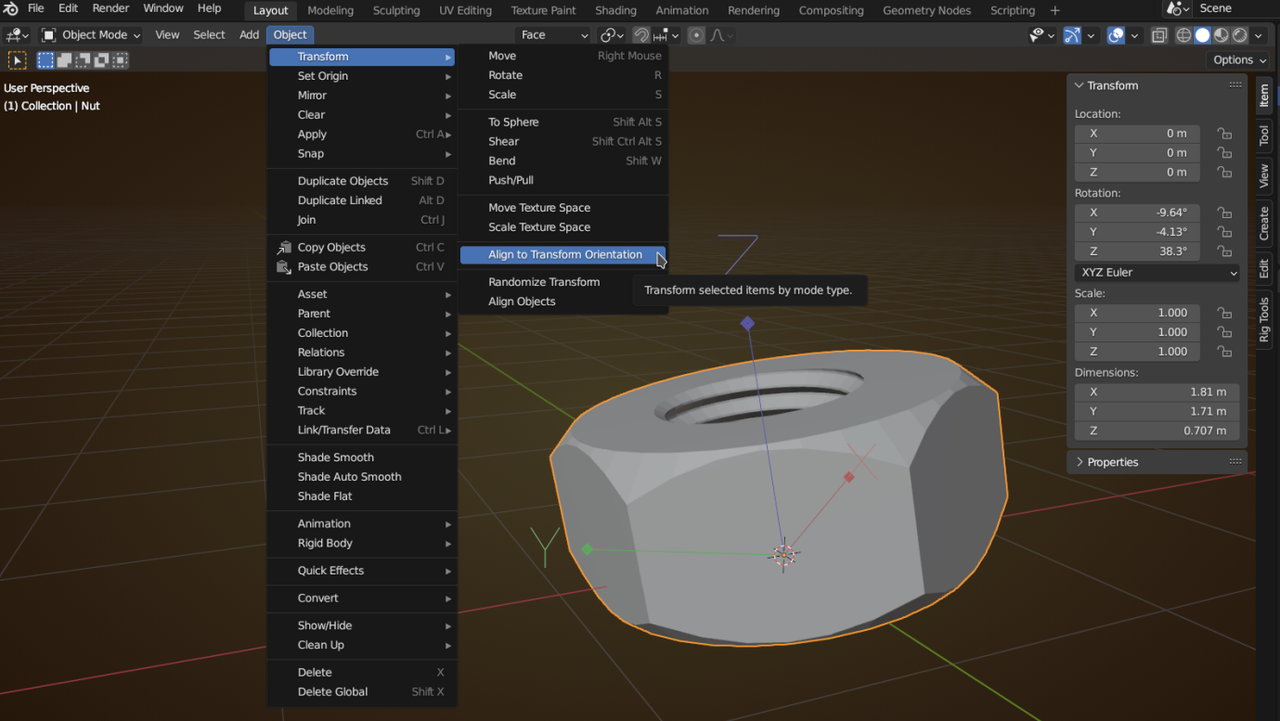
and you’ve got your Rotation back.
Now don’t forget to un-check the Origins Option!

