
Reply To: Linking and overwriting Blender 3.0
Forum Archive › Linking and overwriting Blender 3.0 › Reply To: Linking and overwriting Blender 3.0

Hi Wayne
(Blender 3.4.1)
I understand that this most likely beyond the scope of this course, however, the Library Override is a bit hard to digest. Apparently, it seems like this is an ongoing development as of now (https://projects.blender.org/blender/blender/issues/73318). I don’t see a reason why, but Blender decided to expose different options based on where the “Library Override Options” are being accessed from (https://docs.blender.org/manual/en/latest/files/linked_libraries/library_overrides.html?highlight=library%20override#make-an-override).
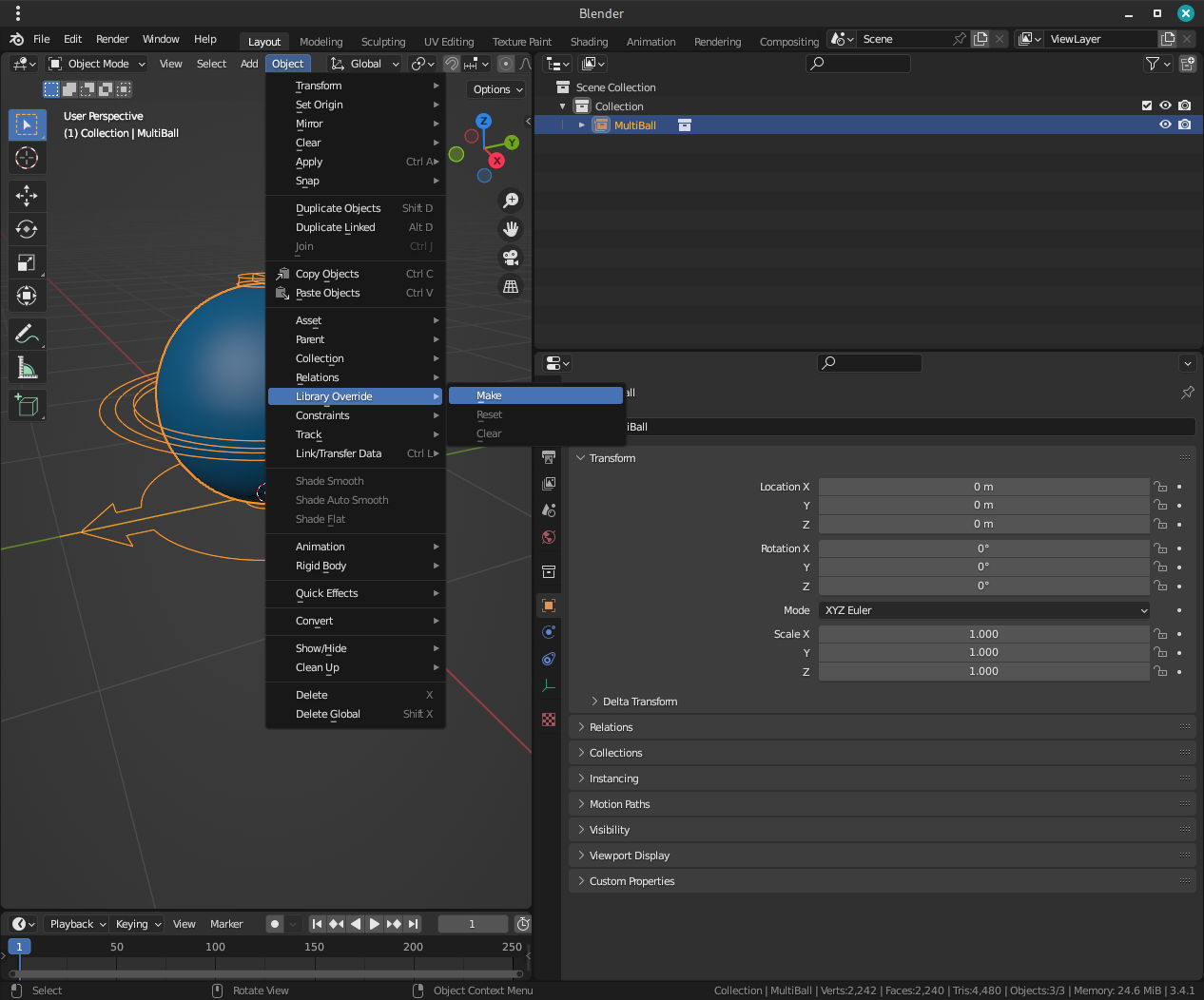
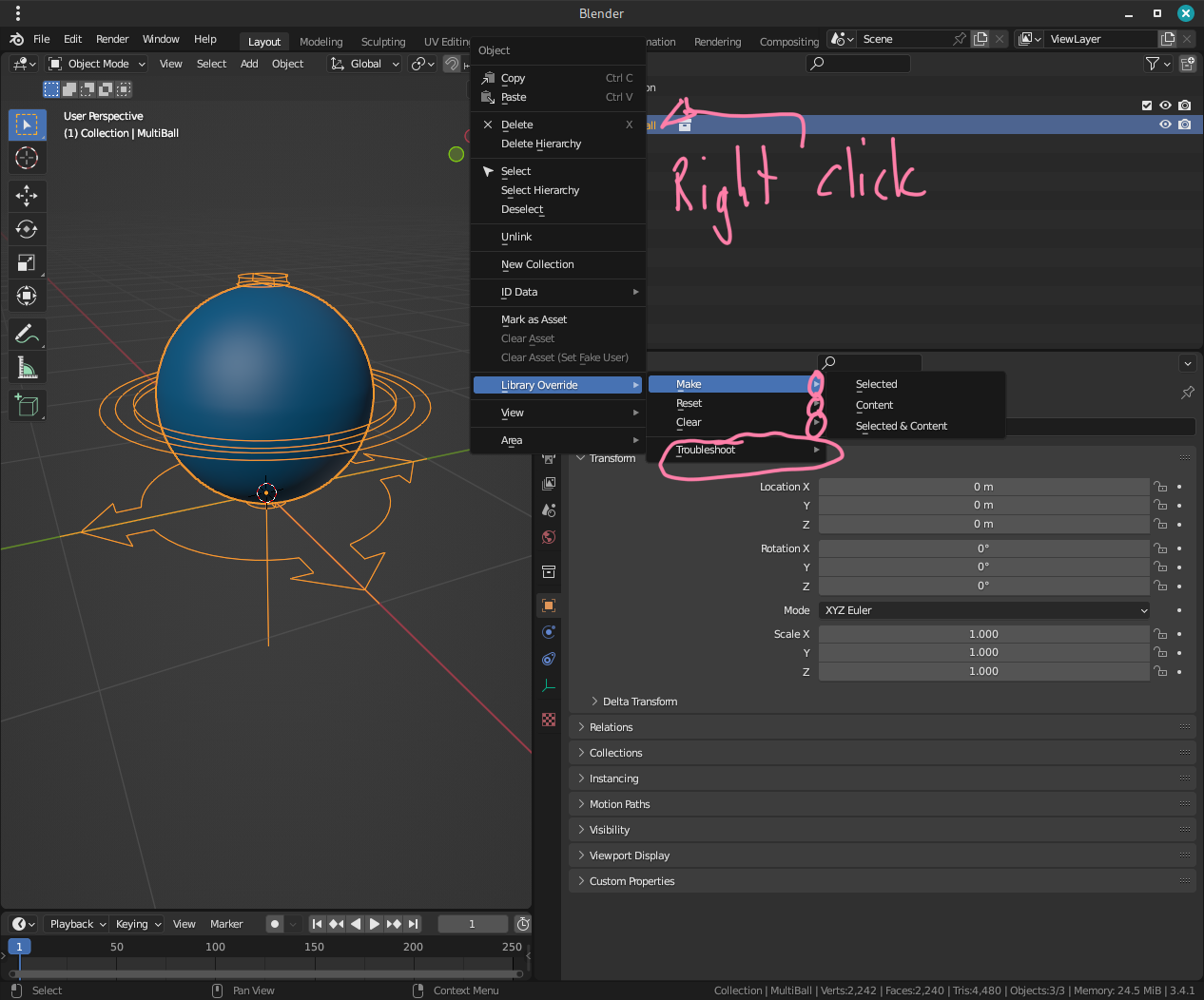
Next thing I struggle with is that your shortcut
-Then just hit F3 and type “Override” and it’s the first option on the list
(that’s the same as the menu but much faster)
Actually (initially), your suggestion opened “Object > Relations > Make Library Override” instead of “Object > Library Override > Make”. I don’t know what the difference is – both help entries link to the exact same online manual page.
Lastly, it seems that the “Ball Type” slider is greyed out on a linked MultiBall (with “Context > Library Override > Make > Selected and Content” applied)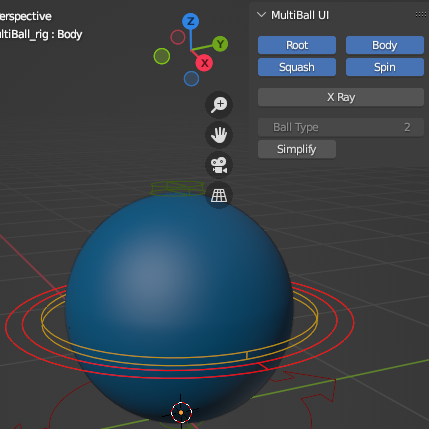
Leading to the necessity to manually change the index:
bpy.context.active_pose_bone["Ball_type"] = 6
Is there a way to unlock this slider in the UI? I fiddled with your code a bit but not too much…as a former pipeline engineer I am a Python guy but I am not yet Blender Python API savvy enough to make quick judgements…
Thanks for your help!