
Reply To: Left Click plus Edit vertex,edge,plane not working
Forum Archive › Left Click plus Edit vertex,edge,plane not working › Reply To: Left Click plus Edit vertex,edge,plane not working

If that is doing what you are showing then indeed it is not working properly. Is this an original file you made or are you opening it from another source like a blender file download from someone else? You may be loading their workspace settings and something might be messed up with that?
I am definitely not experiencing that on blender 2.83 official release………. 🙁
I guess I am a little stumped to be honest but I can try a couple of other ideas.
Option 1. Open blender fresh with no file and try out the default cube in the LAYOUT tab and then go to edit mode and see if the behavior is the same.
Option 2. It appears to be working on the MODELING workspace so I would think there is a setting activated or deactivated on your LAYOUT workspace. You can delete the LAYOUT workspace and then duplicate the MODELING workspace and rename it back to say LAYOUT then just go into the workspace options and change the workspace behavior to be OBJECT MODE instead of EDIT MODE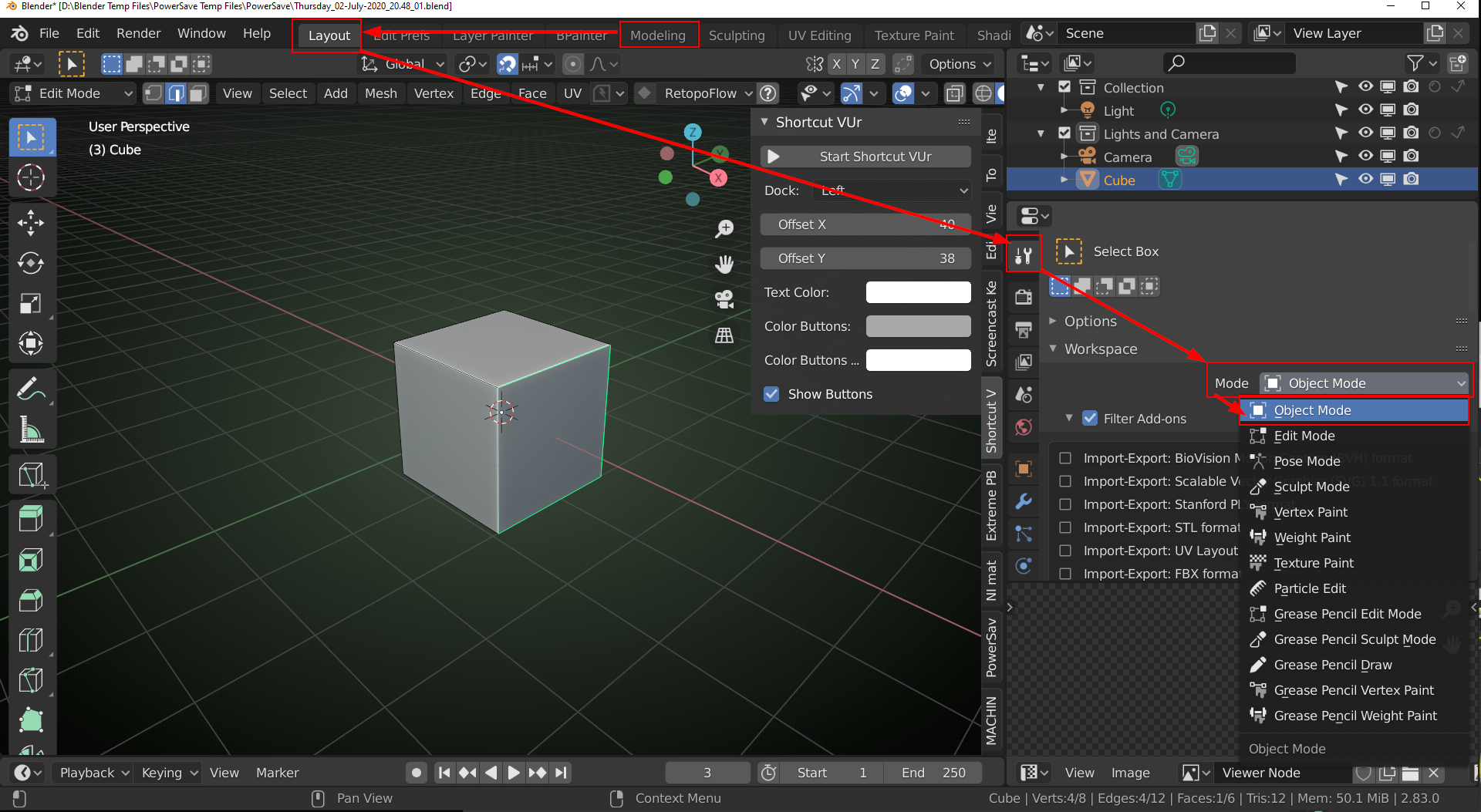
You should see that behavior disappear. I would save that as the new startup file if it is. Just make sure it looks the way you want it to before doing that because it will default to exactly how you have everything set up from then on.
I am scratching my head though. It must be some setting that was changed only in that workspace. I did the same thing with my N panel View Tab on the Camera Clipping Settings on one of my workspaces and it was driving me crazy.
Let me know if that doesn’t work then post a link to any blender file you are willing to share that exhibits this behavior and I can open it and try to see if I see it.
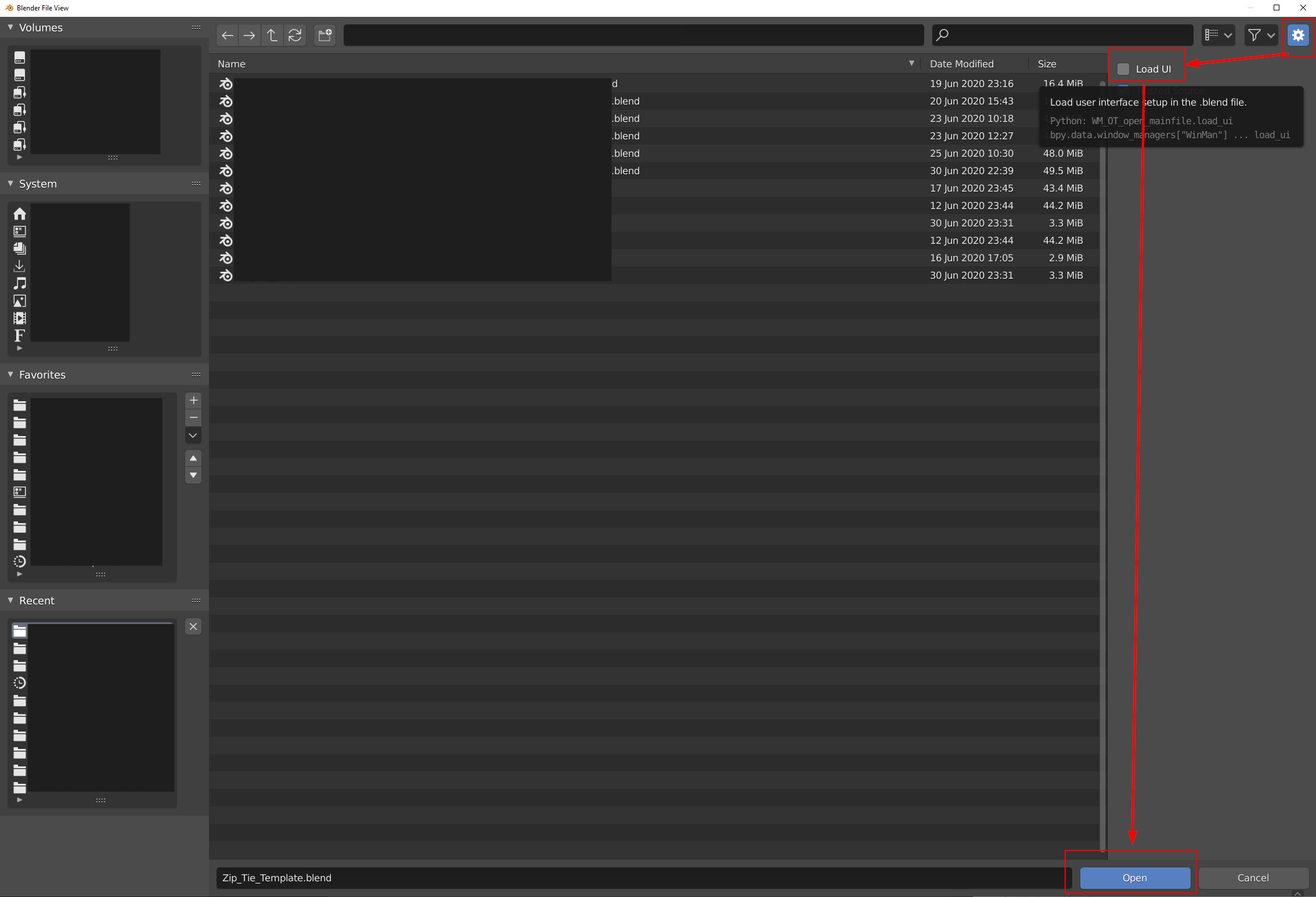
Option 3: ALSO…..important note: If you are indeed loading a file created by someone else you might have the LOAD UI turned on and you are importing the settings from their file. You can turn that off on the Open File Menu Window on the right side and it will keep your startup file layout intact.
Option 4. Try reloading factory settings and see if it is the same unwanted behavior. If it is then………….I am fresh out of ideas homie. But let it go down in history that I tried to help haha.