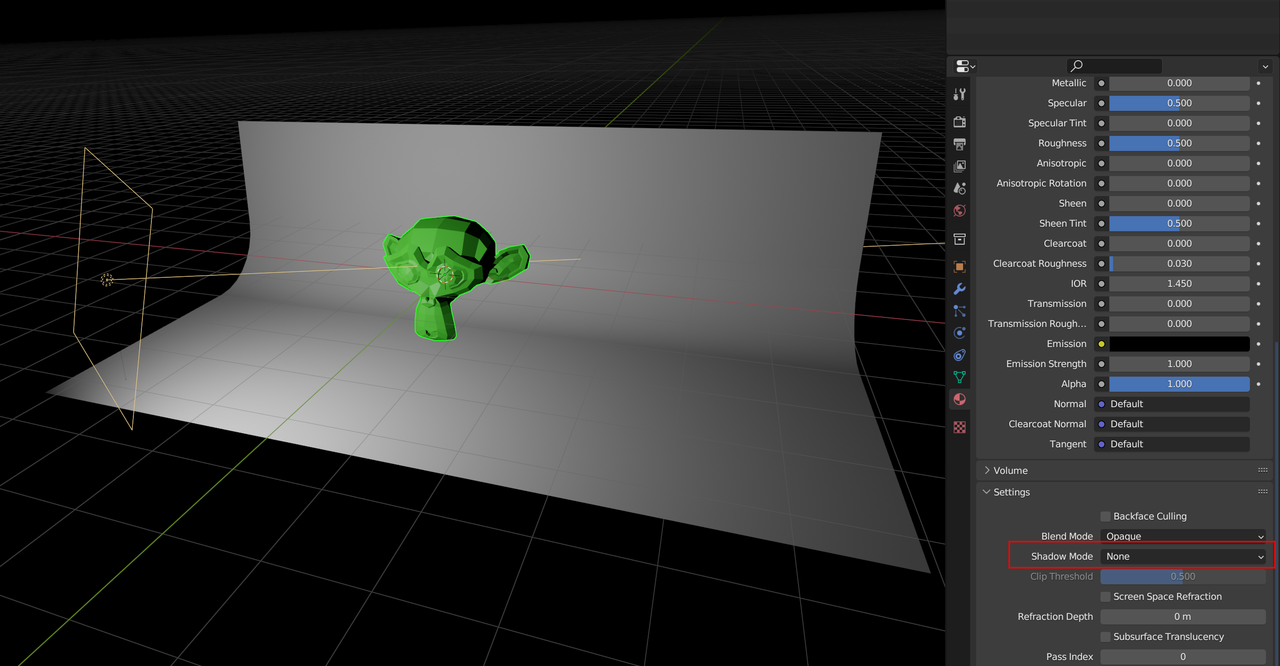
If it’s about shadows on a backdrop, in Eevee you can set the Shadow to None in the Object Properties:
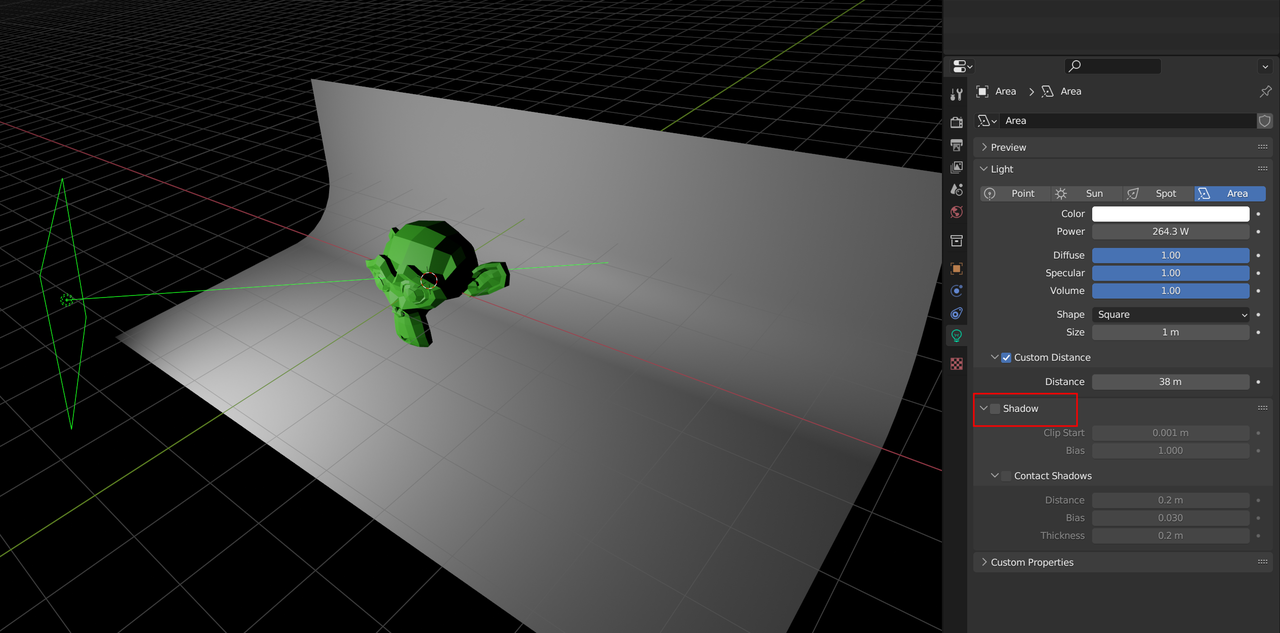
Or disable the shadow in the Light Properties:
In portret photography, people sometimes use diffused light evenly lighting the face (large Area Lights in Blender), amongst others to reduce the visibility of wrinkles and co. (That is maybe not so much the photographer being professional, as the subject being idle?)

