@markmanno You have to differentiate between “Armatures” (which are “Objects” and therefore added in “Object Mode”) and “Bones” which exist inside that “Armature Object” and are therefore added in “Edit Mode” to that “Armature”. Until Blender 2.79, “Objects” (and therefore the “Armature Object” as well) were placed on one or multiple of the 20 “Scene Layers”:
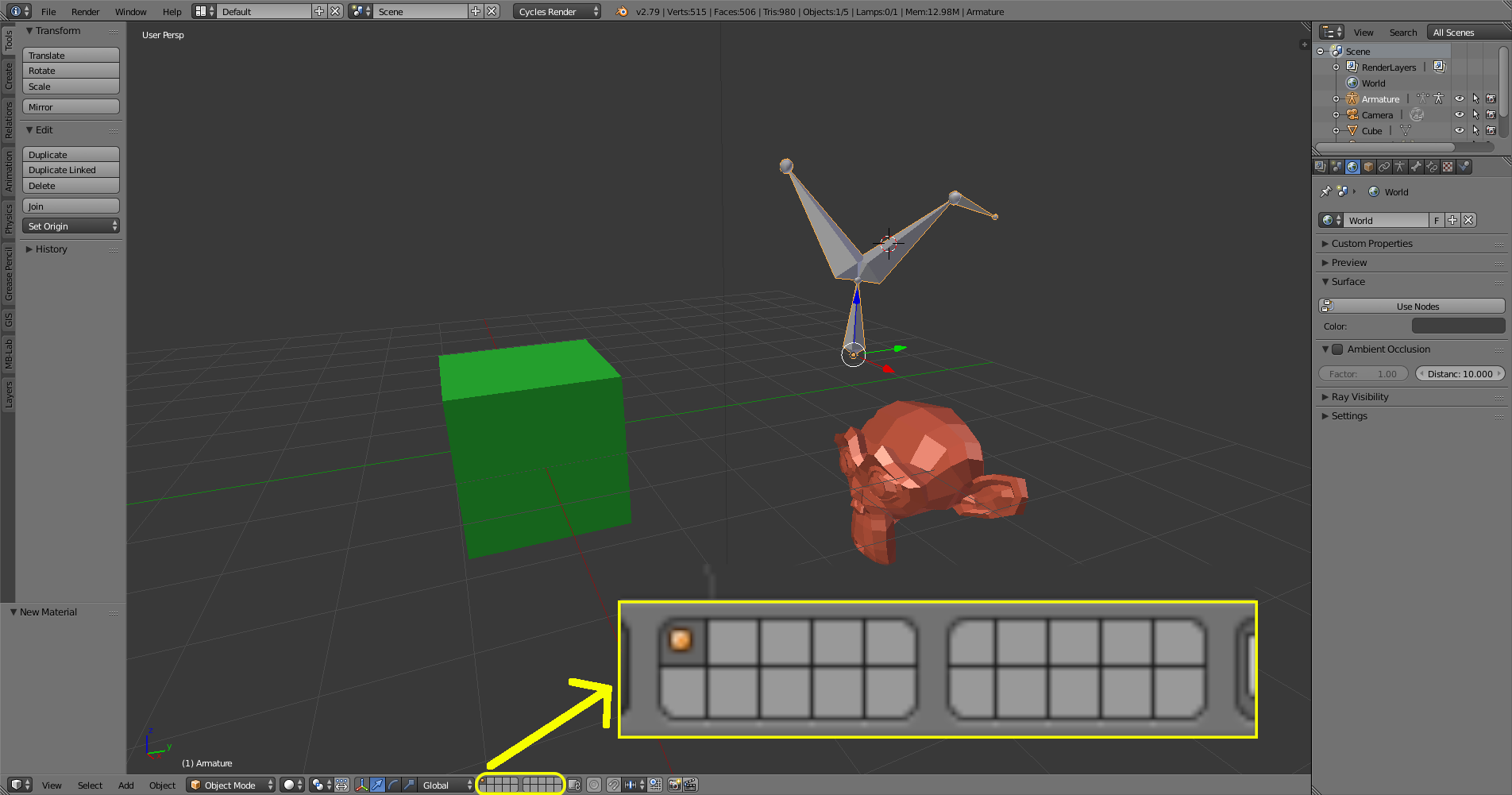
Since Blender 2.80 this limitation no longer exists for objects since we now have an unlimited number of “Collections” which can – other than the old “Scene Layers” – can be named:
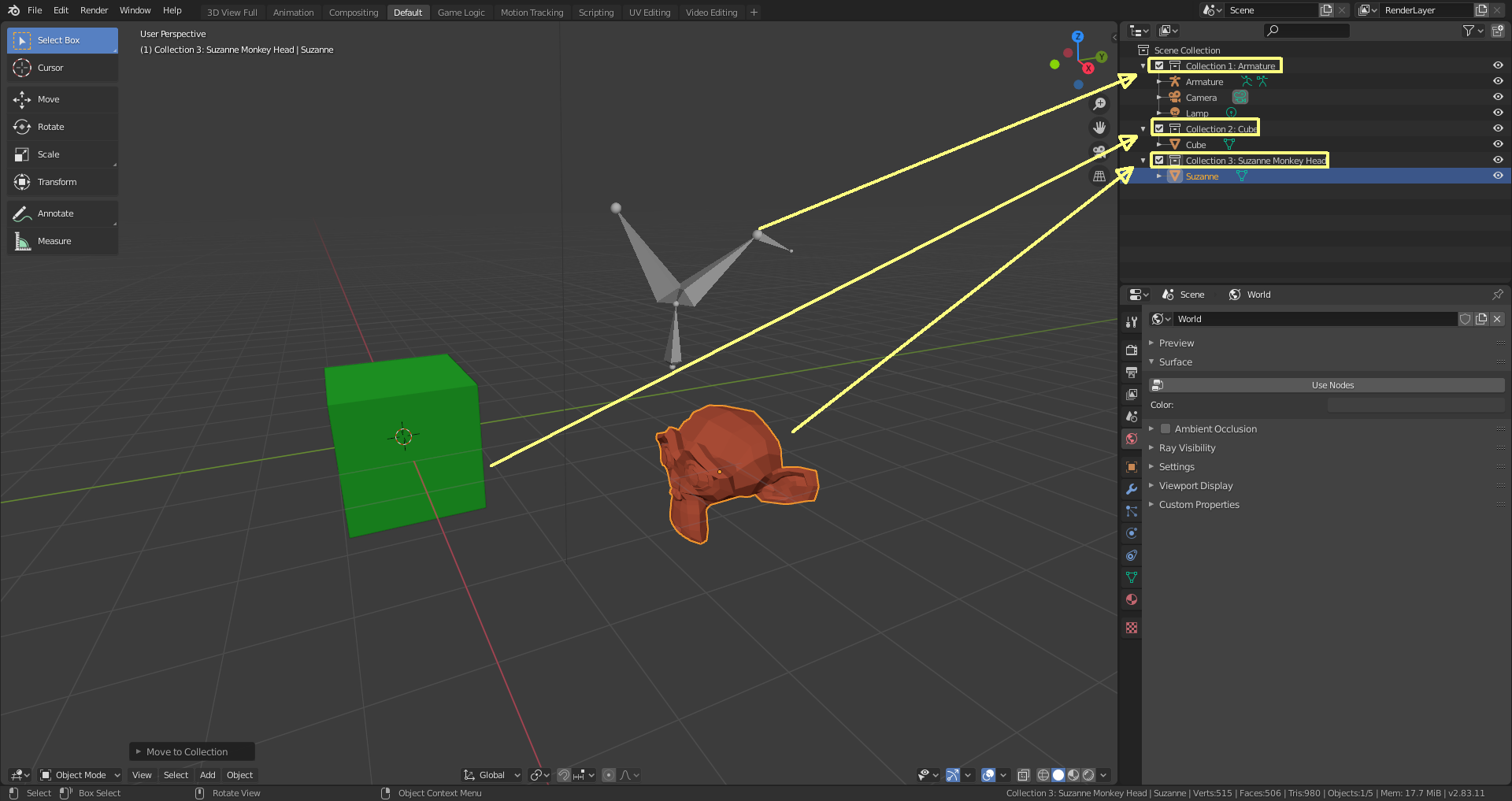
The hotkey for placing objects on a single “Layer” or in a single “Collection” is in both cases “M”.
“Bones” on the other hand are (unfortunately) still organized on 32 “Bone Layers”:
a) Blender 2.79
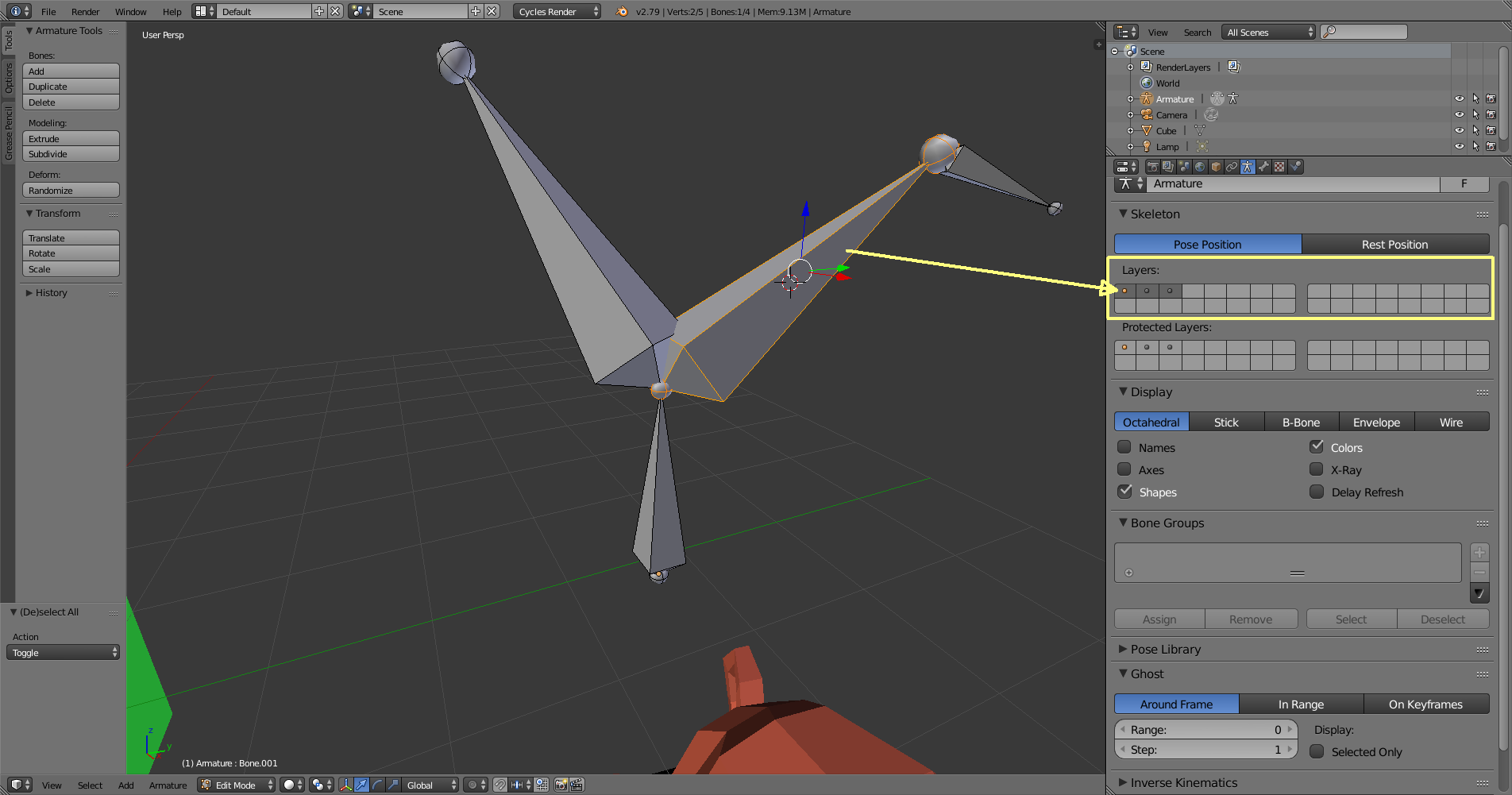
b) Blender 3.0.0 Alpha

“Bones” are added in “Edit Mode”. You can place a “Bone” on a different “Bone Layer” by pressing “M” and clicking on a “Layer” field:
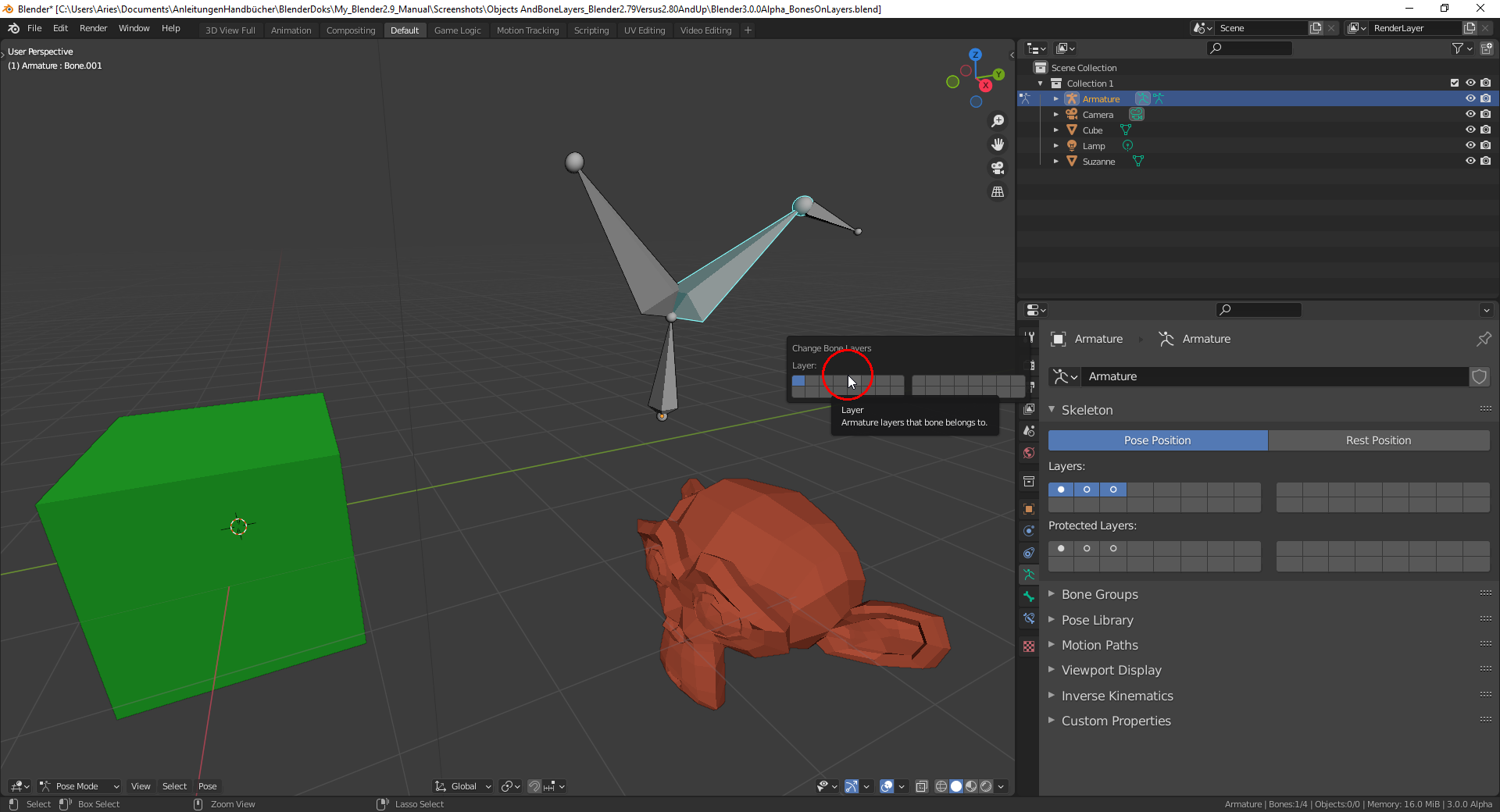
A newly created “Bone” is automatically placed on all visible “Bone Layers” (which are highlighted in blue):
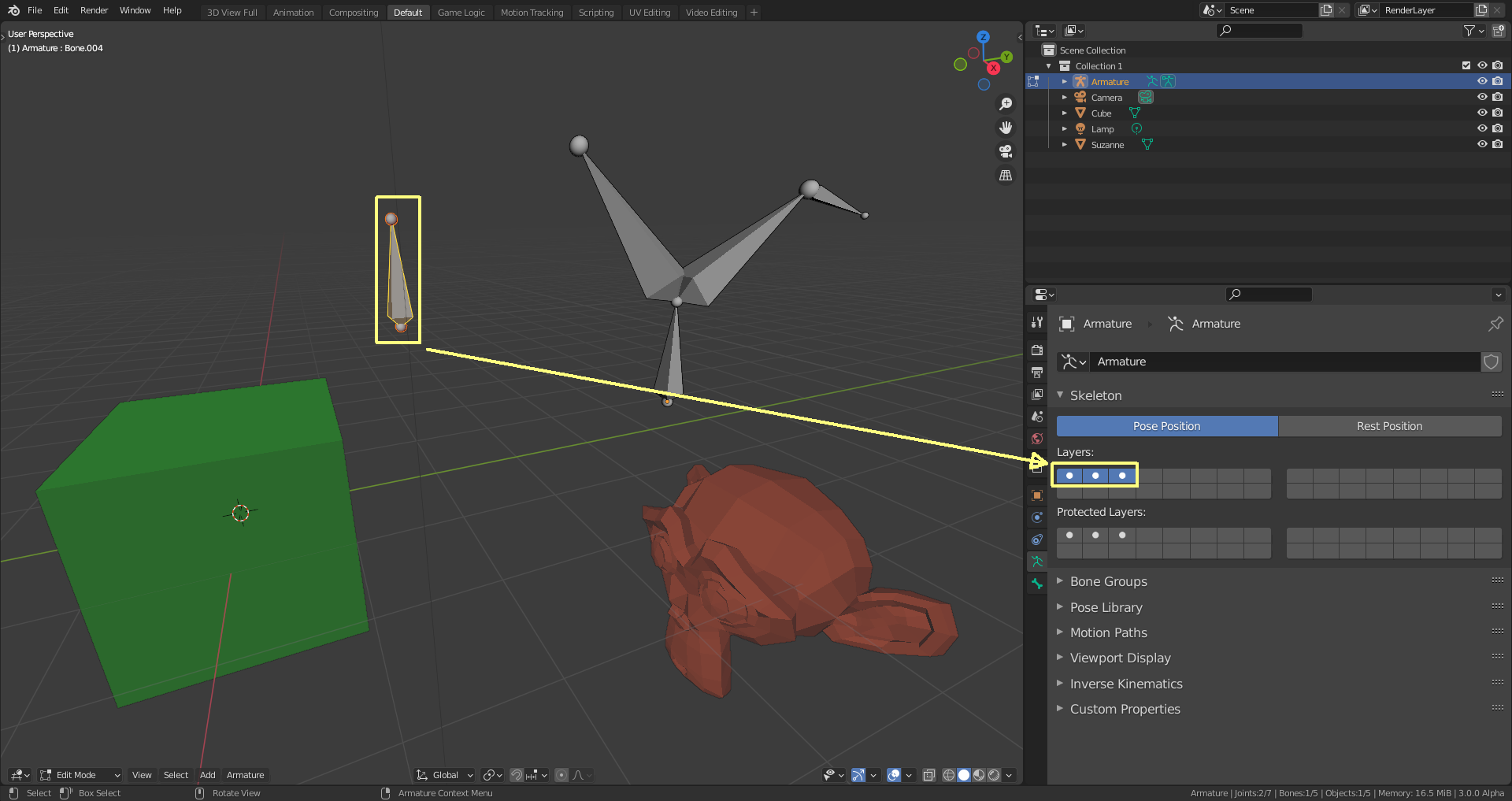
The filled white dots indicate the layers on which you can find the last selected “Bone” (no matter whether this bone is still active or whether all “Bones” are deselected).

