@j.a.g.
(Great that you are using RMB to select!)
The shortcut SHIFT+S gives you this Pie Menu:
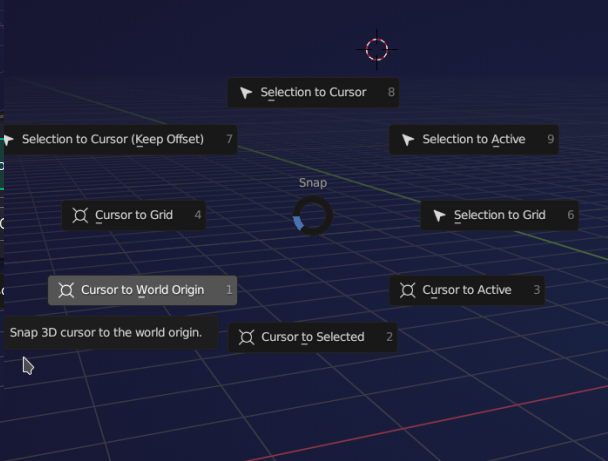
You can then enter the number, or (faster) move the mouse pointer in the direction of the option you want.
Like Omar said, if you want to use n to get to snap, you first need to open the Object dropdown menu.
Can I ask what Blender Version you are using? (I can’t remember when they used parenthesis to denote the shortcut letter inside the menus instead of underlining.)

