Hey Sudeep,
I am a beginner myself – especially with Blender 2.8 – but I remember Jonathan using ‘Remove doubles’ in older versions of Blender to deal with similar situations.
In Blender 2.8 this functionality might have been renamed into ‘Merge By Distance’ (depending on your version I guess), but you can access it in ‘Edit Mode’ by either pressing F3 and searching for it or clicking on ‘Mesh’ >> ‘Clean Up’ >> ‘Merge By Distance’.
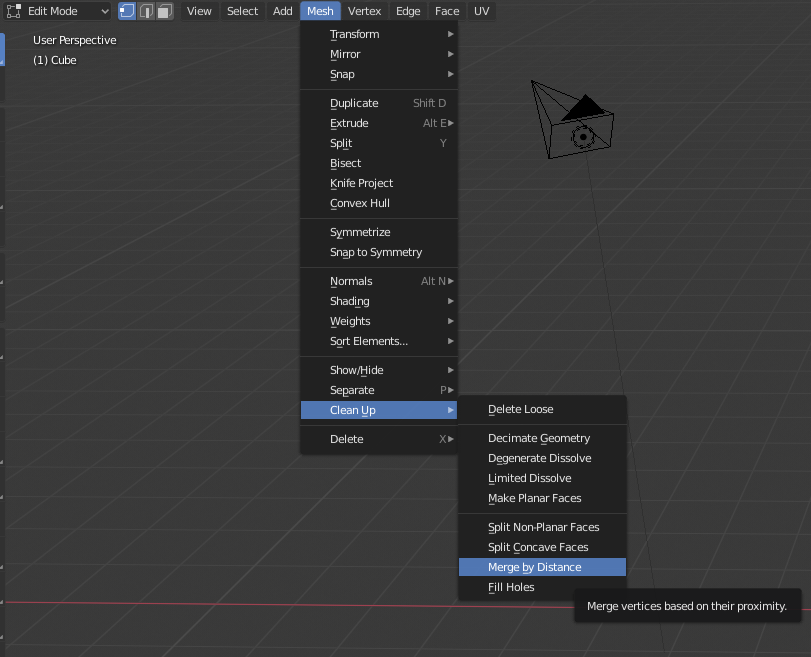
Select your overlapping parts or just everything by pressing ‘A’ in Edit Mode and use ‘Merge By Distance’.
This should remove overlapping vertices and with those your overlapping faces.
Hope that helps.
Greetings,
Tom

