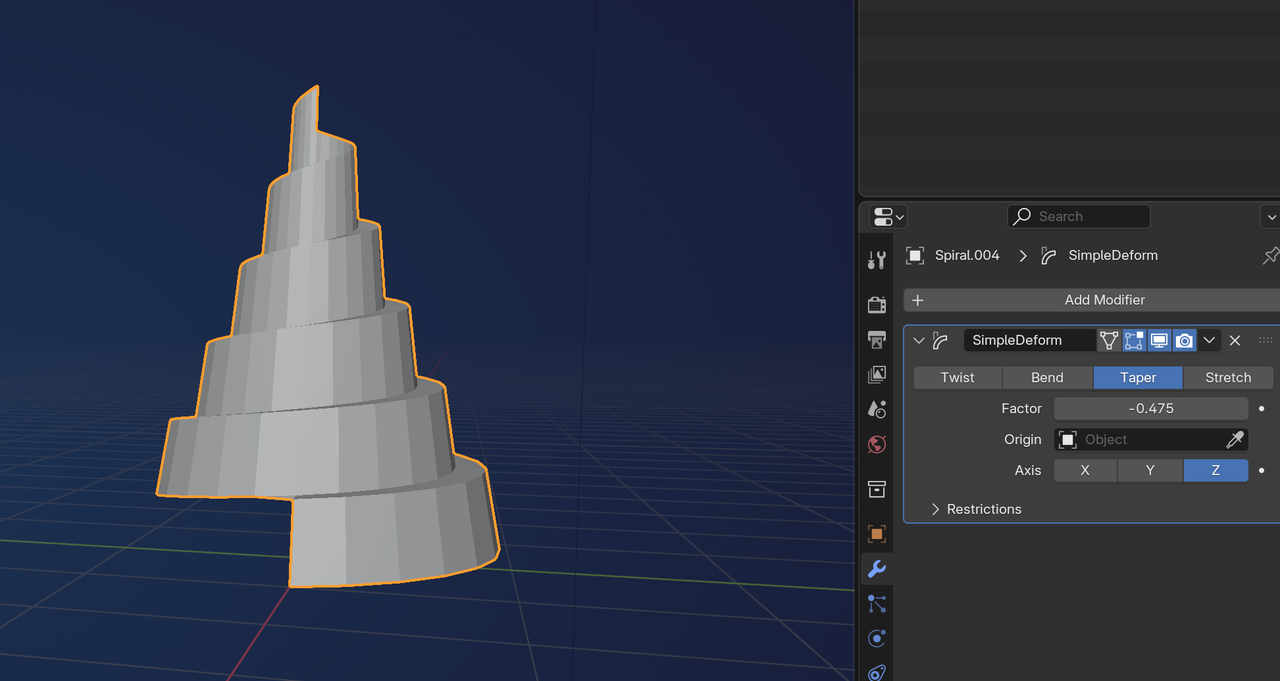
Hi @546_student ,
There are many ways to do this. Here’s one method:
Use the “Extra Curve Objects” Addon (Install it, from Get Extensions, if you don’t have it yet) and then Add Curve > Spirals > Archimedian and adjust the Settings until you get someting you like:
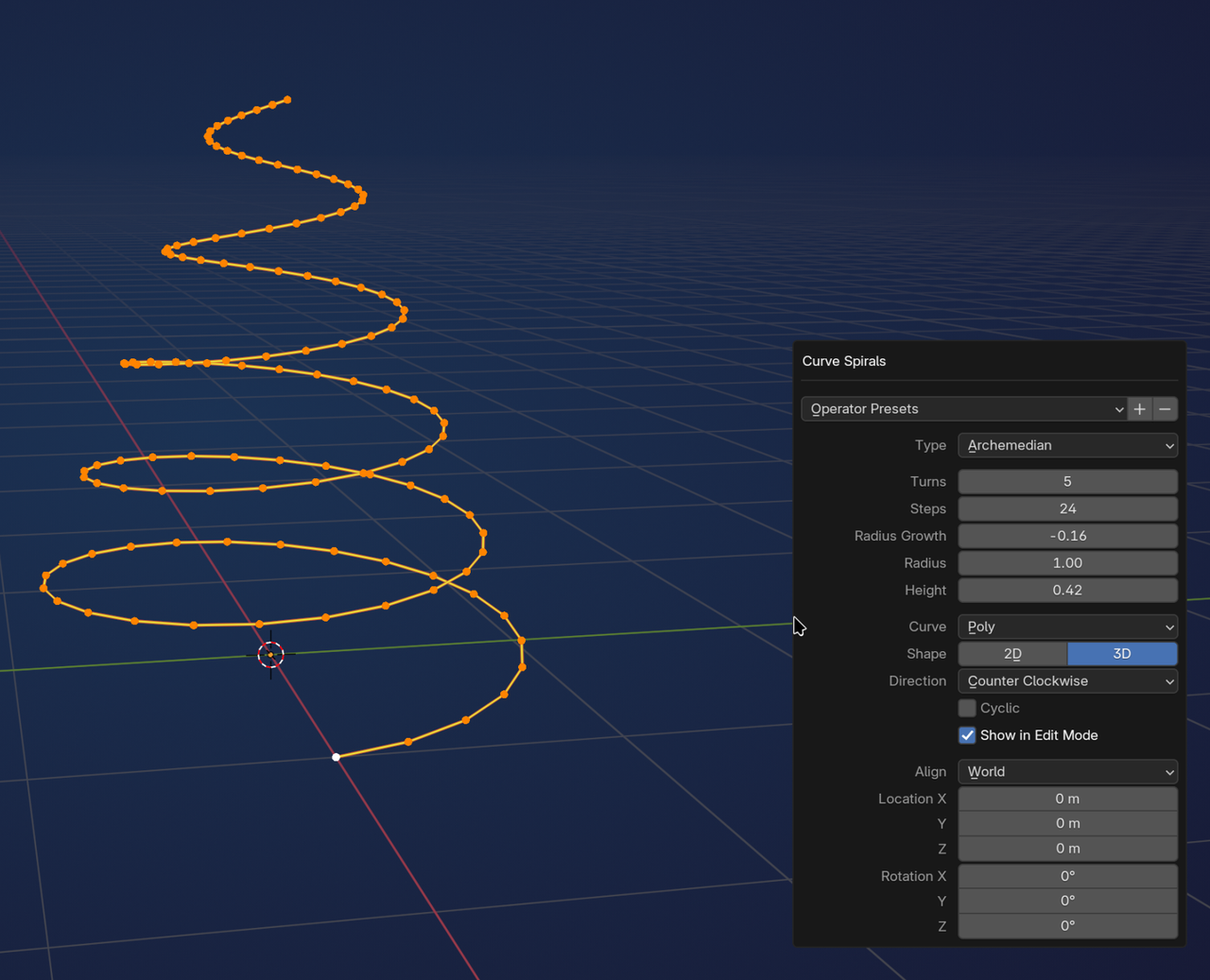
Remember the Height you use.
Object Mode, Convert to Mesh.
Edit Mode, Extrude to the Height:
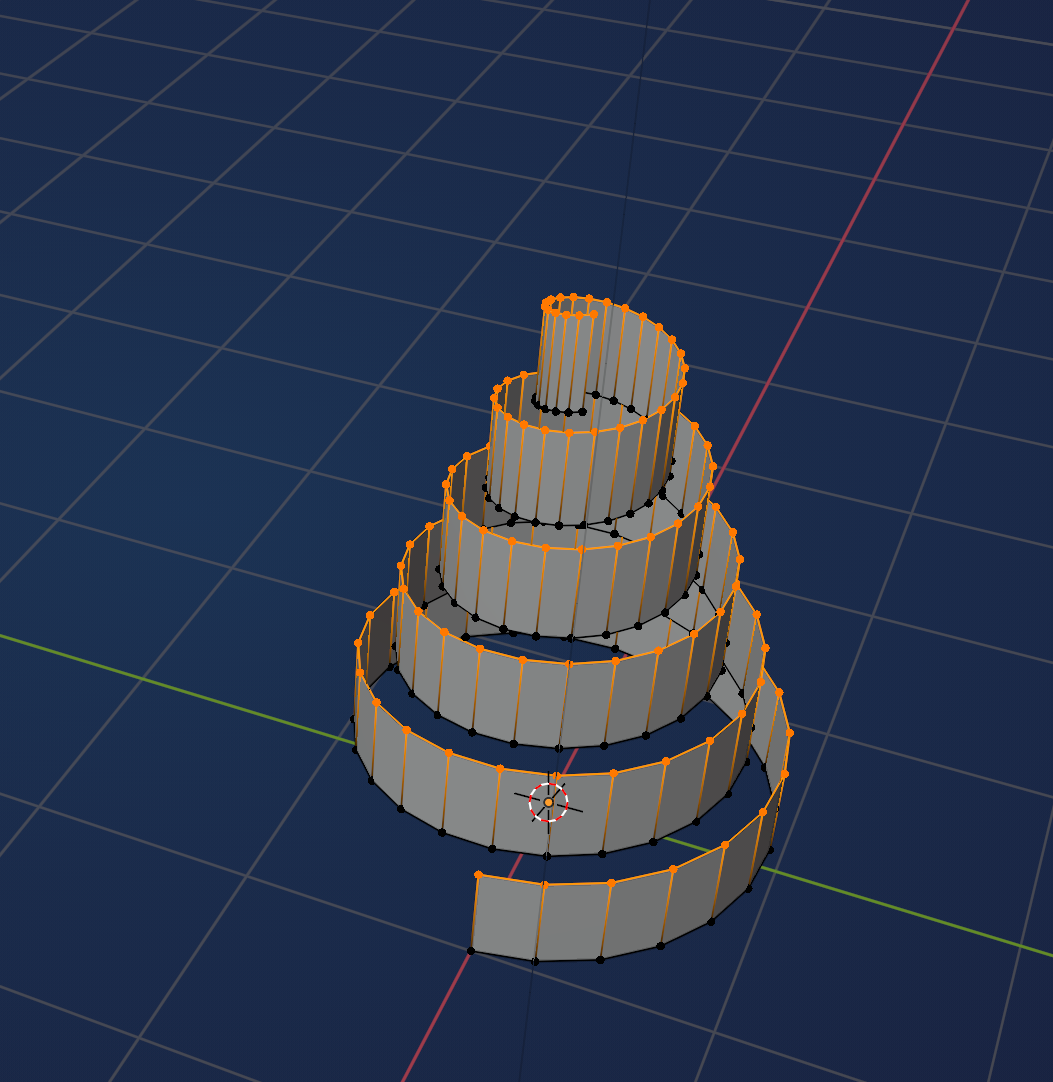
Select these 2 Vertices and F to connect them via an Edge:
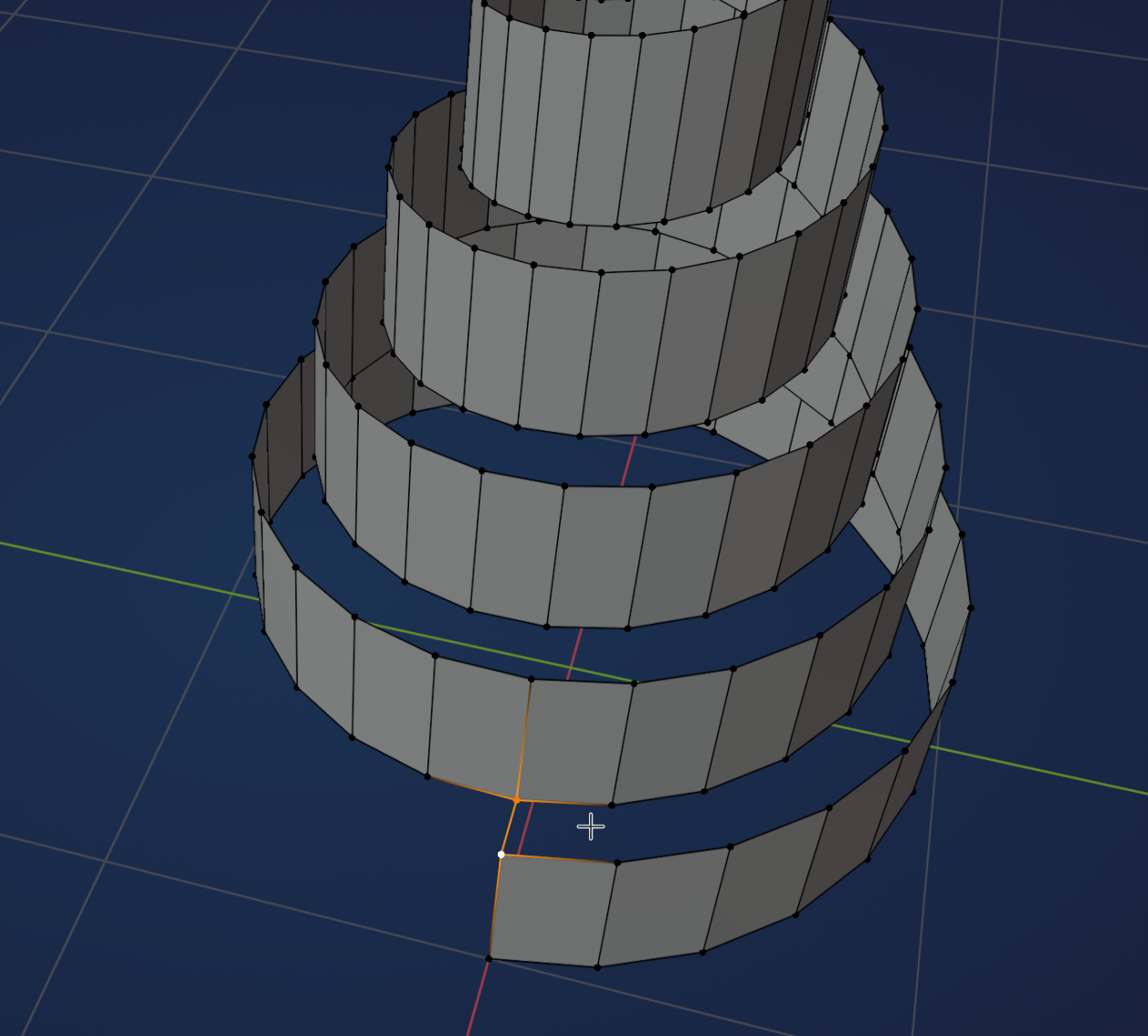
With your Mouse Pointer somewhere to the right of that Edge, press F. For the next part, you’ll need to have the F2 Addon enabled (this one comes with Blender).You can then press F again and again, or simply hold F, until you arrive at the top.
You’ll have to take care of the top and bottom of the mountain by hand, but that’s most of the work done. You can adjust the shape with a Lattice, or add a Simple Deform Modifier: