I am having a similar problem, also using OSX with Blender 2.91. I have a radeon GPU in my Macbook Pro and I’m guessing you do too.
After digging around a whole bunch, this seems to be the problem:
https://developer.blender.org/T66508
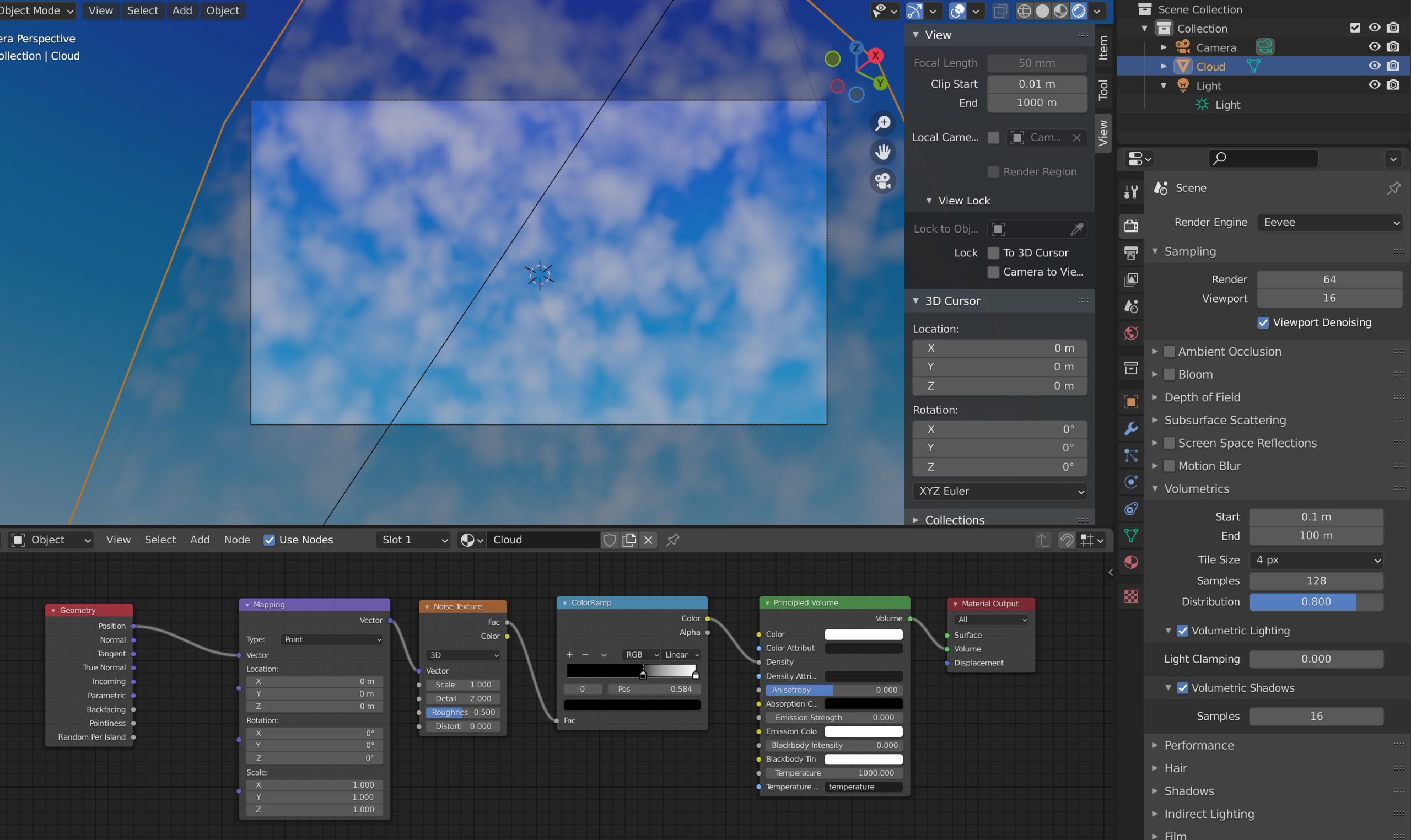
There IS a fix! If you use a geometry node and use the position instead of the object coordinates, you’ll get it to work in Eevee. I found you’ll probably want to change the scale to be much lower (since we’re now using world co-ordinates instead of object co-ordinates) in order to get it to look right, here’s my setup: