
Reply To: Hi, Is there any way to know how many objects are referencing other object?
Forum Archive › Hi, Is there any way to know how many objects are referencing other object? › Reply To: Hi, Is there any way to know how many objects are referencing other object?

I would try it with the Outliner.
1) Drivers
When it comes to drivers you can search for the object of interest in the Outliner and count how often it’s displayed indented below the word “Drivers”. In the following example, the default cube drives two objects: one cone and one icosphere.
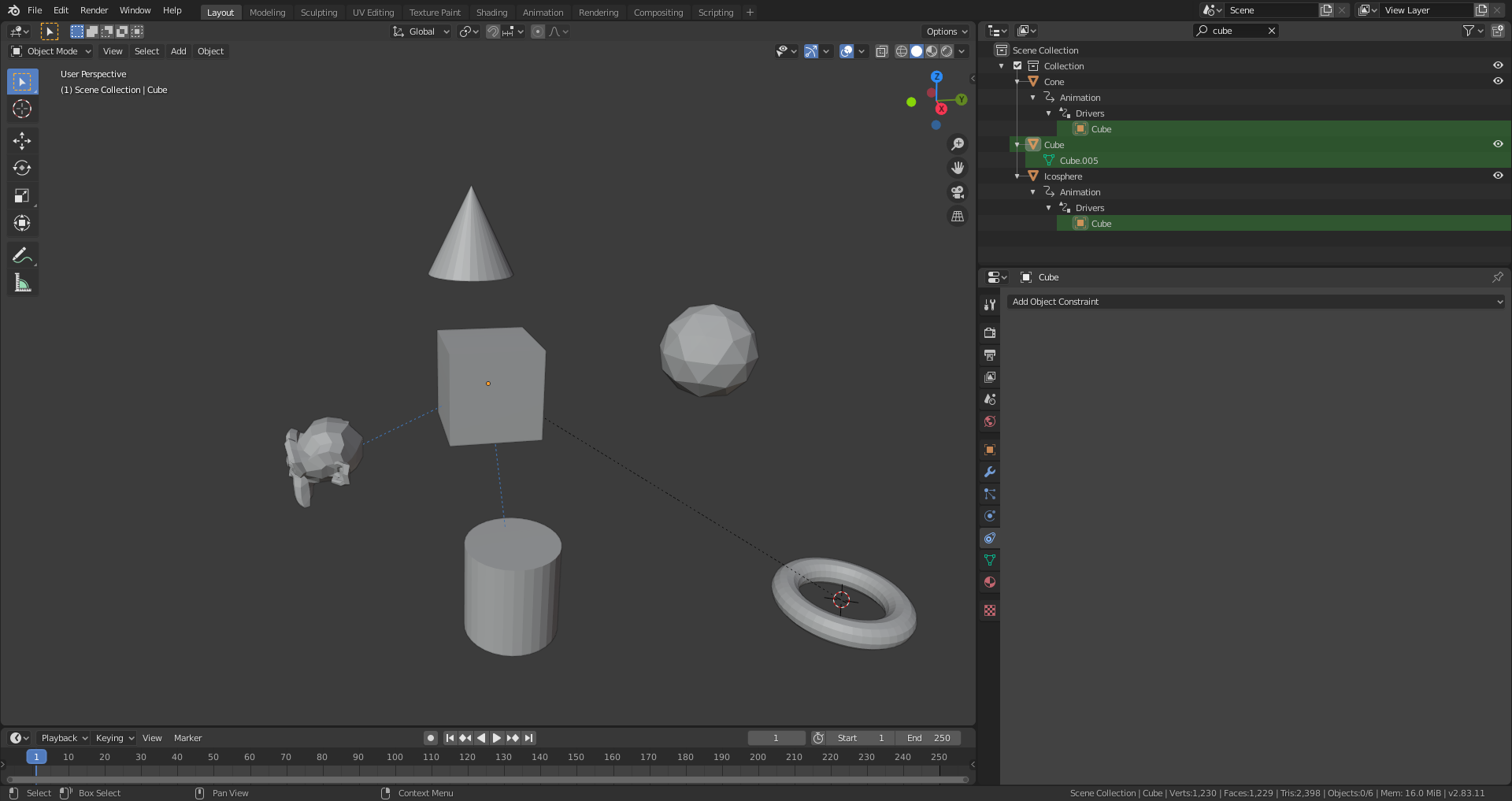
The search operation unfolds the hierarchy tree and shows our “Cube” object two times indented below the word “Drivers”
2) Constraints
The constraints unfortunately don’t show the referenced object in the Outliner but you can search for “constraint” in the Outliner’s search field:
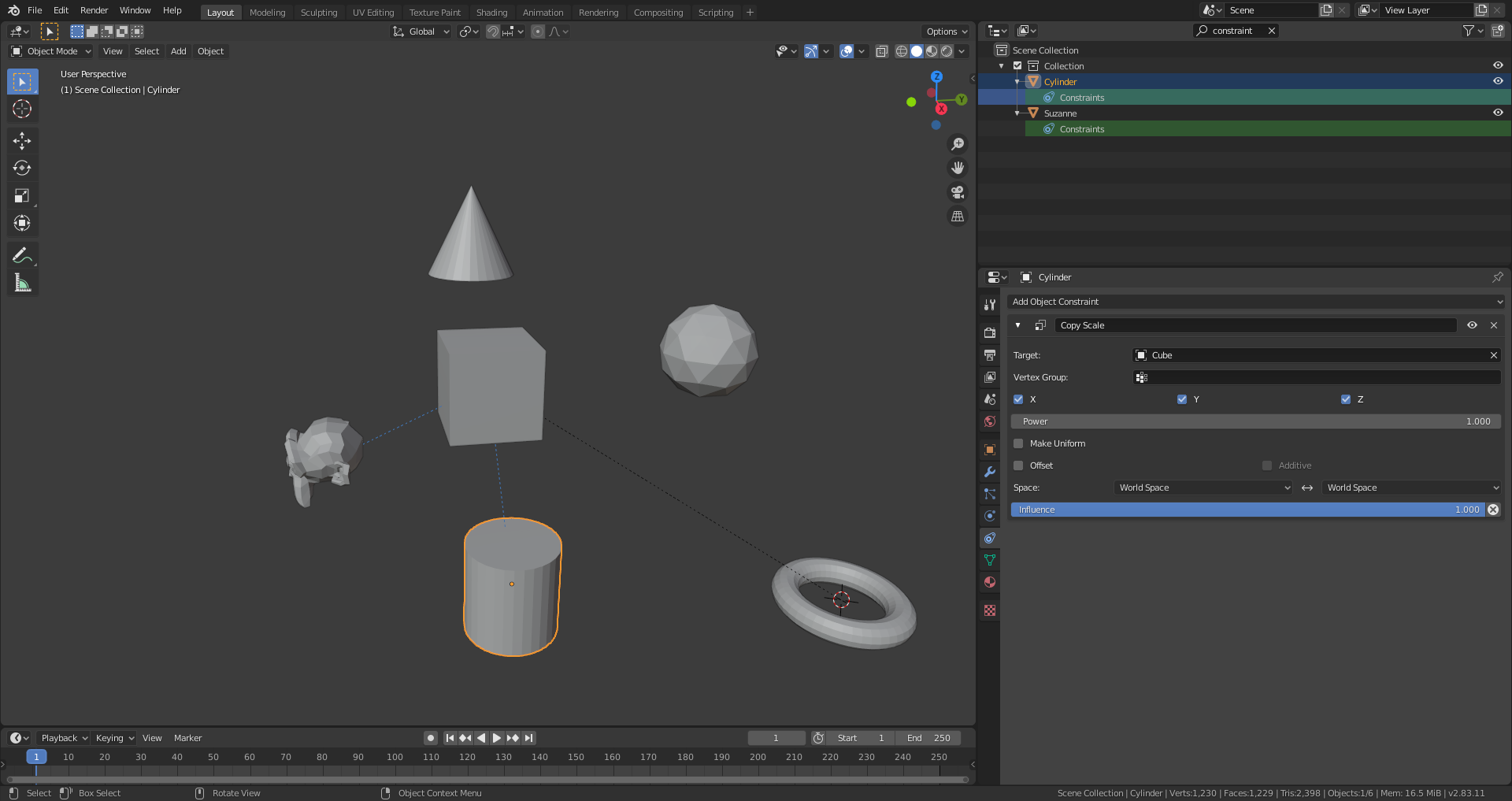
The cylinder and Suzanne each have a constraint and the blue dotted lines (default theme) in the 3D Viewport show that they are limited by the cube. Clicking on the cylinder and selecting the “Constraints” tab in the Properties Editor lists the constraints for that object.
3) Parent-Child-Relationships
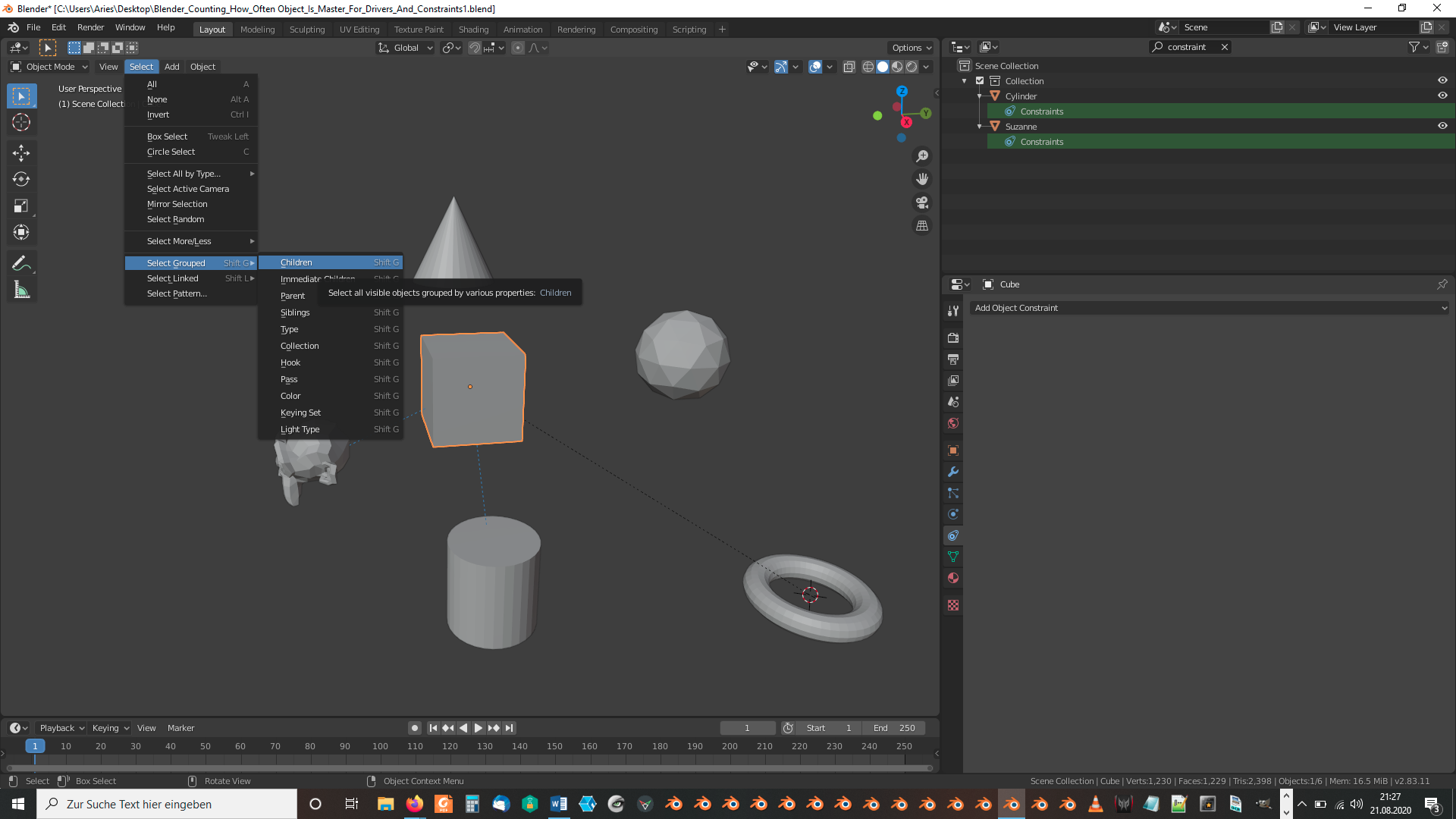
Select only the object for which you want to know how many children it has. Then select “Select” => “Select Grouped” => “Children” or use the shortcut “SHIFT ” + “G” at the same time and then “C”. The statistics at the bottom of your Blender window now show you how many objects are selected. The parent object is automatically deselected by the select operation mentioned before so that you get directly the number of child object to your first selected parent object. The parent-child relationship in the default theme is displayed by a dotted black line (as long as this overlay isn’t switched off).
File is here.