@cyberdemon1542 Great!
I still don’t understand hard edges though.
To save any potential confusion, lets call them sharp edges since that’s more accurate.
Setting an object to use smooth shading makes all edges smooth. Setting an object to flat shading makes all edges sharp.
Setting an object to smooth shading and then auto-smoothing or manually marking edges as sharp will allow you to control which edges are smooth and which are sharp. Here’s an image which shows all three in action:
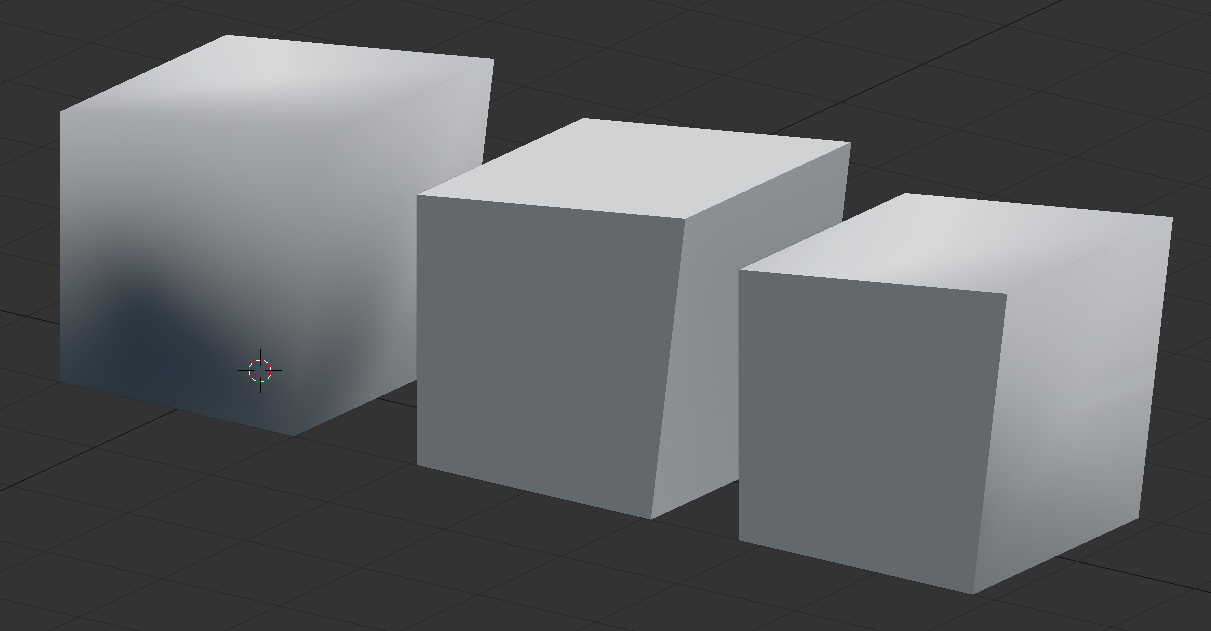
One thing to notice is that there’s even an angle that’s greater than 90 degrees – but that doesn’t make it inherently smooth or sharp.
Does that visual help?

